Tools for Game Developers on iPad

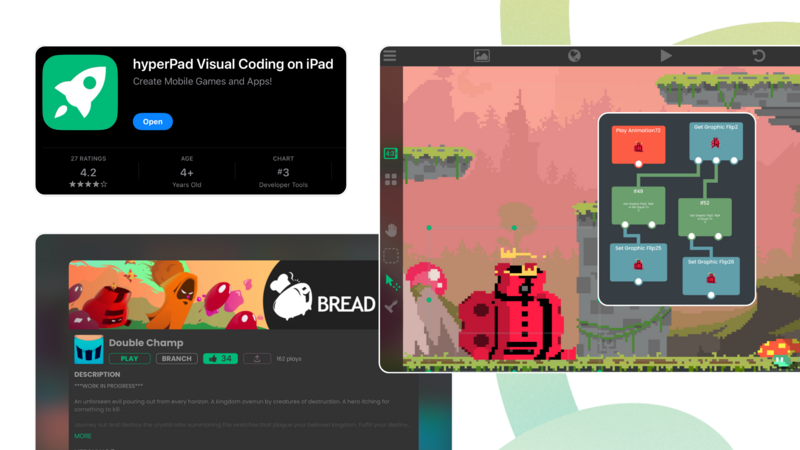
Whether you're just starting out or you're an experienced developer, hyperPad turns your iPad into a game-making studio. With the right accessories, you can work faster, stay organized, and make the most of your creative time.
Apple's Magic Keyboard
Touch controls are great, but a physical keyboard makes a big difference to your productivity. The Magic Keyboard suits game developers who type a lot. Its built-in trackpad and USB-C charging make it a top choice for building, designing, and testing your games.
Apple Pencil
If you focus on design, the Apple Pencil is hard to do without. It gives you precision when you sketch levels, draw characters, or mark up your game design documents. It's also the quickest way to get an idea down.
Portable SSD
As a game developer, you know how quickly storage fills up. A portable SSD like the CalDigit Tuff Nano Plus gives you extra space for your assets, backups, and test builds. Its durability and fast transfer speeds help keep your projects safe and within reach wherever you are.
A Good Bag
Carrying your iPad and accessories safely matters, especially when you build on the go. A good backpack or tablet sling, like the Solo New York Ludlow, keeps your iPad, Apple Pencil, and other essentials organized and protected. Choose a bag that fits your lifestyle, whether you prefer a full-size backpack or something more compact.
Here are some good options.
1. Incase ICON Slim Backpack
Why It's Great: The Incase ICON Slim Backpack suits anyone who wants a slim, minimal bag that still protects their gear. It has a dedicated iPad compartment, plus extra pockets for your Apple Pencil, charger, and portable SSD.
Best For: Commuters and students who need a slim profile without giving up storage.
2. Solo New York Ludlow Universal Tablet Sling
Why It's Great: Compact and affordable, the Ludlow Universal Tablet Sling by Solo New York is ideal if you like to travel light. It fits an iPad up to 12.9 inches and has room for a notebook, pens, and other small essentials.
Best For: On-the-go professionals or anyone who prefers a smaller, more portable bag.
3. WaterField Designs Dash Sleeve
Why It's Great: The Dash Sleeve is a simple, high-quality sleeve that protects your iPad from scratches and minor bumps. It's made from water-resistant ballistic nylon and has a soft interior lining to keep your device secure.
Best For: Minimalists who want a lightweight, protective sleeve for their iPad.
4. Tomtoc Padfolio Case
Why It's Great: The Tomtoc Padfolio Case combines a protective iPad sleeve with extra storage for accessories. It has compartments for your Apple Pencil, charger, cables, and even a small notebook.
Best For: Creatives and professionals who carry several accessories and want them in one compact, organized case.
5. Bellroy Tech Folio
Why It's Great: The Bellroy Tech Folio is a stylish, practical option made from premium, environmentally certified leather. It has compartments for your iPad, plus slots for your phone, cards, and other tech accessories.
Best For: Professionals who want a high-end folio for their iPad and accessories.
6. Herschel Supply Co. Pop Quiz Backpack
Why It's Great: Known for its durable build and classic design, the Herschel Pop Quiz Backpack has a padded, fleece-lined compartment for your iPad. It also has several pockets for other essentials, which makes it a great all-around bag.
Best For: Students and casual users who want a durable, stylish backpack with plenty of storage.
7. STM Dux Backpack
Why It's Great: The STM Dux Backpack is designed for durability and protection. It has a dedicated Tech Cell to keep your iPad safe, along with plenty of room for books, accessories, and even a water bottle.
Best For: Anyone who puts protection first and needs a sturdy backpack for daily use.
Turn Your iPad into a Portable Game Dev Tool
With hyperPad and these accessories, your iPad becomes a portable game development studio. From sketching a new idea to building your latest project or refining your game's design, the right gear makes the work easier wherever you are.
Try hyperPad Starter free. When you want more projects and App Store export, upgrade to hyperPad for a one-time USD $14.99. You keep 100% of your revenue.