Build a game world
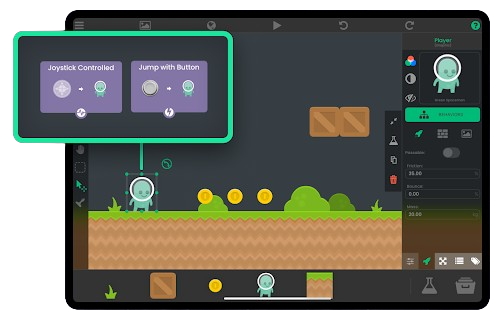
Design scenes, arrange objects, import graphics, and test a playable level directly on iPad.
hyperPad for Education
Teach coding through game design with a visual game engine built for iPad and Mac. Students create real 2D games, learn programming logic, test their ideas instantly, and build projects they are proud to show.
Apple School Manager education pricing
Eligible educational institutions can receive 50% off hyperPad when purchasing 20 or more licenses through Apple School Manager.
Classroom-ready lessons
Start with guided tutorials, presentations, lesson plans, and an educator kit.
Visual coding on iPad
Students learn events, conditions, variables, loops, physics, and debugging without syntax getting in the way.
Priority educator support
Get direct support from the hyperPad team when your class needs help with a lesson or project.
Made with hyperPad
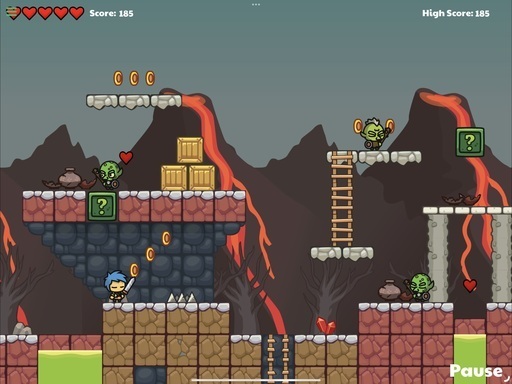
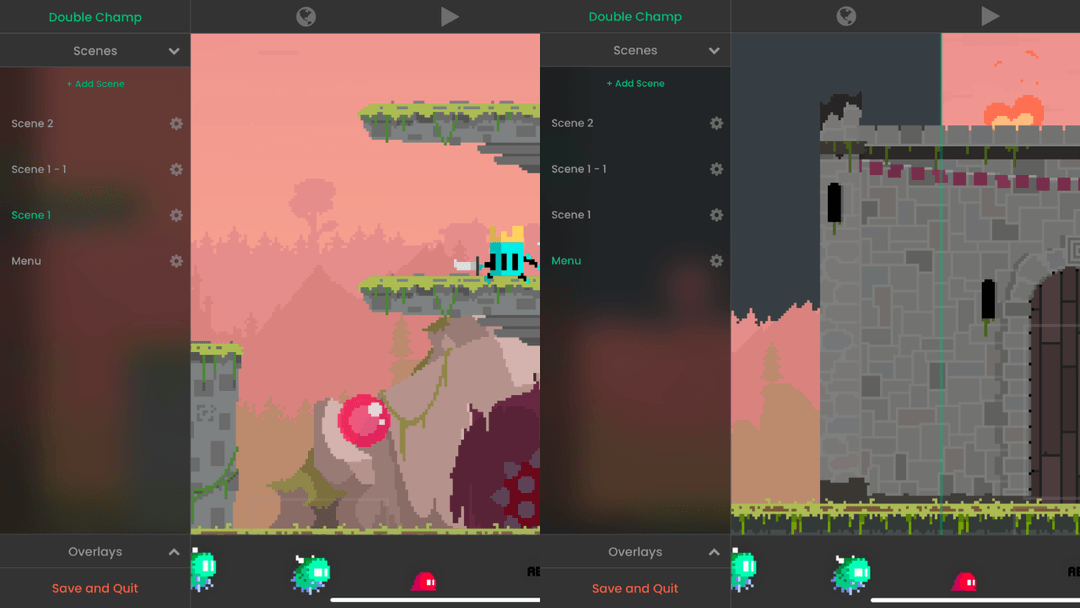
Show students what is possible with a complete game engine. These are real projects featured on hyperPad's official website, not mockups or classroom exercises.
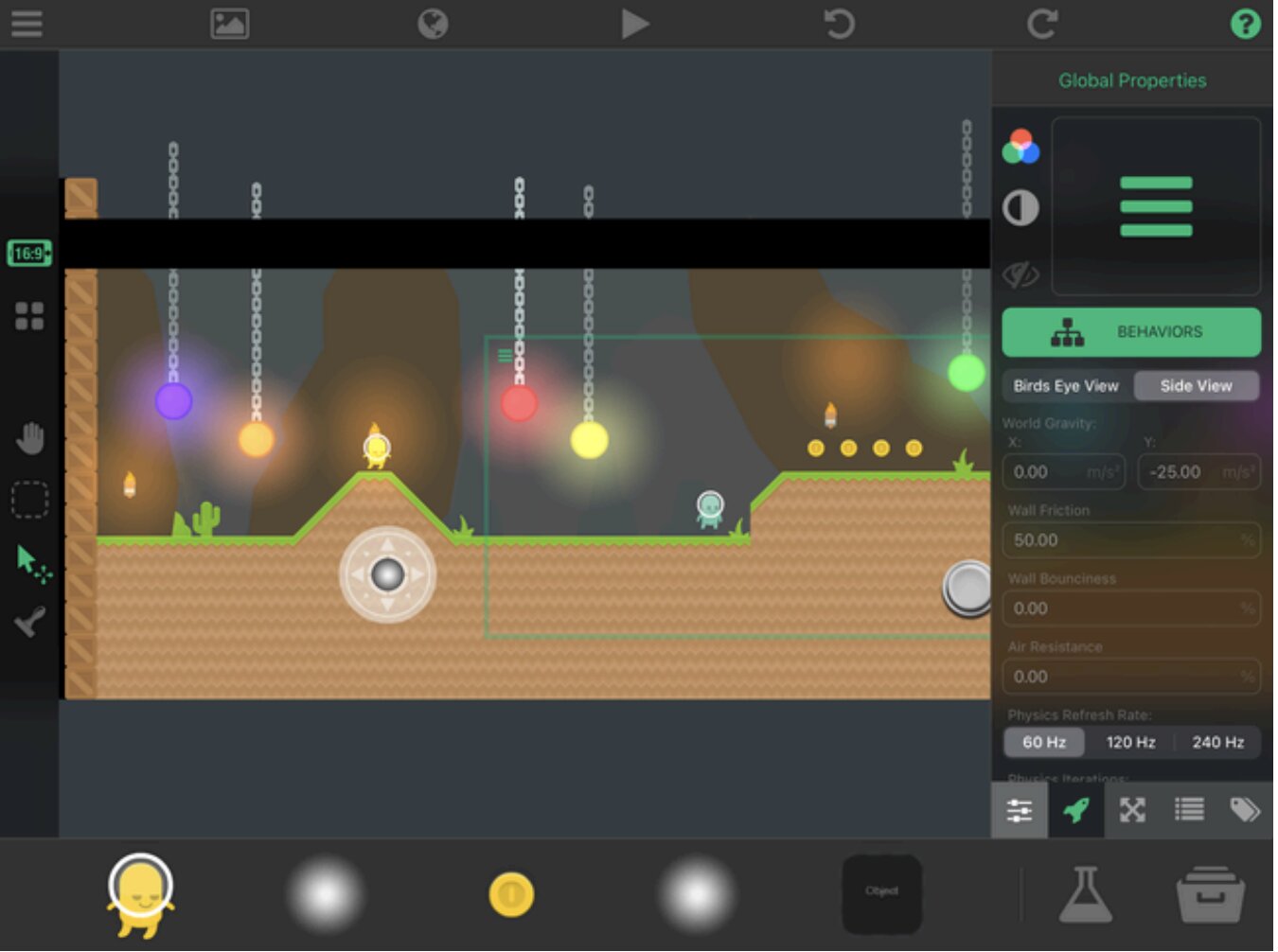
Design scenes, arrange objects, import graphics, and test a playable level directly on iPad.
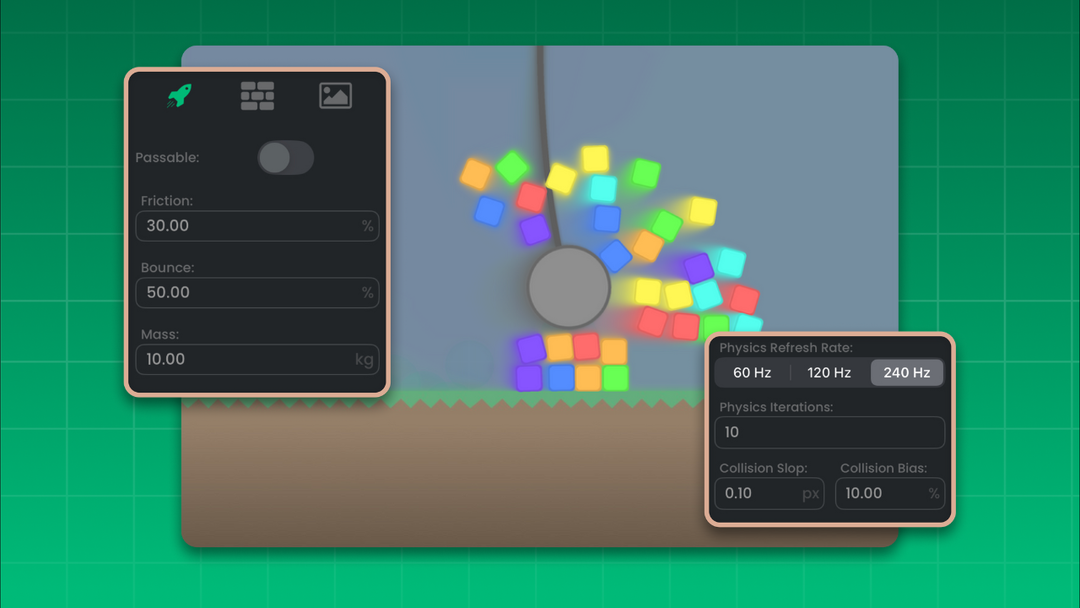
Explore gravity, collisions, forces, and how changing a game's rules changes the result.
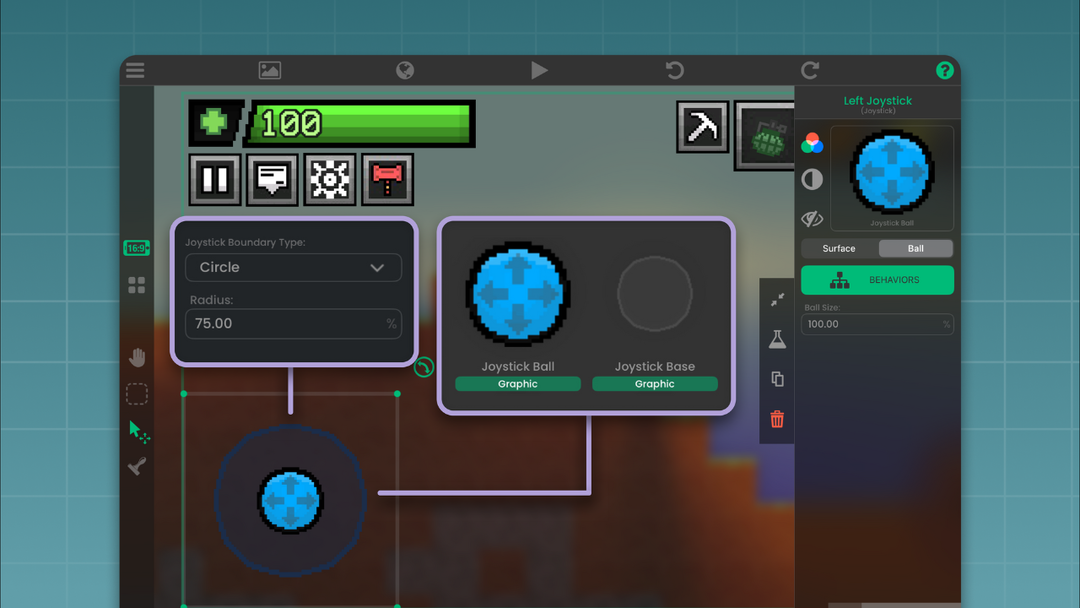
Combine graphics, controls, animation, sound, and interaction into a finished game.
Why visual coding works in class
Visual coding makes programming concrete. A student can connect an event to an action, press Play, and immediately see what changed. That short feedback loop is especially useful in an iPad classroom because the same device is used to build, test, revise, and present the project.
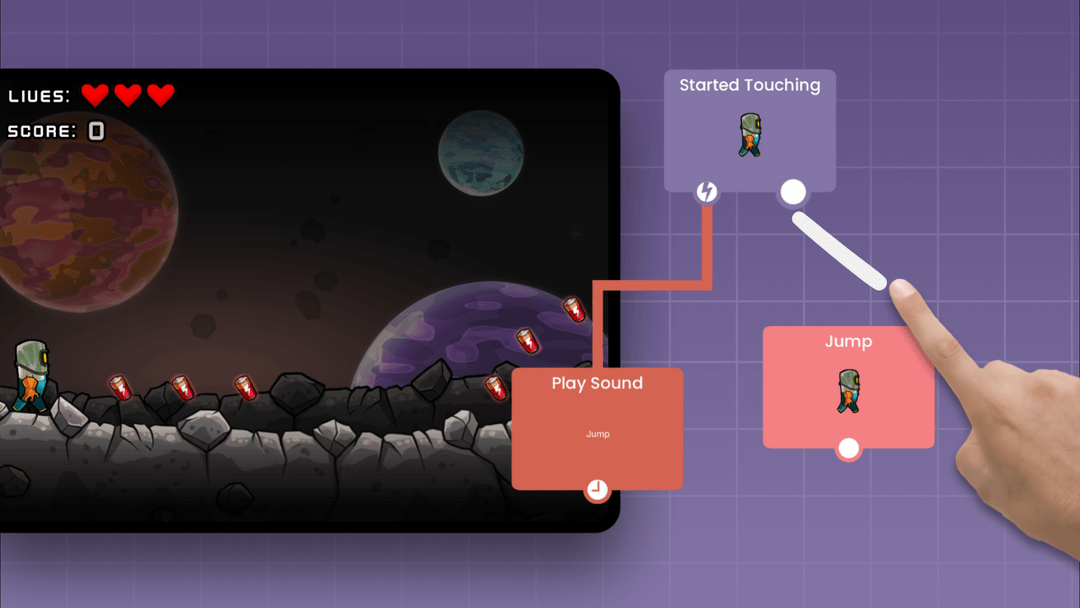
Made for learning by making
A classroom iPad can be more than a place to open assignments. With hyperPad, students can turn a subject into something they can build, play, test, and improve.
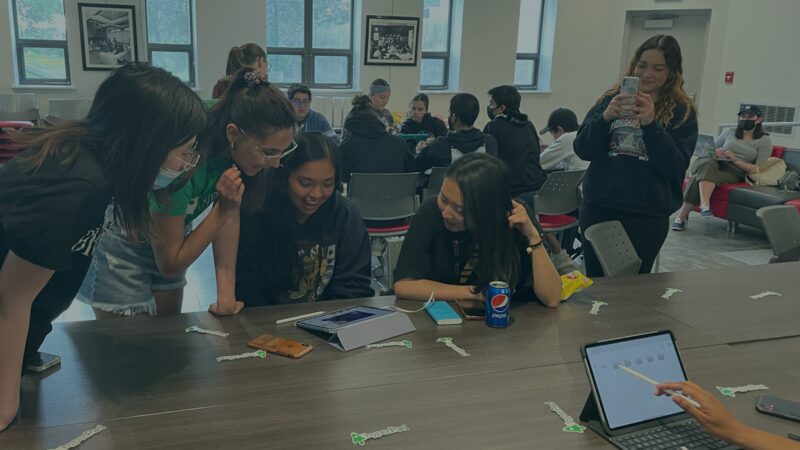
Give students a real creative challenge. Global Game Jam brings creators together to build games around a shared theme, encouraging rapid learning, collaboration, problem-solving, playtesting, and iteration with hyperPad.
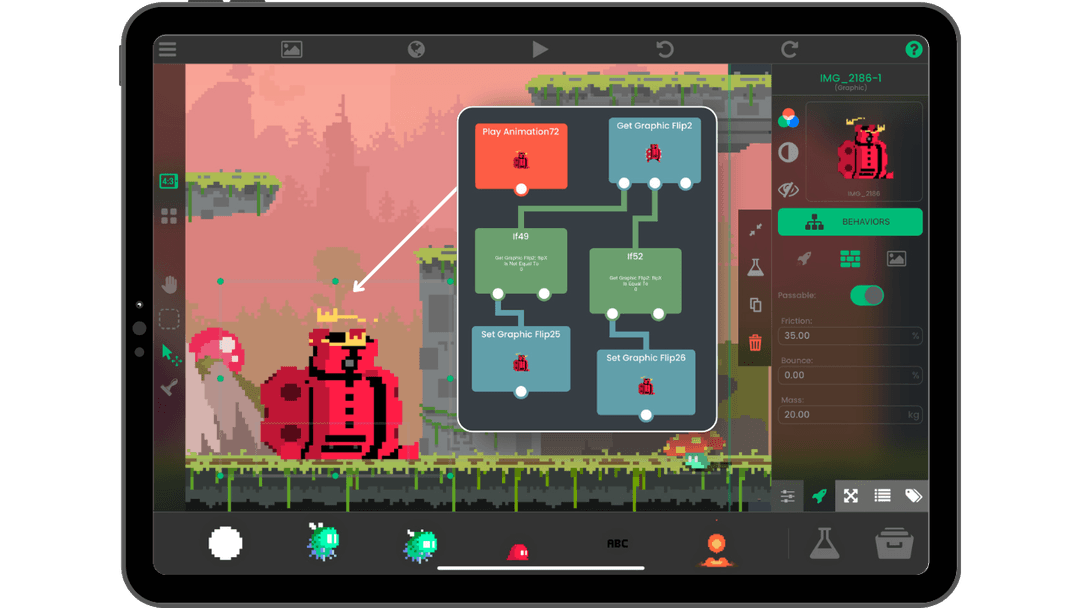
Students can connect events and actions visually: collect an object, play a sound, change a score, trigger an animation, or move to another scene. They work with programming logic without starting with syntax.
Game projects give students something concrete to test and discuss. A lesson can end with peer playtesting, a class showcase, or a project students continue refining after the first session.
Classroom-ready resources
Use hyperPad's existing education resources to move from the editor basics into visual coding, game logic, physics, and more advanced projects.
Basic tutorial
The published introductory course covers project creation, scene navigation, asset importing, object manipulation, physics, and layers before introducing visual coding. Students can then build a coin-collection game to connect what they learn to a playable result.
Intermediate tutorial
The current Intermediate presentation introduces Behaviors, variables, and game logic through a complete side-scroller. Students can extend the project by changing its mechanics and testing their own ideas.
Advanced tutorial
The Advanced resources cover custom Behaviors, physics tuning, dynamic lighting, saving and loading, and exporting to Xcode. These topics give experienced students a path beyond introductory projects.
Educators kit
The current Educators Kit includes lesson plans, worksheets, and rubrics. Use the materials in your curriculum or adapt them to your class’s pacing and project goals.
A first visual coding lesson
Start with a small mechanic that students can understand and extend. Create a scene with a player and a collectible, then use the Behavior editor to make the game respond when the two objects touch.
Use the scene editor to add a player, a collectible, and a simple level.
Use Collision Event to trigger logic when the player touches the collectible.
Remove the collected object with Destroy Object, then extend the project with a score, sound, or next-level condition.
Ask students to change one mechanic, predict what will happen, and test the result.
More classroom material
The education library already includes guided presentations, teacher material, subject-specific lessons, translated resources, and a tutorial-hosting guide.
Beginner
A beginner resource from the education library for introducing game development on iPad.

Mathematics · Grades 5–8
A 45–60 minute activity that uses a game health bar to explore ratios, percentages, and proportional relationships.
Workshop hosts
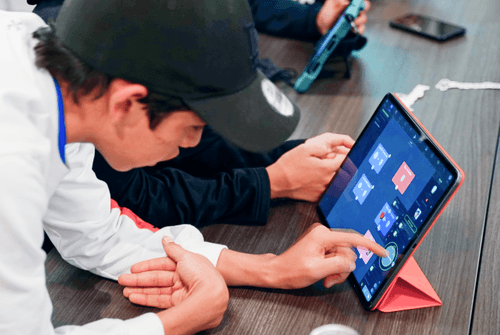
Plan the session, prepare a demonstration, invite your community, showcase youth-made projects, and share the event with hyperPad.
Real classroom example
Educator Steve Iuliano has used hyperPad with students in Australian classrooms, combining visual coding, game design, storytelling, and multimedia projects on iPad.
His classroom resources give teachers a practical way to see how hyperPad can fit into lessons before adapting the workflow for their own students.
Made by students
hyperPad's Education showcase features real student projects created in classrooms. Chickobox and The Troll Game are two of the student-made projects highlighted by hyperPad; the Hub gives students a place to share projects, playtest work, and see what other creators are building.
Apple classroom deployment
If your school already uses iPads, hyperPad gives students a dedicated environment for creating games and interactive projects. Apple Classroom is Apple’s classroom-management app; hyperPad is a separate creation tool. The current education offering supports institutional purchasing and deployment through Apple School Manager. Schools should confirm their own device-management, account, and privacy requirements before rollout.
01 · Purchase
Eligible institutions receive the current hyperPad education discount through Apple's education purchasing workflow.
02 · Deploy
Deploy hyperPad through Apple School Manager according to your school's device-management setup.
03 · Teach
Begin with guided tutorials and progress toward original visual coding and game-design projects.
Apple School Manager pricing
Eligible educational institutions can purchase 20 or more hyperPad licenses at 50% off through Apple School Manager. This is Apple's education purchasing program, not a separate hyperPad subscription.
For eligible educational institutions.
Questions teachers search for
Visual coding lets students build logic with graphical nodes and connections instead of typing every instruction as source code. In hyperPad, students apply that logic to real game systems such as movement, collisions, score, variables, physics, UI, audio, and events.
Yes. hyperPad is a full visual 2D game engine built for iPad. Schools can use it for coding, computational thinking, game design, STEM activities, interactive storytelling, and project-based learning.
hyperPad runs on classroom iPads and can be deployed institutionally through Apple School Manager. Apple Classroom and Apple School Manager serve different purposes, so schools should follow their existing Apple device-management process.
No computer science background is required to begin. hyperPad's visual Behavior system and existing lessons let teachers introduce the editor and programming logic gradually.
Students can create platformers, arcade games, puzzles, simulations, interactive stories, educational projects, and more. More advanced projects can use variables, arrays, physics, reusable logic, save systems, UI, audio, and multiplayer features.
The current education page describes a progression from simple drag-and-drop scenes in grade 4 to more advanced projects in high school. Teachers should choose activities according to their students’ experience, curriculum, and available time.
Yes. The current Educators Kit includes lesson plans, worksheets, and rubrics. Basic, Intermediate, and Advanced presentations are also available, and Steve’s Classroom offers additional professional learning resources.
Yes. hyperPad’s published education articles describe activities such as math games, spelling puzzles, science trivia, and interactive history stories. Students can use visual coding to connect subject knowledge with game logic and interaction.
No. Apple Classroom is a classroom-management app. hyperPad is a separate visual game-development engine for iPad. Schools can use hyperPad as a creation tool within their existing Apple-managed environment.
Schools should review the current hyperPad privacy policy, account requirements, and technical documentation before deployment. Contact the hyperPad team to confirm which activities require internet access and how student accounts and project sharing should be managed.
hyperPad supports sharing through the hyperPad Hub and export workflows for App Store publishing. Teachers should apply their school's privacy, account, and student publishing policies before making work public.
Bring hyperPad to your school
Tell the hyperPad team about your grade level, number of classroom iPads, and learning goals. Ask about education licensing, custom lessons, the educator kit, or a practical starting point for your students.