A GameMaker Studio Alternative for iPad: hyperPad


If you're looking for a GameMaker Studio alternative that runs on iPad, hyperPad is the game maker built for it. GameMaker (formerly GameMaker Studio) is a 2D engine that runs on a computer and uses its own scripting language, GML. hyperPad lets you build 2D games on iPad by connecting visual Behaviors, start free with hyperPad Starter, and keep 100% of your App Store revenue with paid hyperPad.
At a glance
| hyperPad | GameMaker | |
|---|---|---|
| Where you build | iPad, or a Mac with an M1 chip or later | macOS, Windows, or Ubuntu Linux (64-bit) computer |
| How logic works | Behaviors you connect on each Object | GML code, or GML Visual blocks |
| Cost to start | Free with hyperPad Starter | Free for non-commercial use |
| Price to sell your game | $14.99 once for the paid hyperPad app | $99.99 once for a Professional license |
| Where you can release | hyperPad Hub, and the App Store through Xcode Export | Desktop, mobile, and web, plus consoles on the Enterprise subscription |
| App Store revenue | You keep 100% | Depends on your license and store |
Your 2D studio, on iPad
GameMaker is a desktop IDE, so you build at a computer.
hyperPad runs on iPad. You place Objects with your finger and test by pressing Play, all on one device. You don't need a computer until you submit to the App Store.
What each one costs
Both tools use a one-time price to go commercial, which makes them easy to compare.
- hyperPad Starter is free. It includes one Project to build and test on iPad.
- The paid hyperPad app costs $14.99 on the App Store, once. It adds more Projects, Publishing to the hyperPad Hub, and Xcode Export.
- GameMaker Free is free forever for non-commercial use, with desktop, mobile, and GX.games exports.
- GameMaker Professional costs $99.99 once. It adds the commercial license you need to sell your game.
- GameMaker Enterprise is a subscription for console exports and source code access.
GameMaker doesn't add a watermark or splash screen on any tier. Releasing on the App Store with either tool also needs an Apple Developer Program membership. See how much it costs to make a game on iPad for the full breakdown.
Why creators pick hyperPad
- Build anywhere. Your whole Project travels with your iPad.
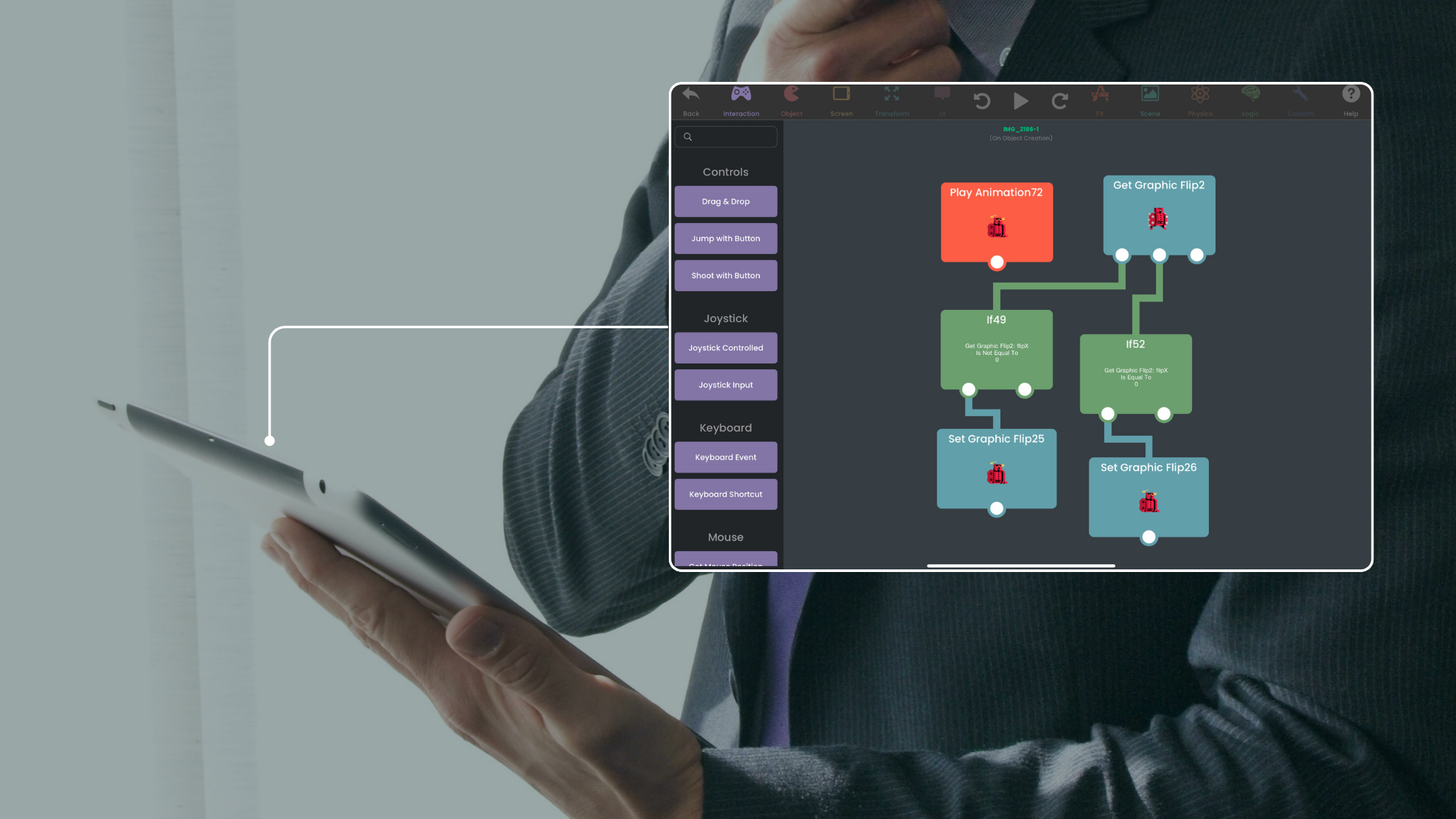
- Visual logic. Connect Behaviors to make things happen, and read your game logic at a glance.
- Selling is part of the app. The paid hyperPad app includes Xcode Export for the App Store, and it's a one-time purchase.
- Your revenue stays yours. Keep 100% of what your game earns.
- A built-in audience. Publish to the hyperPad Hub, where players can try your game on iPhone, iPad, or Mac.
When GameMaker is the better pick
GameMaker is a mature engine, and it's the right call for some projects:
- You want to learn a scripting language. GML is a full language, and the skills transfer to other code.
- You're shipping to Steam, Android, or consoles. GameMaker exports to all of them. hyperPad exports an Xcode project for the App Store.
- You work on Windows or Linux. GameMaker runs on both. hyperPad needs an iPad or an Apple silicon Mac.
- Your game is large and code-heavy. Big teams and long projects often prefer typed code and a desktop IDE.
If you want to build on iPad without typing code, and sell on the App Store for a one-time price, hyperPad is the closer fit.
A GameMaker-to-hyperPad cheat sheet
If you know GameMaker, you already know most of hyperPad. Here's how the main ideas line up:
| In GameMaker | In hyperPad |
|---|---|
| Room | Scene |
| Sprite | Graphic |
| Object | Object |
| Event, like Create or Collision | An event Behavior, like Collision Event |
| Step event | Timer, or a "while" event like While Moving |
| Instance variable | Attribute |
| Global variable | A Box Container |
| instance_create_layer | Spawn on Area or Spawn on Object |
| room_goto_next | Load Next Scene |
The main difference is that you connect logic instead of writing it in GML. The Behavior Interface Overview shows where everything lives.
Build a top-down coin collector in hyperPad
Each step names the Behavior to use, and the links go to its documentation page.
- Move the player. Add Joystick Controlled to the player Object for a virtual joystick.
- Block the walls. Give each wall Make Wall so the player can't walk through. In the Physics tab of the global properties, choose Birds Eye View. It turns off gravity for top-down games and adjusts how Joystick Controlled moves the player.
- Collect coins. A Collision Event between the player and a coin connects to Add to Score and Destroy Object.
- Open the door at 10. Check the score with an If, and when it reaches 10, Destroy Object on the door or move it aside with Move By.
- Finish the level. A Collision Event with the exit connects to Load Next Scene.
If you've used GameMaker, you'll recognize the logic, and you can build it from the couch.
Your first week in hyperPad
Coming from a desktop engine, the first few days are mostly about where things live. A simple plan:
- Day 1. Follow part 1 of the complete platform game guide to learn the editor.
- Day 2. Build the coin collector above.
- Day 3. Add sound with Play Sound and a high score with Save to File.
- Day 4 and on. Rebuild one room from a GameMaker game you've already made.
Common questions
Is hyperPad free?
hyperPad Starter is free and includes one Project to build and test on iPad. The paid hyperPad app costs $14.99 once and adds more Projects, Publishing to the hyperPad Hub, and Xcode Export.
Is GameMaker free?
GameMaker is free for non-commercial use. To sell a game, you need the Professional license, a one-time $99.99 purchase.
Can I import a GameMaker project into hyperPad?
No. The two use different formats. Bring your sprites across as PNG files and rebuild the logic with Behaviors.
Can I sell games made in hyperPad?
Yes. Export an Xcode project with the paid app, submit to the App Store, and keep 100% of your revenue.
Do I need a computer?
You build and test everything on iPad. App Store submission needs a Mac with Xcode and an Apple Developer account.
Compare other game makers
- GDevelop vs hyperPad
- hyperPad vs GameSalad
- hyperPad vs Buildbox
- Visual Studio Code compared to visual code on iPad
GameMaker details come from its licenses page and official FAQ, checked November 24, 2026. hyperPad's price comes from the App Store listing on the same date. Licenses can change.