Spawn on Object
Description
The Spawn on Object behavior will generate a duplicated version of your specified object on top, or near another specified object. The spawned child object will be a replica of the parent object at the project start state, meaning it will not take into account any recent changes or adaptations to the current state of the parent object.
Properties
Triggers Immediately
| Object A |
This is the object you want to spawn. |
| Object B |
This is the object you want Object A to spawn on top of. |
| Anchor |
Specify where on Object B you want to spawn your objects. You can enter the location manually, or move the blue target position visually when selecting Object B. |
| Spawn Area |
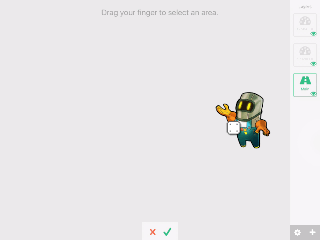
This is the rectangular area that you want your object to spawn within. You can drag and create an area within the visual selector. Note with Spawn on Object, the area is always relative to your object and it's anchor. |
| < |
The < icon will open the spawn area input fields allowing you to manually enter coordinates for the spawn area. If you select an area visually, this will automatically be populated. |
| Multiplier |
The number of object to spawn each time the behavior is executed. |
| # Alive Objects |
The maximum number of spawned objects that can exist in your scene at any given time. Once this number is met, no more objects can be spawned. |
| Position Randomness |
The amount of randomness in the position of each spawned object. 0% means there is no randomness to the objects placement, and they could stack on top of each other (if they are not affected by physics). 100% is completely random, the objects will spawn anywhere within the spawn area, never touching another. |
| Recycle |
With the recycle toggle on, older spawned objects will be removed automatically one at a time as soon as the specified # Alive objects us met. |
Outputs
| Object ID |
This outputs the Object ID. |
Examples
The spawn on area behavior can be used to generate enemies randomly on your screen within a specified area.