

Get Bone Transform
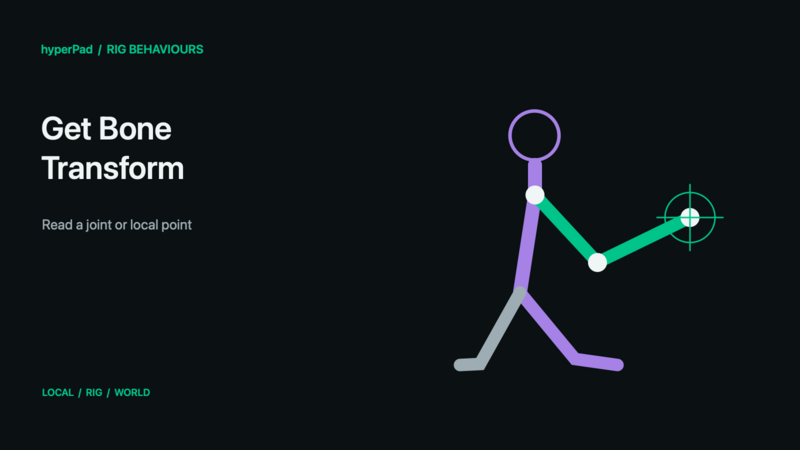
Read the position, rotation, and scale of a bone, or the position of a point offset from that bone.
Requires the live-rig update and a build with Rigged Objects. A public release date has not been assigned. These controls do not operate on baked sprite frames.
Find this advanced behaviour under FX → Animation. Triggers immediately.
Properties
| Property | Meaning |
|---|---|
| Object A | One rigged object. A single target is required for an unambiguous result. |
| Bone | The bone whose transform to read. |
| Coordinate Space | World by default; Local reads relative to its parent, and Rig reads relative to the rig origin. |
| Offset X / Y | A point relative to the bone, in artwork points. Zero reads the bone origin. |
Example
- Choose the character and its weapon or hand bone.
- Choose World coordinate space.
- Enter a small bone-local offset to identify the weapon's muzzle rather than the joint itself.
- Use the resulting Position X / Position Y outputs in a separate effect or projectile-positioning workflow.
- Read again when you need an updated result; this behaviour is a query, not a continuously attached follower.
Outputs
Object A ID identifies the selected object; Object B ID is also available where the command uses Object B. Valid is true when all resolved targets succeed. Error describes an invalid or missing selection. Invalid commands finish instead of leaving the chain waiting. For a group command, some compatible targets may already have succeeded even if Valid is false.
Position X, Position Y, Rotation, Scale X, Scale Y contain the queried transform in the selected space.
Notes
Position outputs use metres in World space and artwork points in Local/Rig space. Rotation uses clockwise degrees; Scale X/Y use factors. Offset X/Y are always bone-local artwork points. This does not return a new Object ID for the limb. Use Attach Object to Bone when a separate visual should continuously follow the bone.
All rig behaviours · Body Parts and blending · Walk, Crouch, Jump, and Shoot tutorial