Most Popular iPad Games You Can Recreate with hyperPad

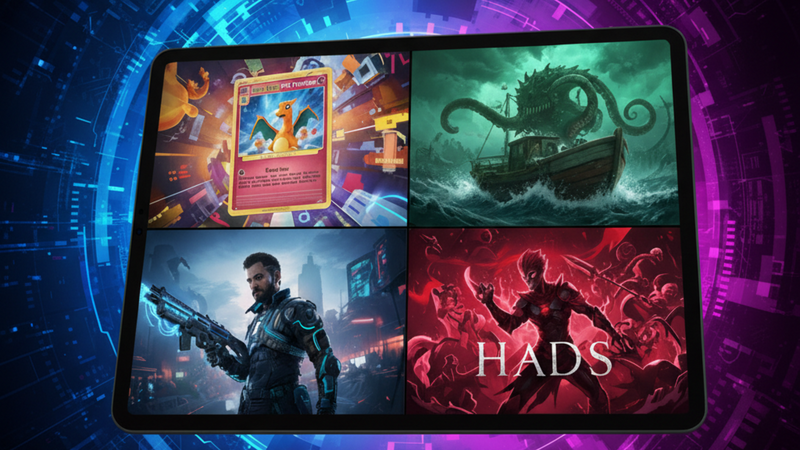
The most popular iPad games of all time share one thing: a single touch mechanic that feels good the first time you try it. In Angry Birds you pull and release, in Fruit Ninja you swipe, and in Flappy Bird you tap. You can rebuild each of those core mechanics in hyperPad on your iPad by connecting Behaviors, then turn it into a game of your own.
Here are 10 iPad classics, what kept players coming back, and where to start building each one.
The classics at a glance
| Game | Came to iPhone and iPad | Core mechanic | Start with these Behaviors |
|---|---|---|---|
| Angry Birds | 2009 | Pull, aim and launch | Drag & Drop, Propel Object, Collision Event |
| Doodle Jump | 2009 | Tilt to steer while bouncing upward | Tilt Controlled, Jump, Screen Follow |
| Plants vs. Zombies | 2010 | Place defenders in lanes | Drag & Drop, Spawn on Area, Timer |
| Fruit Ninja | 2010 | Swipe to slice | Swipe Gesture, Destroy Object, Add to Score |
| Cut the Rope | 2010 | Cut a rope and let physics do the rest | Rope Attach, Started Touching, Collision Event |
| Temple Run and Subway Surfers | 2011 and 2012 | Run forever, swipe to dodge | Swipe Gesture, Spawn on Area, Timer |
| Minecraft | 2011 | Place and remove blocks | Started Touching, Spawn on Area, Destroy Object |
| Flappy Bird | 2013 | Tap to flap through gaps | Started Touching, Set Velocity, Collision Event |
| Geometry Dash | 2013 | Jump in time with the music | Started Touching, Jump, Restart Scene |
| Stardew Valley | 2018 | Plant, wait and harvest | Timer, Set Attribute, Set Animation State |
1. Angry Birds: pull, aim and launch
Why it stuck: you can see the whole puzzle at once, and every shot gives you a new pile of wreckage to study. Players fail, adjust the angle and try again.
Build the core: make a launcher Object and a bird Object. Use Drag & Drop to pull the bird back, then Propel Object to push it away from the launcher when the player lets go. Stack a few physics blocks and add a Collision Event to the targets so they score when hit. Drag & Drop overrides physics while you hold the Object, so test the release a few times. Our Angry Birds guide goes further.
Your twist: launch seeds into flowerpots, or paint balls at a blank wall.
2. Doodle Jump: tilt to climb
Why it stuck: there is always one more platform above you. Each run is short, and your best height is easy to beat.
Build the core: give your player Tilt Controlled so tilting the iPad steers left and right. Add Jump when the player lands on a platform, and Screen Follow with only Follows Y on, so the camera climbs with them. Tilt reads the iPad's motion sensor, so hold the iPad the way a player would when you test.
Your twist: climb out of a well, or hop up through the clouds as a balloon.
3. Plants vs. Zombies: defend the lanes
Why it stuck: you make a small decision every few seconds, and the waves get harder at a steady pace. It feels like strategy without a long manual.
Build the core: split the Scene into three lanes. Let the player drag defender Objects into place with Drag & Drop. Use a Timer with Spawn on Area to send enemies down each lane from the right edge. A Collision Event between a defender's projectile and an enemy removes the enemy.
Your twist: robots guarding a garden from snails, or cats guarding a fish tank.
4. Fruit Ninja: swipe to slice
Why it stuck: the swipe is the whole game. It works the first time a player touches the screen.
Build the core: spawn fruit Objects from the bottom of the screen and launch them upward. Add Swipe Gesture to each fruit, then Destroy Object and Add to Score when it's swiped. Mix in one Object that ends the round so players have something to avoid. Read making your own version of Fruit Ninja for a full walkthrough.
Your twist: slice falling letters to spell words, or pop bubbles in the bath.
5. Cut the Rope: let physics finish the job
Why it stuck: the player makes one choice, then watches what happens. Small changes in timing give very different results.
Build the core: hang a candy Object from a fixed point with Rope Attach. When the player taps the rope, remove it with Started Touching and Destroy Object, so the candy swings and falls. A Collision Event with the goal Object wins the level.
Your twist: drop a key into a lock, or swing a monkey between vines.
6. Temple Run and Subway Surfers: run and dodge
Why it stuck: the controls are three or four swipes, and the speed keeps rising. Each run lasts a minute or two, which suits a quick break.
Build the core: keep the player in place and move the world past them. Use Swipe Gesture for left, right and up. A Timer with Spawn on Area sends obstacles toward the player, and a second Timer raises their speed every few seconds. Our Temple Run guide covers lanes and spawning.
Your twist: a penguin sliding down an ice chute, or a courier racing through a night market.
7. Minecraft: build your own world
Why it stuck: players set their own goals. Some build castles, some dig, and some just explore.
Build the core: start with a 2D version. Draw a grid of block Objects. Use Started Touching to remove a block with Destroy Object, and spawn a new block where the player taps. Store how many blocks the player holds in an Attribute. See creating games like Minecraft on iPad for more ideas.
Your twist: build a sandcastle before the tide comes in, or furnish a tiny house.
8. Flappy Bird: one tap, one gap
Why it stuck: anyone understands it after one tap, and few players ever master it. Every crash is clearly your own fault, so players hit retry.
Build the core: each tap sets the bird's upward speed with Set Velocity, and gravity pulls it back down. Spawn pairs of pipes with a gap between them and move them left. A Collision Event with a pipe ends the run. hyperPad's documentation has a full Tappy Plane tutorial that builds this game step by step. For more single-input designs, read our post on 1-button games.
Your twist: a fish swimming between coral, or a paper plane through an office.
9. Geometry Dash: jump to the beat
Why it stuck: the level and the music are designed together. Players learn a level the way they learn a song.
Build the core: your square moves right at a constant speed. Started Touching triggers Jump. Place spikes so the jumps land on the beat of your track, and use Restart Scene when the player hits one. Design one short level first and play it until the timing feels right.
Your twist: a skateboarder hitting ramps to a drum loop, or a frog hopping lily pads to a slow tune.
10. Stardew Valley: plant, wait, harvest
Why it stuck: there's always something growing. Players come back to see what changed and plan the next day.
Build the core: make a soil Object that stores its growth stage in an Attribute. When the player taps it, plant a seed. A Timer moves the stage forward with Set Attribute and swaps the Graphic with Set Animation State. Tapping a fully grown plant harvests it and adds 1 to a Harvest Attribute. To keep progress between sessions, see saving, loading and high scores.
Your twist: grow crystals in a cave, or care for a single tree through four seasons.
Make it your own
These games are worth studying for their mechanics. The names, characters, art and music belong to their owners. Build your own: draw new characters, pick a different setting, and use art and sound you made or have the rights to. A familiar mechanic in a fresh world is how many indie hits start, and it's also what makes your game safe to Publish to the Hub.
A good scope for a first version:
- One mechanic from the list above.
- One Scene with placeholder Graphics.
- A score or a win condition.
- One change that makes it feel like yours.
Once that plays well, add a second level, real art and sound.
Common questions
Can I really make a game like these on iPad?
Yes. Each core mechanic in this list uses Behaviors that come with hyperPad, such as physics, swipes, tilt, spawning and timers. The originals had years of updates and polish behind them, but a playable version of the core idea is a realistic first Project.
Which one should I start with?
Flappy Bird or Fruit Ninja. Both use one input and one main Object type, so you can finish a playable version quickly and spend the rest of your time on feel and polish.
Can I share my version?
With the paid hyperPad app, you can Publish your game to the Hub, where players can find it. You can also Export it to the App Store using Xcode on a Mac. Use original names and art so your game stands on its own.
Study the next game you play
Next time you open a game you love, pay attention to the first ten seconds. What is the one action you repeat? What happens right after you do it? Write that loop down in a single sentence. That sentence is your design brief, and it's usually small enough to build in an afternoon.