
8 Easy Game Ideas You Can Create in Under an Hour on iPad

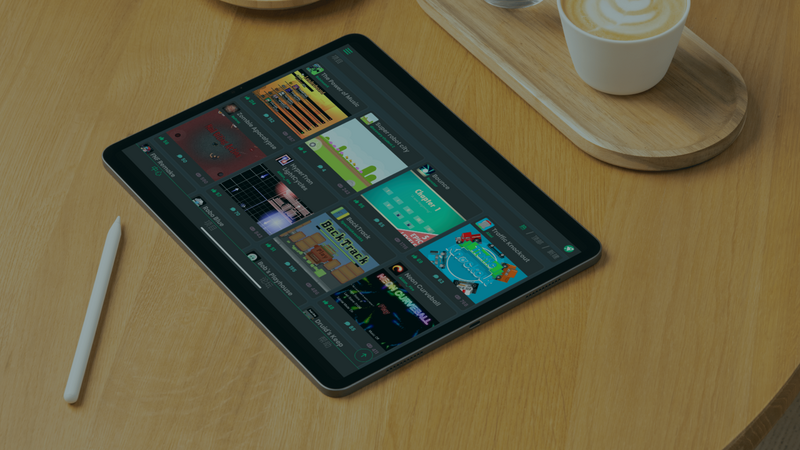
These 8 easy game ideas are each scoped so you can create a playable version in under an hour on iPad with hyperPad. The trick is keeping each one to a single core loop with placeholder shapes instead of finished art. If you already know how to add Objects to a Scene and connect a Behavior, every idea below fits in one sitting. If you're brand new, spend your first session on the first idea and expect the rest to go faster.
Each idea lists what to build, what to leave out, and what it teaches. Stop when the loop works from a fresh start. Polish can come in a second session.
1. Tap-to-score challenge
Tap one Object to increase a score shown in a label. Add a 20-second countdown so the round ends.
- Build: Started Touching on the Object, an Attribute for the score, and Set Label to show it.
- Leave out: Upgrades, shops, and multiple targets.
- Teaches: Input, state, and UI feedback.
2. Collect-and-exit room
Move a player through one Scene, collect three Objects, then open an exit when the count reaches three.
- Build: Collision Event on each collectible, Get Attribute and Set Attribute for the count, and a condition on the exit.
- Leave out: Enemies and extra rooms.
- Teaches: Collisions, counters, and conditions.
3. One-jump platformer
Build a short level with one jump button, one hazard, and a restart when the player touches the hazard.
- Build: A physics player, a jump that applies force, ground platforms, and a hazard that reloads the Scene.
- Leave out: Double jumps, enemies, and a second level.
- Teaches: Physics, collision shapes, and input feel.
4. Reaction timer
Wait a random amount of time, show a cue, then measure how quickly the player taps. Reject taps that happen before the cue.
- Build: A timer, a random delay, an Attribute that marks whether the cue is showing, and a label for the result.
- Leave out: Leaderboards and multiple rounds.
- Teaches: Timing, state, and valid versus invalid input.
5. Two-pair memory test
Start with four cards: two matching pairs. The first tap stores which card was picked. The second tap checks for a match, then clears or flips back the pair.
- Build: Card Objects with a hidden and shown state, an Attribute for the first pick, and a comparison.
- Leave out: A full deck and shuffle animation.
- Teaches: Selection state, comparison, and input locking.
6. Choice-based story Scene
Show a short situation with two buttons. Each choice sets an Attribute, and the next screen shows one of two endings based on that value.
- Build: Two buttons, one Attribute, and a condition that picks the ending text.
- Leave out: Long branching trees and character art.
- Teaches: Branching, Scene flow, and UI.
7. Physics target game
Launch one Object toward a target zone. Score a point if it lands inside.
- Build: A launch button that applies a fixed force, a target zone with a collision check, and a score label.
- Leave out: Aiming and power controls until the fixed version works.
- Teaches: Forces, collisions, and tuning.
8. Sorting game
Ask the player to drag two types of Objects into the correct zones. Show a check or cross after each drop.
- Build: Draggable Objects with a type Attribute, two zones, and collision logic that compares type and zone.
- Leave out: Timers and extra categories.
- Teaches: Object identity, drag input, and feedback.
Choose by the concept you want to learn
| If you want to practice | Start with | Don't add yet |
|---|---|---|
| Touch and UI | Tap-to-score | Shops and upgrade trees |
| State and conditions | Collect-and-exit | Multiple levels |
| Physics | One-jump platformer or target game | Bosses and complex enemies |
| Timing | Reaction timer | Online scores |
| Branching | Choice-based story | Large dialogue systems |
| Classroom logic | Sorting game | Extra categories |
A one-hour plan for any idea
- Minutes 0 to 5: Write the input and the expected result in one sentence.
- Minutes 5 to 15: Place the minimum Objects in a Scene using simple shapes.
- Minutes 15 to 40: Connect the smallest Behavior chain that makes the loop work.
- Minutes 40 to 50: Test from a fresh start and fix the first failure you find.
- Minutes 50 to 60: Add a restart or end screen so the game has a clear finish.
The Behavior Interface overview explains how events and actions connect. Once the loop works, swap the shapes for your own Graphics and hand the iPad to someone else to try without instructions.
Ready for a bigger project?
Once a one-hour idea works, try a game that takes a few days. These three genres suit a first longer Project:
| Genre | What the player does | What it teaches |
|---|---|---|
| Endless runner | Runs forward automatically, dodging obstacles and collecting points | Collisions, spawning obstacles, scoring, and rising difficulty |
| Top-down shooter | Moves around an arena and defeats waves of enemies | Joystick movement, enemy Behaviors, health, and wave spawning |
| Simple platformer | Jumps between platforms to reach the end of a level | Gravity and jump physics, level layout, and checkpoints |
Give yourself a week and a fixed order. Plan on day 1 and get movement working on day 2. Add obstacles or enemies on day 3 and scoring on day 4. Build start and game over Scenes on day 5, add sound and polish on day 6, and test on day 7. If you fall behind, cut a feature instead of moving the deadline.