

Map External Controller (Legacy)
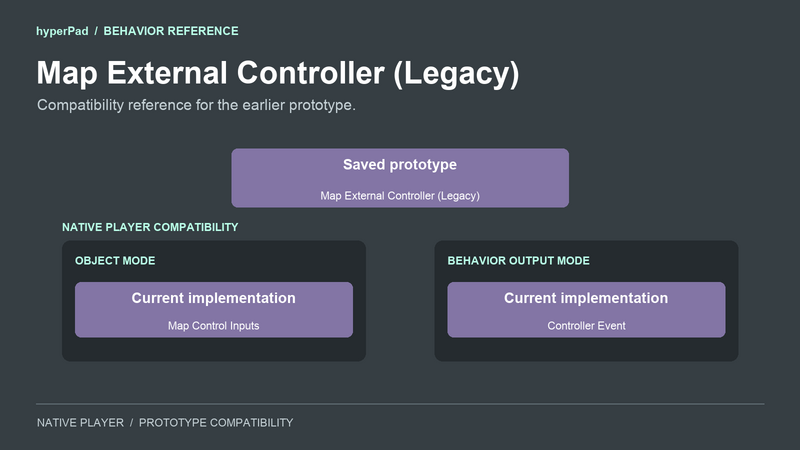
Compatibility reference: This behavior belongs to an earlier controller prototype. It is hidden from the Add Behavior list. Use the current controller input behaviors for new work.
If you have a prototype project containing Map External Controller, its saved behavior reference still loads. The native editor labels it Map External Controller (Legacy). Its saved type name remains Map External Controller.
Use Map Control Inputs to add a controller, keyboard, or mouse alternative to an existing input. Use Controller Event to build a custom controller action.
Choose the current behavior
For an existing Jump with Button action, add Map Control Inputs and set Player to 1. Drag Jump with Button’s green output icon into the mapping row’s Input field. Select Input from its output list. Keep Device on Controller, choose the bottom face button as Mapped Control and enter Jump as the row’s Name.
This example keeps Jump with Button’s Object A set to Jump Button and Object B set to Player. Those are example object names.
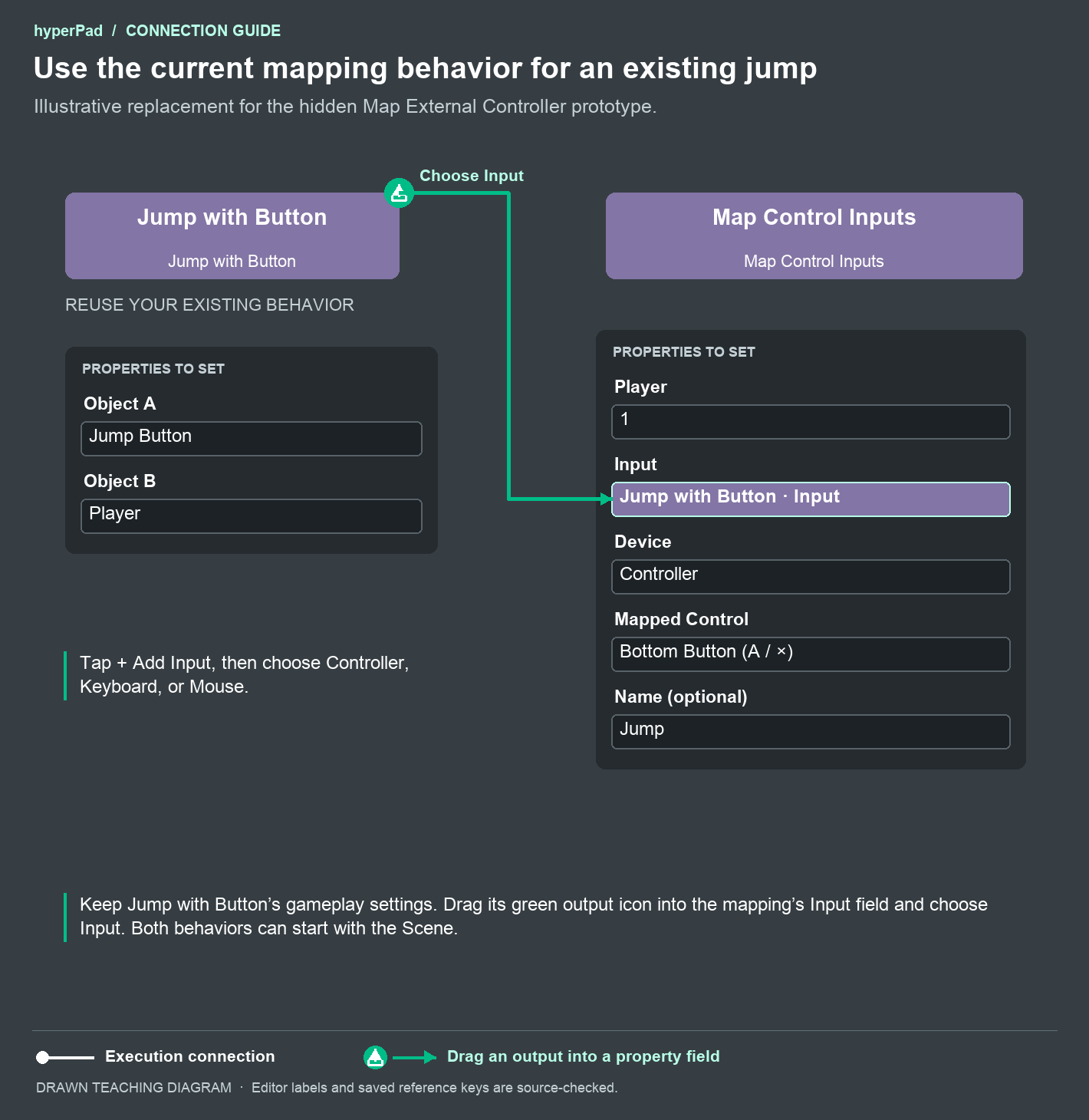
The green arrow places an input reference in the mapping row. Keep Jump with Button’s existing gameplay settings and execution connections. There is no white execution connection from Jump with Button to Map Control Inputs in this example. Leave Map Control Inputs active from scene start.
For a new custom action, connect Controller Event’s white execution output to the action you want to run. Set its Player, Control, and Event properties.
Watch the editor example in Map Control Inputs to see an Input output dragged into a mapping row.
Legacy properties
| Property | How the prototype uses it |
|---|---|
| Target | The saved targetType selects Object or Behavior Output mode. This selector belongs to the prototype. |
| Object A | The original control object in Object mode. |
| Controller Input | The saved physical controller control. |
| Player | The saved player selection used by the native implementation. The original Universal prototype combines input from connected devices rather than filtering this selector. |
On the native player, Object mode migrates to one mapping row with the stable ID legacy. Behavior Output mode delegates to Controller Event. The native property panel uses the corresponding current implementation.
The Universal player retains the original prototype’s direct input dispatch. Use the current behaviors when you need matching behavior in both players.
Outputs
| Output | Meaning |
|---|---|
mappingCount | The authored row count in the native player’s migrated Object mode. The original Universal prototype does not provide this output. |
x | The normalized horizontal directional value in Behavior Output mode. |
y | The normalized vertical directional value in Behavior Output mode. |
value | Button or trigger pressure, or directional magnitude, from 0 to 1. The original prototype’s directional calculation differs from Controller Event. |
The native player’s white execution output uses the delegated mapping registration or controller event timing. The original Universal prototype runs its execution output on physical input events in both modes. Review any actions attached to that output when replacing a prototype behavior.