
The Best Game Creator App for iPad for Sharing and Remixing Games

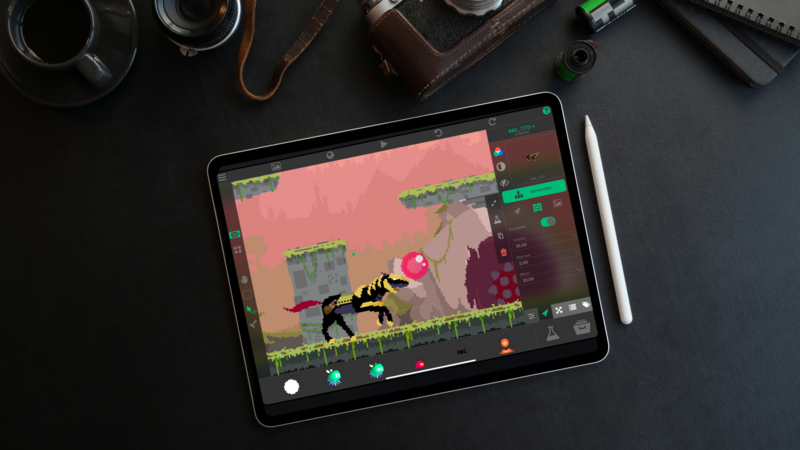
If you want a game creator app on iPad where people actually play what you make, hyperPad connects you to the hyperPad Hub. You Publish your game there, players open it free in the hyperPad Hub app, and you can Branch other creators' Open Source projects to see how they work.
Here's how the sharing and remixing side of hyperPad works, from your first Publish to your next Version.
Publish your game to the hyperPad Hub
Publishing puts your Project on the Hub, hyperPad's community space. Each published Project gets its own page, so you can copy the link and send it to friends, classmates, or anyone you want to test it.
You can Publish with hyperPad Starter, the free version, as well as with hyperPad. Your first game doesn't need to be polished. A single Scene with a clear goal is enough to get useful reactions.
Before you Publish, give your Project:
- a clear title
- a short description of what to do
- a note on what's unfinished
- one question you want players to answer
Publishing to the Hub is a different action from Exporting to the App Store. The Hub is for sharing with the hyperPad community. App Store Export, in hyperPad, releases your game as your own app.
Players play free in the hyperPad Hub app
Your players don't need to make games to play yours. The hyperPad Hub app lets anyone play published games for free on iPhone, iPad, or a Mac with an M1 chip or later. That makes it easy to hand your game to a younger sibling, a classmate, or a friend who just wants to play.
Use player feedback to improve your game
Comments help. Watching someone play helps more. When a friend tries your game, stay quiet and watch where they pause, what they tap, and where they quit. Those moments tell you what to fix first.
Specific questions get better answers. "Did you know when the dash was ready again?" is easier to answer than "What do you think?" How to share a game and get feedback in the hyperPad community walks through that loop step by step.
Publish a new Version when you make changes
Games get better in small steps. When you fix a jump that felt slow or add a second level, Publish a new Version of your Project. Your Hub page then points players to your latest public Version.
Yasad's Star Glide shows how this plays out. It started as a small underwater idea and kept growing on the Hub, one Version at a time. Read how Yasad built Star Glide on iPad to see how a creator uses the Hub before an App Store release.
Branch Open Source projects to learn how they work
In hyperPad, remixing is called Branch. When a creator marks a Project as Open Source, anyone can Branch it. You get your own copy to open, explore, and change. Closed Source projects can't be Branched.
Branching is one of the fastest ways to learn. You don't have to guess how someone made a double jump or a scrolling background. You open their Project and read their Behaviors. Try this:
- Find an Open Source game on the Hub with a mechanic you like.
- Branch it and play it once from the editor.
- Open the Behavior Editor on the player Object and follow what happens when you tap.
- Change one value, such as jump height or speed, and play again.
- Add one idea of your own, then Publish the result as your own Project.
Starting from a working base also saves time when you want to build something bigger.
Share your own Project as Open Source
You can make your own Project Open Source too. Other creators can then Branch it and learn from your Behaviors, the same way you learned from theirs. Keep a Project Closed Source when you'd rather other creators didn't Branch it.
Who uses the Hub
- New creators Publish a first game and find their first players.
- Students share class projects and play each other's games. See how classrooms and other groups use hyperPad in How hyperPad Helps Creators, Educators, and Innovators on iPad.
- Indie developers test ideas with real players before they Export to the App Store.
- Players who don't build at all find new games in the hyperPad Hub app.
For everything else hyperPad offers this year, including Art Studio and Smart Shape, read Why hyperPad Is the Best iPad App for Game Development in 2026.
FAQ
Is it free to play games on the hyperPad Hub?
Yes. Players can play published games free in the hyperPad Hub app on iPhone, iPad, and M1 or later Macs.
Can I Publish to the Hub with hyperPad Starter?
Yes. hyperPad Starter is free and includes one Project, which you can Publish to the Hub.
What does Branch mean in hyperPad?
Branch is hyperPad's word for remixing. It gives you your own copy of an Open Source project so you can learn from it and change it.
Is Publishing the same as releasing on the App Store?
No. Publishing shares your game on the Hub. Exporting to the App Store, available in hyperPad, releases it as your own app.
Your next step
Find one Open Source game on the Hub with a mechanic you'd like to learn. Branch it, change one thing in its Behaviors, and Publish the result with a single question for players in the description. Then read what they tell you and Publish your next Version.


