Why hyperPad Is the Best iPad App for Game Development in 2026


If you want to make games on iPad in 2026, hyperPad gives you one app for the whole job. You build with visual Behaviors, start free with hyperPad Starter, and Export finished games to the App Store while keeping 100% of your revenue. Art Studio and Smart Shape are coming in an upcoming update, so more of your game will soon come from inside the app.
Here's what hyperPad offers creators this year, and where each piece fits.
What hyperPad offers game creators in 2026
- Behaviors, with no traditional code. Connect actions and events into a flowchart of your game's logic.
- Art Studio, coming in an upcoming update, for drawing Graphics and animating characters.
- Smart Shape, also coming in an upcoming update, for ground, roads, and platforms that stretch as you edit them.
- iPad and Apple silicon Macs. hyperPad runs on iPad and on Macs with M1 or later.
- A free way to start. hyperPad Starter is free and includes one Project.
- The Hub, where you Publish games for players and other creators.
- App Store Export in hyperPad, with 100% of your revenue yours.
Want to see every tool in the order you'd use it? The hyperPad feature tour walks through Scenes, Objects, Behaviors, physics, and more. This post sticks to what matters in 2026.
Draw your game art in hyperPad with Art Studio
Game art often means drawing in one app and building in another. Art Studio brings the drawing into hyperPad. You open it from the Asset Library, pick a starting point, and set your canvas size.
You can start with:
- a Graphic for a sprite, icon, background, or texture
- a Keyframe Animated Object for frame-by-frame animation
- a Bones / Rig character built from movable parts
- a 9-Slice Graphic for panels and buttons that stretch cleanly
When your art is ready, export it as a game asset. It lands in your Asset Library, ready to place in a Scene. The Art Studio project stays editable, so you can come back later and change a layer or an animation.
Art Studio arrives in an upcoming hyperPad update. Art Studio: Start Here previews the workspace so you know what to expect.
Build levels that keep going with Smart Shape
Level art usually means drawing one long image or lining up tiles by hand. Smart Shape works differently. You edit the outline of your ground, road, or island, and your Graphics repeat along it. Make a platform longer and the art follows.
There are four shape types:
- Box for platforms and blocks
- Terrain for hills with ground underneath
- Freeform for islands and irregular shapes
- Path for roads and tracks, with the width set separately
Collision is its own setting, so you control the edge your player stands on. You can also create and change Smart Shapes while the game runs, using Behaviors. That suits endless runners and tracks that grow as the player moves.
Smart Shape is also coming in an upcoming update. Read Smart Shape: Build Game Worlds That Keep Going for racing and gliding examples, and the Smart Shape Object guide for the settings.
Build on iPad or on a Mac
hyperPad started on iPad, and the iPad is still the center of it. You build by touch and play-test on the same kind of device your players use. hyperPad also runs on Apple silicon Macs (M1 or later). That helps if you like a bigger screen and a keyboard for long sessions.
Start free with hyperPad Starter
hyperPad Starter is free and includes one Project. That's enough to learn Behaviors, build a complete small game, and Publish it to the Hub. When you want more Projects or want to sell your game on the App Store, you move to hyperPad. To compare the two side by side, read hyperPad Starter or hyperPad?
Share on the Hub and learn from other creators
The hyperPad Hub is where you Publish games for players and see what other creators are making. Open Source projects can be Branched. You open someone's game, see how their Behaviors work, and build on it. Sharing and remixing games on the Hub covers that side of hyperPad in detail.
Export to the App Store and keep your revenue
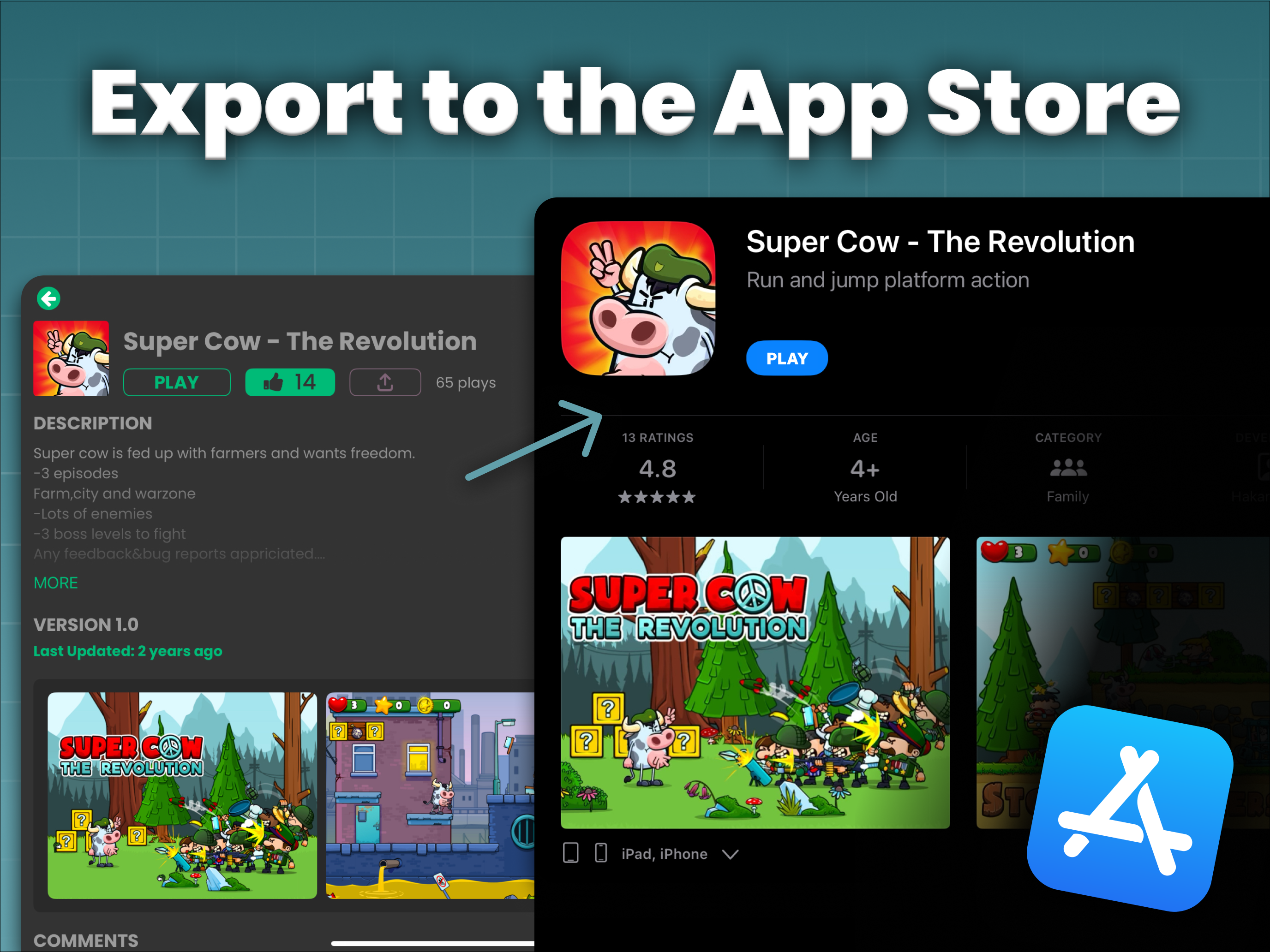
With hyperPad, you can Export your game to the App Store as your own app. You keep 100% of your revenue, and hyperPad takes 0%. Creators have already shipped games to the App Store this way, built on iPad.
Who hyperPad fits in 2026
- First-time creators and kids who want a playable game without learning a programming language first.
- Artists who want to draw and animate characters in the same app where they build the game, once Art Studio arrives.
- Indie developers who want physics, particles, saving, Socket.io multiplayer, and App Store Export on iPad.
- Teachers running game design from grade 4 through post-secondary, with 50% off for schools through Apple School Manager.
hyperPad is built for 2D games. If your idea is a platformer, runner, puzzle, or story game, it fits well.
FAQ
Is hyperPad free in 2026?
hyperPad Starter is free and includes one Project. hyperPad is the paid app, with no Project limit and App Store Export.
Is Art Studio available now?
Art Studio and Smart Shape are coming in an upcoming hyperPad update. The help guides preview how each one works.
Does hyperPad work on Mac?
Yes. hyperPad runs on iPad and on Apple silicon Macs with an M1 chip or later.
Can I sell a game I make with hyperPad?
Yes. Export it to the App Store with hyperPad and you keep 100% of your revenue.
Your next step
Pick one level idea that depends on the ground: a hill to glide down, or a road with one tight bend. Build it this week in a single Scene with simple blocks and a player Object that moves. When Smart Shape arrives, swap the blocks for a Terrain or a Path and see how much faster the level comes together.