Hit by Bullet
Description
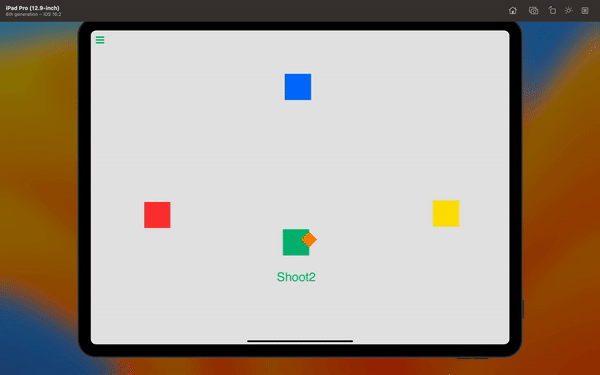
The Hit by Bullet behavior will trigger an event once your object has been hit by a bullet from a specified "Shoot" behavior.
This behavior will Trigger an event once each time the bullet hits your object.
Rigged Objects
This section describes the live-rig update and requires a build with Rigged Objects. A public release date has not been assigned.
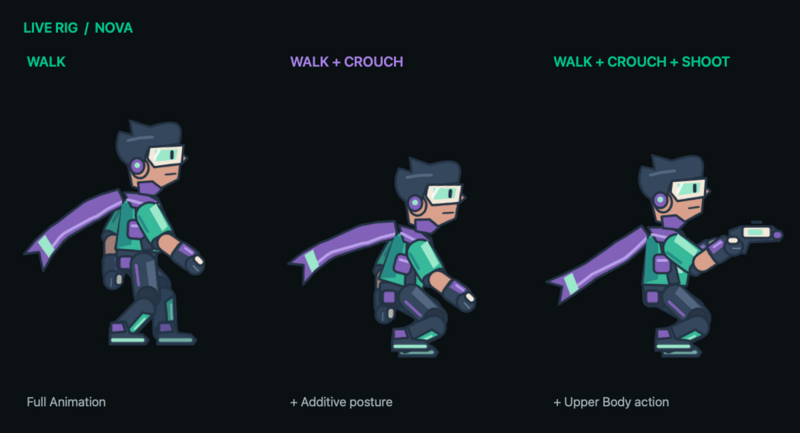
Select the character as Object A. Its Hit Animation can use a rig clip as well as an ordinary sprite animation. A compatible rig opens the clip picker; select Full Animation for a complete hit reaction, or Body Part and an appropriate group for a reaction limited to part of the character. A masked hit action releases its layer after completion so underlying animation can return.
Use Speed Multiplier for a rig clip. Sprite FPS controls apply to image frames instead. Transition Duration smooths the change. An intentionally authored Additive reaction can add a small relative recoil; it uses the clip's first frame as its reference. A static pose adds no change.
Custom Body Parts must be authored in Art Studio and exported with the Rigged Object. The hit event still uses the scene object's collision shape. It does not identify a limb or create per-bone hitboxes, and its Object ID outputs remain scene object IDs. Use Get Bone Transform to read a known limb position for an effect; that is separate from detecting which limb was struck.
For a dynamically supplied Object ID, select a reference asset when the animation picker asks. The runtime object must be compatible with that asset's rig clip and group identities; a matching clip name is not enough.
See Body Parts and Animation Blending for priority, overlap, parent motion, and authoring rules.
Properties
Triggers Once on Event
| Object A |
This is the object you want to monitor to see if it has been hit by a bullet. By default this is the current object selected. You can change this to any other object in your scene. |
| Select Shoot Behavior |
Select a Shoot behavior from any object in your scene. This is the behavior you will specifically be monitoring to see if it has shot your selected object. |
| Play Anmation |
When this toggle is on, your selected object will play an animation each time a bullet impacts your object. |
| Custom Animations |
On the left panel you can select an animation cycle to play when you press the shoot button. |
| Animation Priority |
On the left Custom Animations panel, you can prioritize your shoot animations so it does not conflict with another playing animation. The animation system will play a cycle with a higher priority. So if another animation behavior is interrupting your shoot animation, try increasing the priority. |
Outputs
| Object ID |
This outputs the Object ID. |
| Shooter |
This outputs the object ID of the object that has shot the bullet. |
| Shoot Behavior | This outputs the name of the behavior that shot the bullet. |
Examples
If you want a characters health to go down when it is shot, you can use this behavior to see if it has been shot and decrease the health.
Related
Using the shooter output field, you can determine which object shot the object.