The iPad Game Development App With No Coding Needed

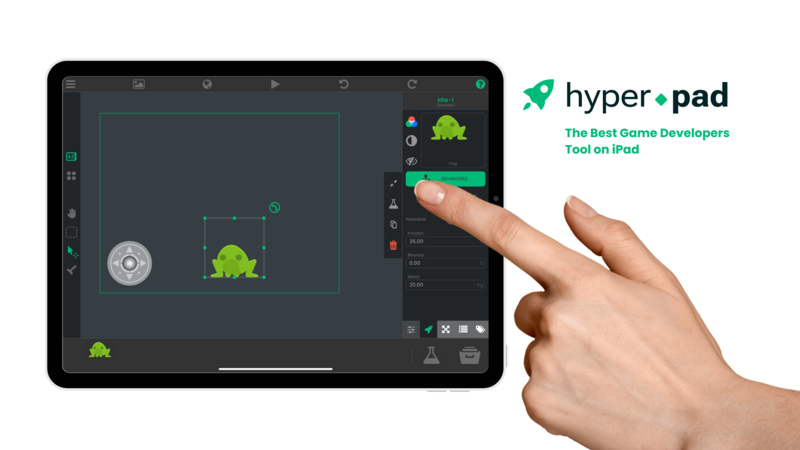
Make and Monetize Games on iPad with Drag-and-Drop Behaviors
Why Choose hyperPad for iPad Game Development?
hyperPad is a no-code game development app for iPad. You build games with drag-and-drop Behaviors, which work for beginners and experienced game developers alike and keep the process fun.
- No coding required
- Export to the App Store
- Monetize with ads or paid games
- Export to Xcode for custom Swift and Objective-C coding
Download hyperPad on the App Store
Top Features of Our iPad Game Development Tool
Import Your Own Graphics & Assets
Import assets from Photoshop, Illustrator, or your other design tools. Use your own images, animations, fonts, and sounds to bring your game to life.
If you draw in Procreate, you can bring your Procreate designs straight into hyperPad and turn them into game assets, from character animations to backdrops. hyperPad also has a built-in asset library of graphics, sounds, and animations for when you want to move fast.
No-Code Game Logic: Drag-and-Drop Behaviors
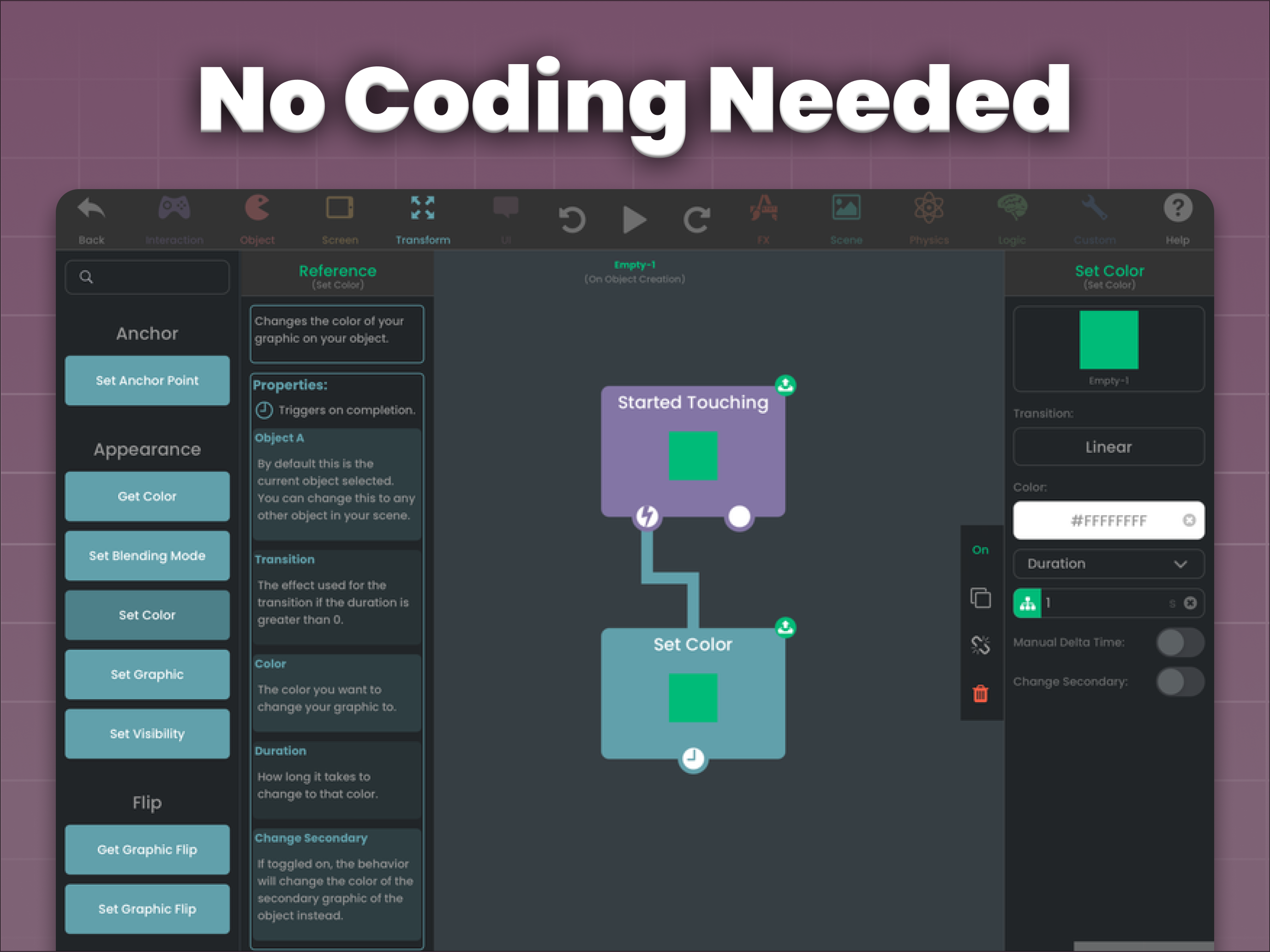
You don't need traditional code. The Behavior Editor lets you build complex game mechanics as a flowchart: you connect actions and events, and hyperPad runs the logic.
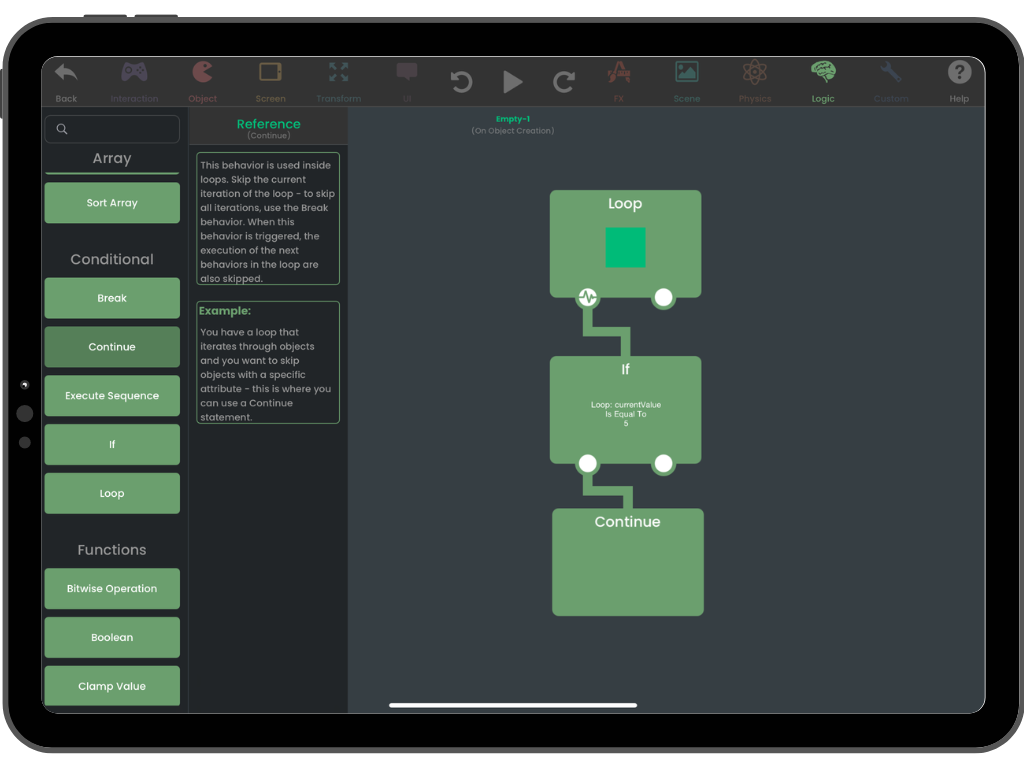
hyperPad's drag-and-drop Behavior system.
- Object-based editing: tap an Object to assign Behaviors
- Motion tweens and animations: smooth transitions
- Particle and sound effect editors: add effects to your Scenes
Behaviors use the same logic concepts as programming, such as conditionals, triggers, variables, and states. You learn them by building, without syntax getting in the way.
Here's how you can create your own iOS game on your iPad:
https://www.youtube.com/embed/1vNiD3wb_00?si=-O_5FW7ixULTPKwP
Monetize Your Game: Keep 100% of Your Revenue
Earn from your game by exporting it to the Apple App Store as a paid game or by integrating ads. hyperPad takes no royalties, so you keep 100% of your revenue.
Export to Xcode for Advanced Development
Want even more control? Export your project to Xcode and add Swift or Objective-C to extend what your app can do.
Export to the App Store With No Extra Fees From hyperPad
hyperPad keeps the path to the App Store simple. Design your game on iPad and test it instantly. When it's ready, export it. hyperPad creates an Xcode project, and you upload it to the App Store from a Mac with your Apple Developer account. Creators have shipped real games to the App Store this way.
- Supports all iOS screen sizes
- Built for iPad performance
- No subscription fees, just one purchase
hyperPad vs. Other Game Creator Apps
Here's how hyperPad compares to other popular game creator apps:
.png)
Built for Classrooms Too
Teachers use hyperPad to bring STEM concepts to life, with visual coding projects, sustainability-themed games, and after-school activities. Students learn real logic and design thinking while they make something of their own.
We have free lesson plans on hyperPad.com/education. Schools get 50% off through Apple School Manager, with Private Login for student accounts.
Join Our Global Game Developer Community
Connect with other indie developers, designers, and creators on our forums, on Discord, and on the hyperPad Hub, where you publish your games and play what others have made. Get feedback, collaborate, and grow your skills.
Game jams are a good way in. Past hyperPad Game Jams have featured projects like "Plucks" by TheMagicDesign.
Access Our Dev Forums, Game Tutorials & Tech Support
What Creators Say About hyperPad
5 stars: "The Best No-Code Game Maker for iPad!" "hyperPad made game development easy and fun! I built my first game in hours... Highly recommend!" McIntough, USA
5 stars: "Perfect for Beginners & Pros!" "I'm a teacher with no coding experience, yet I created an entire interactive game using hyperPad. It's a must-have tool for anyone with creative ideas!" Aries, Philippines
When hyperPad 2.0 launched on Product Hunt, here's what people said:
Vixay: "Great app that makes app development simple. It's easy to pick up, and you don't have to remember specific syntax or worry about errors."
RXCodes: "This app not only makes creating games easy and fun, but it can also help you learn essential computer science skills."
Read More Reviews About Game Dev on iPad
Start Creating Games on iPad Today
Try hyperPad Starter free. It includes one project. When you want more projects and App Store export, upgrade to hyperPad for a one-time USD $14.99, with no subscription and no hidden fees. You keep 100% of your revenue.
Stay Updated: Get News & Game Jam Alerts
Subscribe for updates, tutorials, and game jam announcements.
Send your email to: marketing@hyperpad.com
FAQs About Game Development on iPad
Can I make a game on iPad without coding?
Yes. hyperPad's drag-and-drop Behavior Editor lets you create games with no programming experience.
Can I export my game to the App Store?
Yes. hyperPad lets you export your game to Xcode for the final upload to the Apple App Store, which you do from a Mac.
Does hyperPad charge royalties?
No. You keep 100% of your game revenue. hyperPad takes 0% and charges no extra fees after purchase.
Can I use my own graphics, fonts, and sounds?
Yes. hyperPad supports custom assets from Photoshop, Illustrator, Procreate, and other tools.
Read more FAQs about Game Dev on iPad
Get in Touch with Us
Contact Us | Blog | Join Us | Game Dev Education
© hyperPad 2014-2025 | Terms | Privacy | License Agreement