About Hyper Apps


Making Games on iPad with No-Code Tools
Technology keeps changing how apps get made. Coding used to be a required skill for building an app or a game. Now hyper apps, easy-to-use platforms built for fast development, make it optional. Hyper apps, especially on iPad, let anyone become a game developer without writing a single line of code.
This post explains what hyper apps are, how they're changing game development, and where hyperPad fits in. We'll also answer common questions about hyper apps and making games on iPad, and show you how to get started.
What Are Hyper Apps?
Hyper apps are applications that make it simpler and faster to create other apps or digital projects, usually without traditional coding. They let non-technical people build working apps, interactive games, and educational tools. Hyper apps use no-code or low-code approaches, so creators can focus on design, functionality, and the player's experience instead of programming syntax.
Hyper apps cover website creation, workflow automation, and game development. That last one is where hyperPad comes in on the iPad. With hyperPad, you build custom games from scratch in a visual, drag-and-drop editor.
Why Are Hyper Apps Important in Game Development?
Hyper apps have opened game development up to far more people. They replace traditional coding with visual tools, so artists, designers, and hobbyists can make polished games. That accessibility has grown no-code game dev communities where creators share ideas, show off projects, and collaborate.
iPad game development with hyperPad has caught on because the iPad is portable and its touchscreen feels natural for visual editing. hyperPad's no-code setup works well for prototyping ideas quickly, testing gameplay, or building finished games you can export to the App Store.
Why Choose hyperPad for Game Development on iPad?
hyperPad is a hyper app built for iPad game development. It suits artists, educators, and aspiring game developers who want to start creating without coding experience. Here's why it's worth a look:
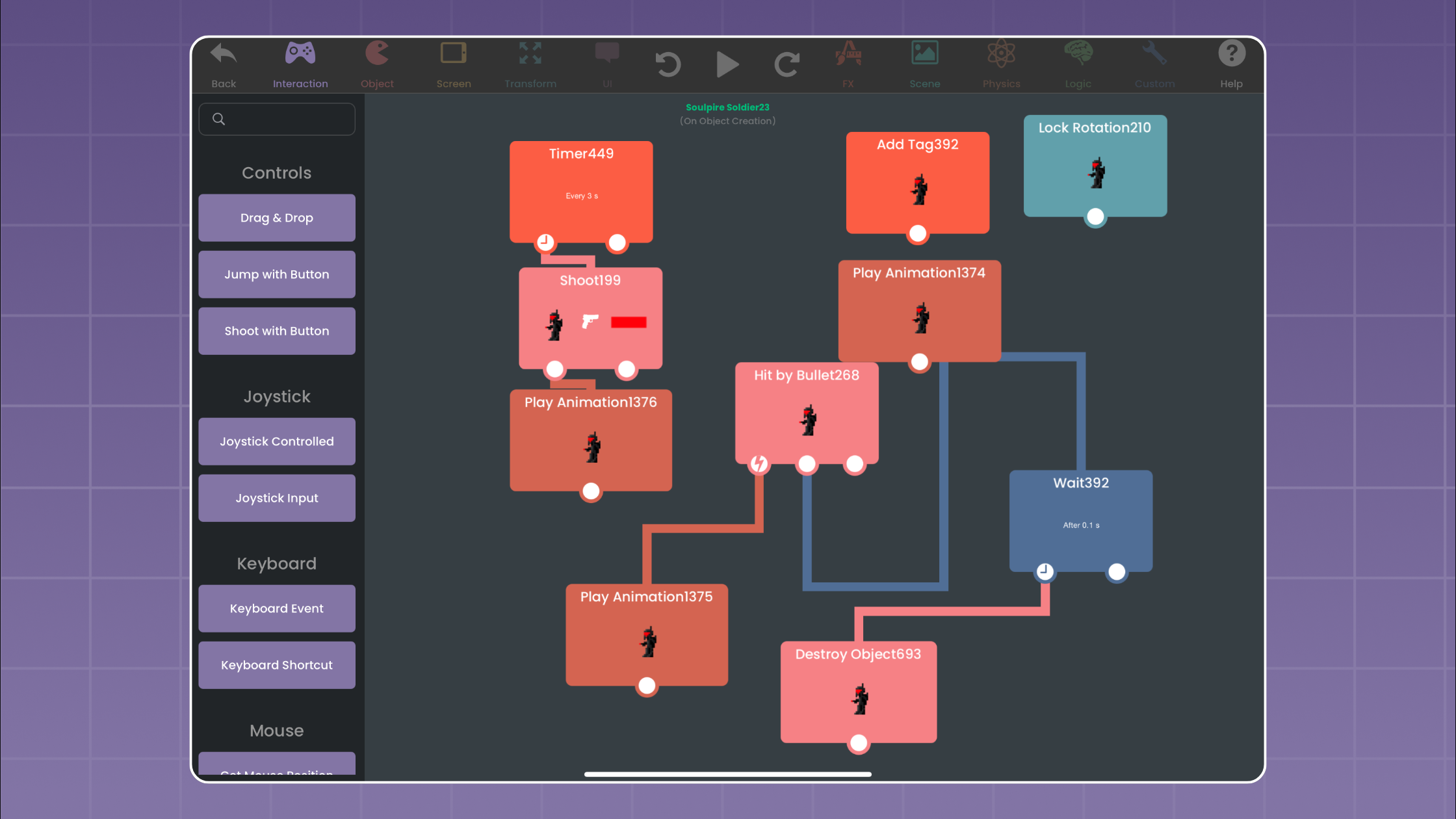
- No Code Game Dev: You build game mechanics with Behaviors, connecting actions and events with drag and drop. Even complex mechanics are within reach.
- Designed for iPad: hyperPad is built for iPad and makes good use of touch and accessories like the Apple Pencil.
- Broad Creative Tools: From custom animations to in-game physics, hyperPad gives you the tools to make high-quality games on your iPad.
- Educational Focus: hyperPad is popular in STEM and game dev education. Students design, build, and iterate on game ideas hands-on.
FAQs About Hyper Apps and Game Development on iPad
1. What is a hyper app? A hyper app is a platform that makes developing applications simpler and faster, often without traditional coding. Most use no-code or low-code interfaces, so a wide range of people can use them.
2. Can you develop games on an iPad? Yes. With hyperPad, you can create, design, and test games directly on an iPad. Its no-code editor suits on-the-go creation and rapid prototyping.
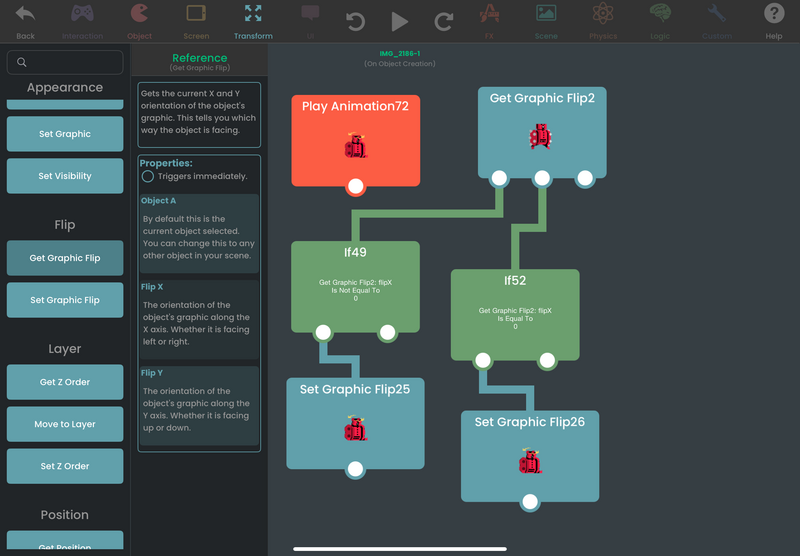
3. Do I need coding skills to use hyperPad? No. hyperPad is a no-code game development app. You drag and drop Behaviors, set conditions, and build complex interactions without writing code.
4. How do hyper apps help in education? Hyper apps like hyperPad are increasingly used in schools to teach game development, STEM principles, and problem-solving. Because they need no code, students can be creative and think critically without the steep learning curve of programming.
5. Can I publish games made with hyperPad? Yes. You can publish your projects to the hyperPad Hub to share them with the community. With hyperPad (the paid version), you can also export them to the App Store and reach players around the world.
Getting Started with hyperPad on iPad: Tips and Tricks
If you're ready to start iPad game dev with hyperPad, here are a few tips:
- Start Small: Begin with a simple game idea, like a basic platformer or point-and-click game, to learn hyperPad's editor.
- Explore Tutorials: hyperPad offers tutorials and community resources that cover beginner to advanced topics.
- Use Templates: hyperPad provides templates to jumpstart your project. Customize them to fit your idea and pick up new techniques along the way.
- Experiment with Procreate: If you use Procreate, you can import your art into hyperPad to give your game a custom look.
- Join the Community: hyperPad has an active community where you can connect with other creators, share projects, and get feedback.
The Future of Game Development with Hyper Apps
As no-code platforms get more capable, hyper apps like hyperPad will help shape the future of game development. They let a new generation of creators, from young students to experienced artists, bring their ideas to life without learning to code first.
Maybe you want to make educational games, design interactive stories, or prototype a game for fun. hyperPad is a capable, approachable choice on iPad for all of those. If you have an idea, you can become a game developer.
Continue with a fair workflow test
Compare each option by building the same small mechanic. The free iPad game-making apps guide provides a broader decision framework, and the Behavior Interface Overview shows how hyperPad represents events and actions. Use each tool’s current official product page for plan and platform details.
Build one small Behavior chain and watch the result in the running Scene. Keep the logic visible, change one value at a time, and use each test to decide what to refine.