

Get Controllers
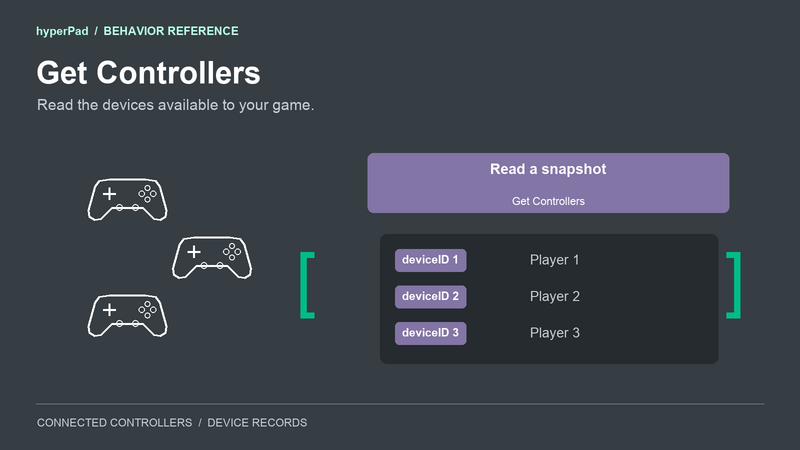
Use Get Controllers to read the connected controllers and their current player assignments. You can use the result to build a controller chooser or show how many controllers are available.
Find it in Interaction > Controls.
Properties
Get Controllers has no device-selection properties. Each execution reads the full connected-controller list.
Input and event connections
Run this behavior when you need a fresh snapshot. Its bottom event connection runs immediately after controllers and count have been written.
A snapshot stays as it was when you read it. Run Get Controllers again to refresh it. Controller Status can trigger that refresh when a connection or assignment changes.
Outputs
| Output | What it contains |
|---|---|
controllers | An array of connected physical controllers and their player assignments. With no controllers connected, the array is empty. |
count | The number of records in controllers. With no controllers connected, it is 0. Keyboard and mouse do not add to this count. |
Get Controllers has no direct deviceID output. Each controller's ID is inside its dictionary in the controllers array.
Controller records
Each item in controllers is a dictionary for one connected physical controller. Read a dictionary from the array before reading a field such as deviceID.
| Field | What you can read |
|---|---|
deviceID | The controller's ID for the current play session. Use this value with Assign Controller. |
name | The name supplied by the platform. Two controllers can have the same name. |
vendorName | The vendor or name reported for the controller. This may match name. |
connected | true for an item in this connected-controller list. |
playerIndex | Its assigned player number. 0 means it is connected but unassigned. |
deviceType | controller. Keyboard and mouse are outside this list. |
connectionOrder | A number used to keep devices in connection order. Use deviceID to identify a device, rather than its array position. |
controls | When available, an array of control identifiers such as buttonA, leftStick, and buttonMenu. Check whether this field is present before using it. |
The Universal player can also supply capabilitiesKnown, standardizedProfile, and observedControls. These fields are optional across platforms. capabilitiesKnown tells you whether the full control list is confirmed. standardizedProfile tells you whether the platform recognizes a standard gamepad layout. observedControls lists controls that have produced input during this session. A recognized layout describes possible controls; it does not confirm that every button exists on the connected device.
Use the behavior's controller list for a chooser. Avoid treating a missing capability field as proof that a controller has no buttons.
Connection guide: show the connected-controller count
This is an illustrative example for a label in your own UI.
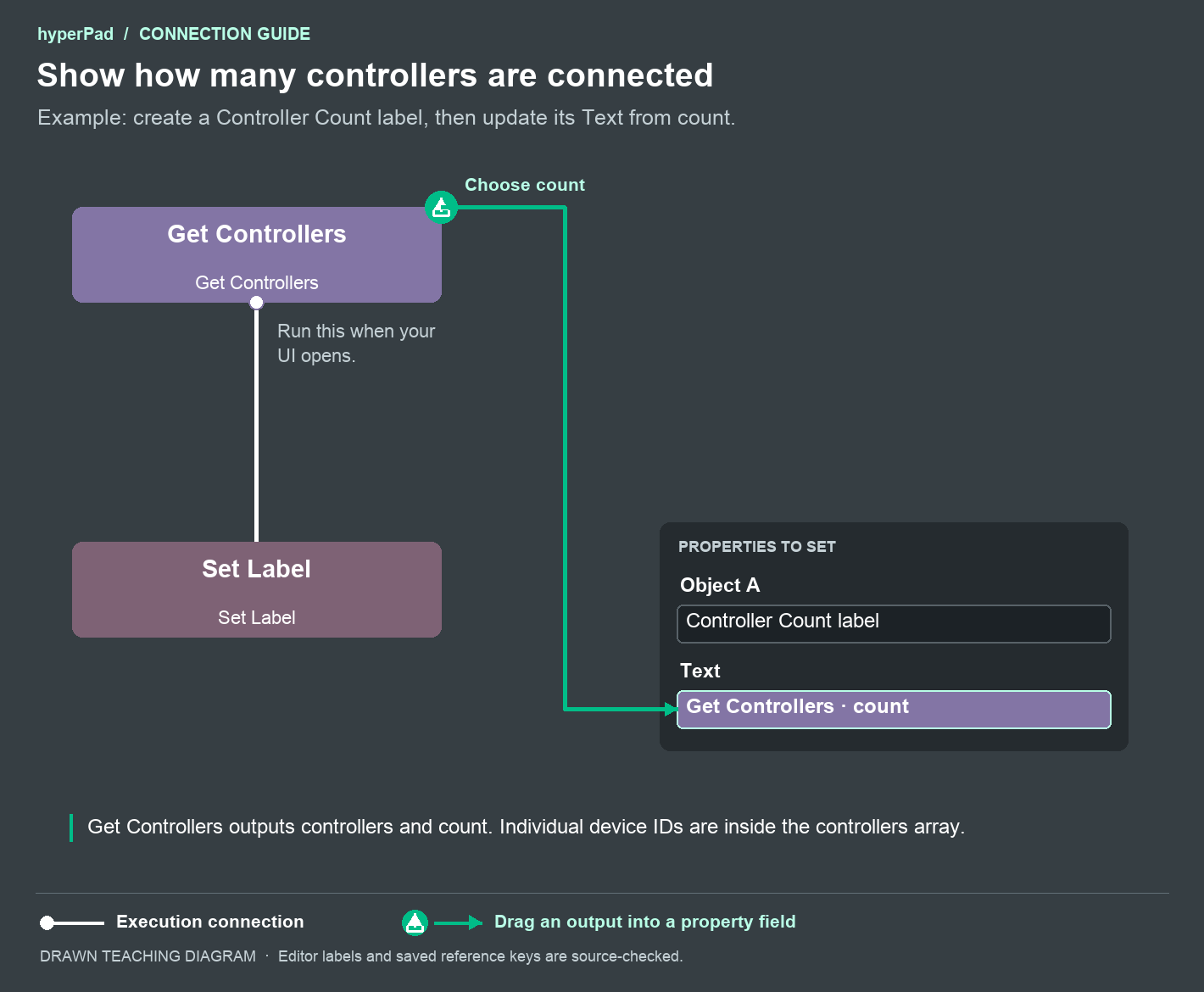
- Create a label Object called Controller Count.
- Add Get Controllers and run it when this UI opens.
- Connect its bottom event connection to Set Label.
- In Set Label, select Controller Count as Object A.
- Drag the green
countoutput from Get Controllers into Set Label's Text property.
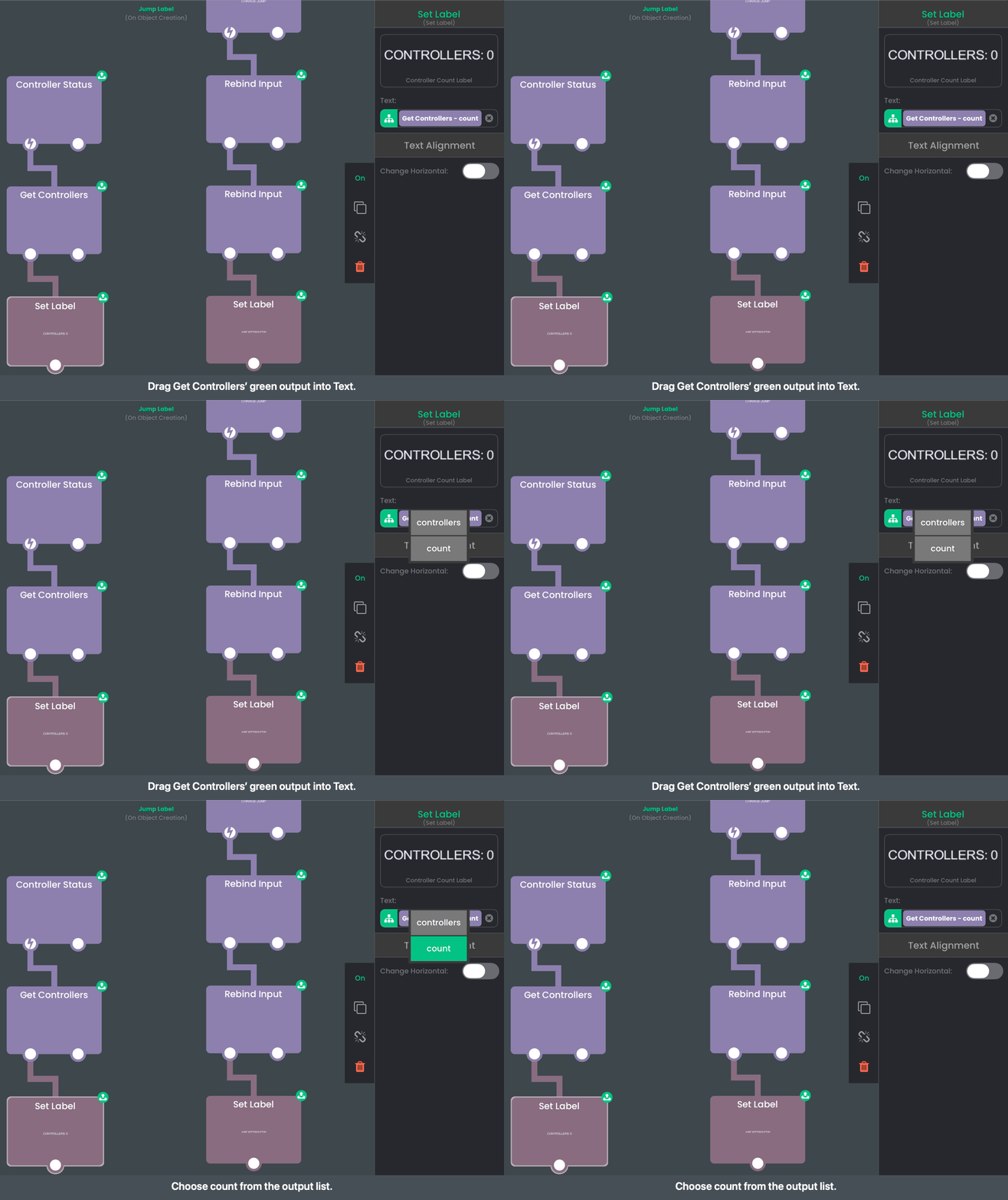
The label shows the number from the latest snapshot. The green data reference supplies the number; the white execution connection updates the label after it has been read.
For a list of device names, your game needs to read the individual dictionaries in controllers. This count example does not select a controller or extract a device ID. The generated Controls overlay already provides a controller chooser.
Players, IDs, and pairing
A newly connected controller is assigned to the first free positive player slot. Use Assign Controller to change that choice.
Player numbers are slots in your game, not permanent controller identities. Device-to-player choices last for the current session. Use fresh deviceID values from this list or a controller event when making an assignment.
Controllers must already be connected through the platform's supported setup. Get Controllers does not pair Bluetooth hardware. The maximum number of connected controllers depends on the device and operating system.