Visual Coding: How to Make a Game on iPad Without Writing Code

What Is Visual Coding? A Beginner’s Guide to Making Games on iPad
Ask someone what programming looks like and they may picture a screen filled with text, unfamiliar symbols and a developer searching for one missing character.
Visual coding takes a different approach. Instead of writing every instruction as text, you build logic with graphical elements such as nodes, blocks and connections. Each element performs a job, and the connections show when that job should happen or where its information should go.
The result is still programming. You still decide how the software should respond, which conditions it should check and what data it should remember. The main difference is that you can see the program as a system of connected parts.
That makes visual coding especially useful for games. A player taps the screen, so a character jumps. A projectile hits an enemy, so the enemy loses health. The timer reaches zero, so the round ends. These cause-and-effect relationships fit naturally into a visual graph.
With a visual game engine built for iPad, you can create those rules, test the game and adjust the result on the same device.
What is visual coding?
Visual coding, also called visual programming, is a way to build software using graphical elements rather than relying mainly on typed source code. A visual coding system may use:
- Nodes or blocks
- Events and actions
- Conditions
- Values and variables
- Connections that control execution or carry data
Each element performs a particular task. One might detect a touch. Another might move an object. Another could compare two numbers or play a sound.
Connect those pieces and they become a program. A simple jump mechanic might look like this:
Player taps button → character jumps → sound plays
The computer still follows precise instructions. Those instructions are represented visually instead of being written line by line.
Is visual coding real programming?
Yes. Visual coding changes the interface, but it does not remove the concepts that make a program work.
As a project grows, a creator still works with:
- Events and execution order
- Variables and changing data
- Conditions and Boolean logic
- Functions and reusable systems
- State management
- Testing and debugging
For example, text-based code might check whether a player has run out of health:
if (health <= 0)
A visual system could express the same decision with a comparison node connected to a game-over action. In both cases, the computer evaluates a condition and responds when it is true.
Visual coding reduces the amount of syntax a beginner must learn before making something interactive. It does not remove the planning and problem-solving required to build software.
What is node-based visual coding?
Node-based visual coding represents a program as connected nodes. A node can be an event, action, value or condition. Some nodes receive information, some transform it and others produce a result.
Consider a coin in a platform game:
Player touches coin → add 1 to score → play sound → remove coin
In a text-based language, this interaction would use syntax, functions, variables and references to game objects. In a node-based system, you can follow the sequence across the canvas.
The connections can describe two different things:
- Execution flow: the order in which actions happen.
- Data flow: the values one operation passes to another.
Understanding both makes it possible to create much more than a short chain of actions.
How visual coding works in hyperPad
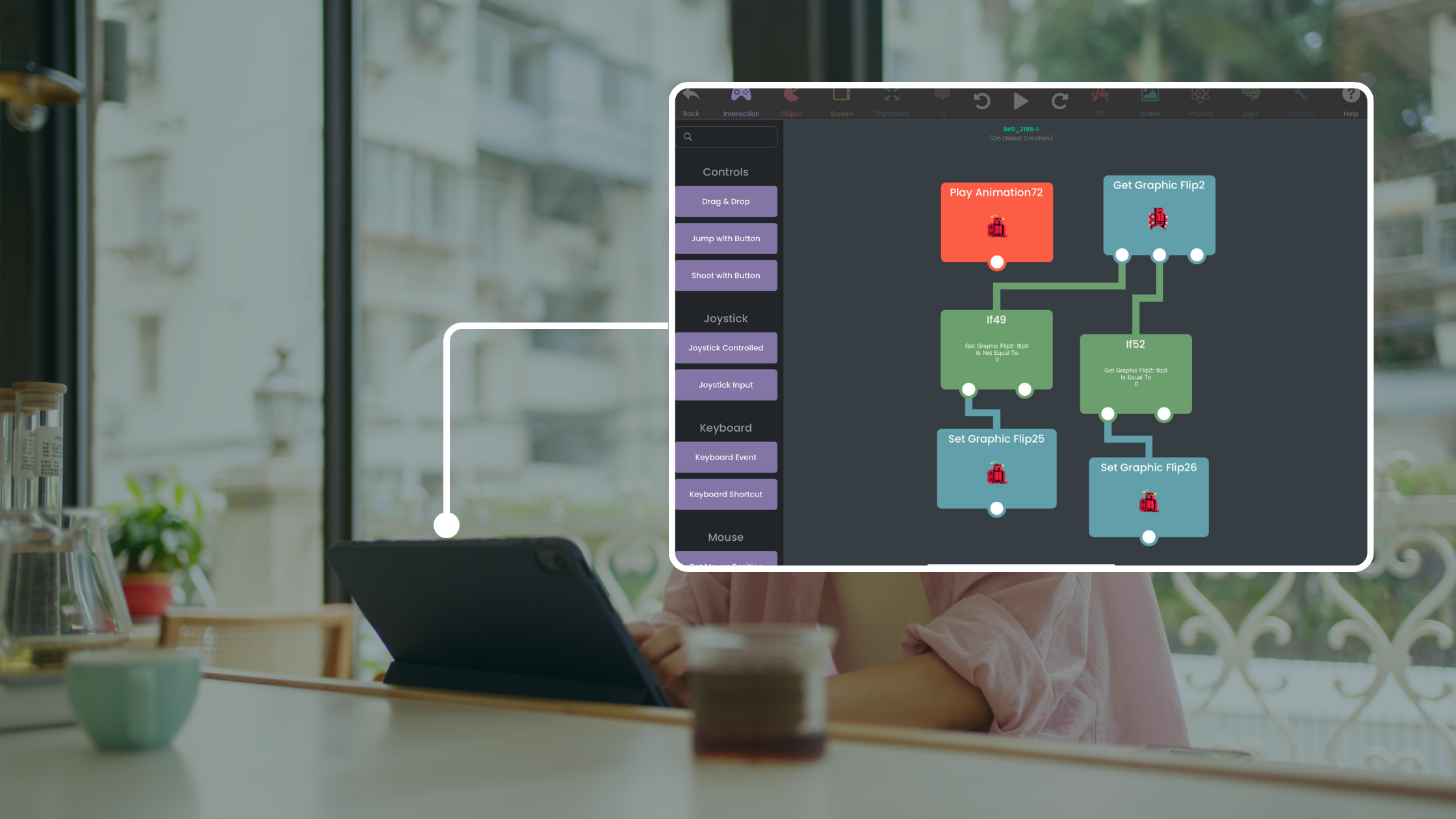
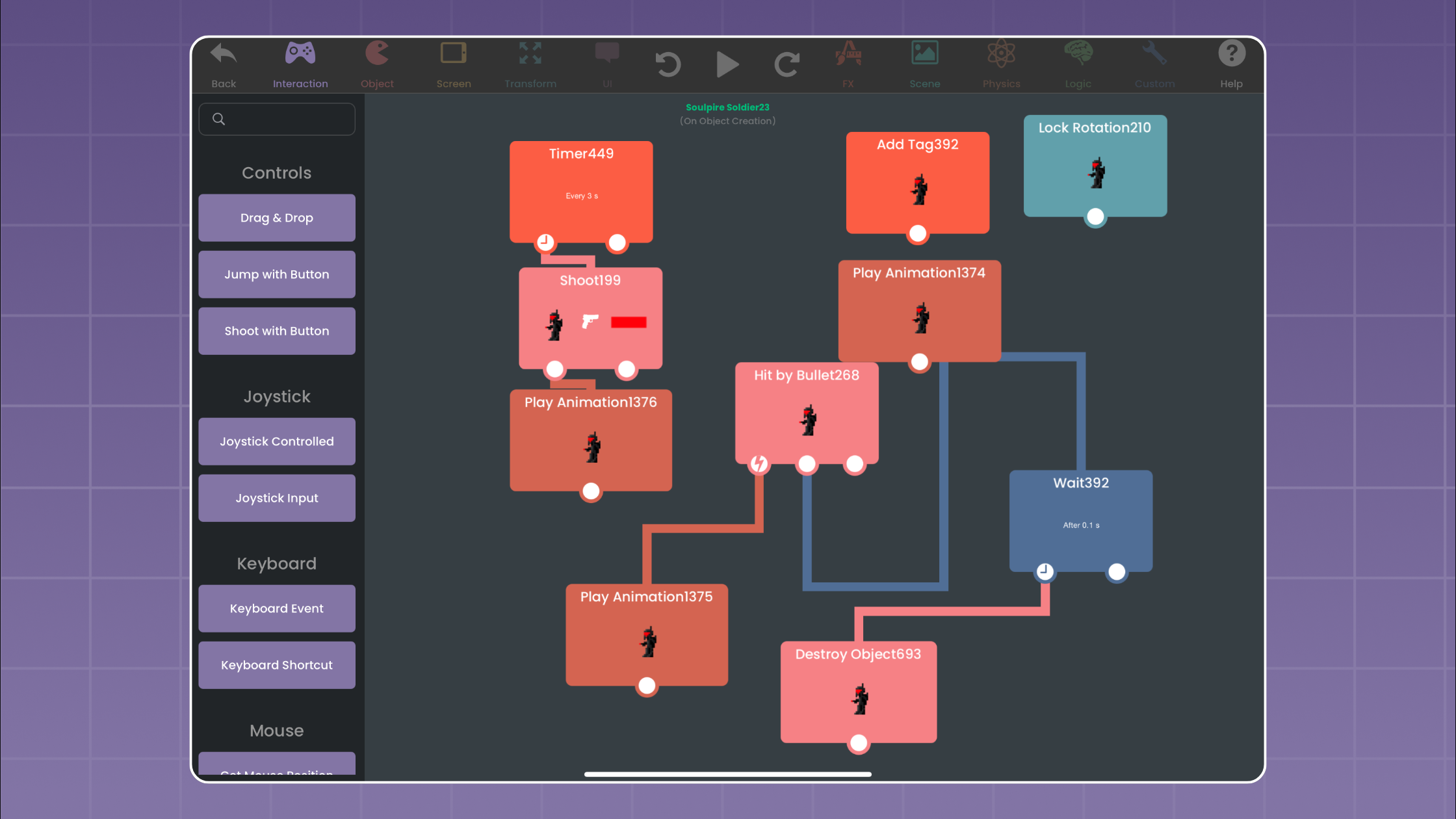
hyperPad uses visual coding in its Behavior System. You give Objects Behaviors and connect them in the Behavior Editor to define how the game works.
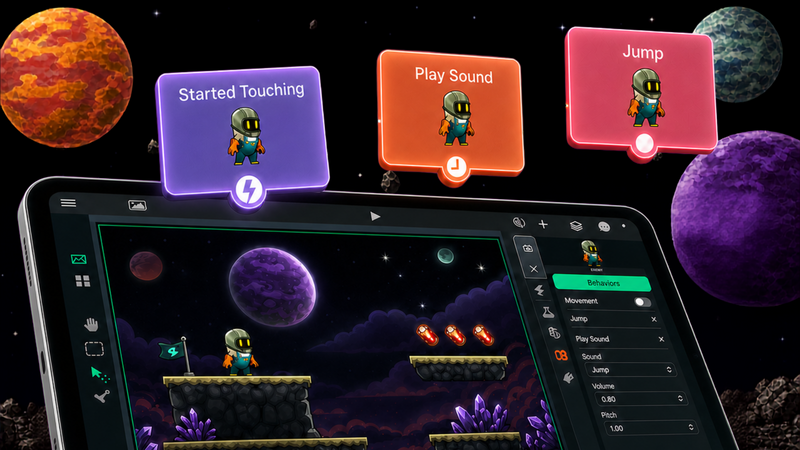
Behaviors can be Events or Actions. An Event waits for something to happen, such as a touch or collision. It then triggers a connected Action. An Action changes the game by moving an object, updating a value, playing a sound or performing another operation.
A basic interaction could be:
Touch → Move
Extend the sequence and it becomes:
Touch → Move → Play Sound
Now the graph describes a small program: touching the object makes it move, and completing the movement plays a sound. The Behavior Editor overview explains how hyperPad organizes Behaviors and connects Events with Actions.
The graph is directly connected to the rest of the engine. Behaviors can control interactions, Objects, movement, interfaces, effects, Scenes, physics and game logic. The graph you build is the logic that runs your game.
How data moves through visual code
A game needs more than commands. It also needs changing information:
- Where is the player?
- How much health remains?
- What is the current score?
- Which direction is an enemy facing?
- How far apart are two objects?
Visual Behaviors can output values that become inputs for other Behaviors. Suppose an enemy should chase the player. A fixed destination would not work because the player keeps moving. The game needs to get the player's current position, calculate the correct direction and use the result to move the enemy.
The logic could look like this:
Get player position → calculate direction → move enemy
The output of one operation becomes information for the next. That is data flow.
This approach can support much more detailed systems. hyperPad's enemy AI tutorial shows how position, distance, conditions, physics and health can work together in a visual Behavior graph.
Visual coding still uses variables and conditions
Games need to remember information such as scores, health, inventory and progress. Visual programming does not make those data problems disappear.
A basic health system could follow this sequence:
Enemy hits player → read health → subtract damage → store new health
Another part of the graph could ask:
Is health 0 or lower? → show game-over screen
This system uses state, arithmetic, comparison, conditional logic and execution order. These are familiar programming concepts presented through connected operations.
Stored data can also remain useful after a play session. A game might remember progress, settings or a best score. The hyperPad guide to saving, loading and high scores demonstrates how a visual project can manage persistent values.
Why visual coding is easier for beginners
Text-based programming often asks a beginner to learn two subjects at once: programming concepts and the syntax of a particular language.
Visual coding reduces the second burden. Instead of concentrating on brackets, punctuation and formatting, a beginner can start with questions tied directly to the game:
- What should happen when the player touches this object?
- Should this door open only after every coin is collected?
- How much damage should this enemy cause?
- What happens when the timer ends?
The creator can build one response, test it and adjust the logic. That short feedback loop makes experimentation more approachable and helps reveal mistakes while the relevant part of the graph is still easy to find.
Beginners do not need to learn every available tool before starting. A project introduces concepts as it grows. Adding coins creates a need for a score. Enemies introduce collisions and health. A locked exit introduces conditions. Each new feature gives the next programming idea a clear purpose.
For children and classroom learners, the companion visual-coding guide focuses on small projects, learning outcomes and questions from parents and teachers.
Why visual coding works well for games
Games rarely run as one long sequence. Many systems wait for different things at the same time. A button watches for input. An enemy checks for a collision. A timer counts down. The game updates the score and controls an animation.
A visual graph makes many of those relationships easier to inspect. If a touch Event connects to Play Sound, you can see why the sound plays. To make the object shake as well, add another Action. To play the sound after movement ends, change the execution path. To allow the action only when a condition is true, place that condition in the flow.
This is particularly useful when making a game directly on iPad. You can build the interaction and test it immediately without moving between a separate development computer and test device.
The engine can also handle calculations that would otherwise require lower-level implementation. hyperPad's built-in physics engine supports gravity, collisions and forces, while visual Behaviors decide how the game reacts to them.
Visual coding still requires debugging
Removing many syntax errors does not remove logical errors. A game can still use the wrong value, test an impossible condition or run actions in the wrong order.
Suppose a sound plays before an object moves, even though it should play afterward. Each Behavior may work correctly on its own. The problem is the path that connects them.
Debugging means turning an unexpected result into a useful question:
- Which Event started the sequence?
- Did the condition become true?
- Did the correct value reach the next Behavior?
- Did two actions run in the intended order?
A large visual program can also become difficult to read if it is poorly organized. Clear names, small groups of related Behaviors and reusable systems matter just as much as organization in text-based code.
Is visual coding only for beginners?
No. Accessibility does not automatically mean a low ceiling.
A beginner may start with:
Touch → Jump
As the project grows, the same mechanic might become:
Touch → check player state → check jumps remaining → calculate force → change velocity → update jump count → change animation
The interface has not changed. The developer has learned to combine familiar pieces into a more capable system.
Visual coding can support platformers, puzzle games, educational projects, rhythm games, interactive stories and prototypes. More advanced projects may include enemy AI, inventories, save systems, custom interfaces or multiplayer features. The complexity comes from how you design the systems, and that holds whether you type the instructions or connect them.
Visual coding compared with traditional code
Visual coding and traditional code are different ways to express logic. The right choice depends on the project, the creator and the level of control required.
Traditional code can provide deep control over low-level systems and fit established software-development workflows. Visual coding can reduce the initial syntax barrier, make relationships easier to inspect and support rapid experimentation.
Visual coding may be a practical choice when you want to:
- Learn programming concepts through a project
- Prototype a game quickly
- Teach game design on iPad
- Create custom 2D games without first learning a text-based language
- Work visually with game logic and data
The useful question is whether the tool helps you build, test and understand the system you want to create.
How to start making a game with visual code
Start with one interaction you can finish in a short session. A collectible coin works well because it combines collision, score, sound and object removal.
- Create a Scene with a player and one coin.
- Add a collision Event to the coin.
- Connect an Action that increases the score.
- Add a sound or visual effect.
- Remove the coin after it is collected.
- Play the game and check the order of each response.
Once it works, add several coins and a door that opens only when the score reaches a target. That next version introduces a stored value and condition while building on a mechanic you already understand.
From there, you can add physics, enemies, health or saved progress. Each feature gives you a new problem to solve and a reason to learn another part of the system.
From first interaction to published game
Visual coding lets you begin with the game itself. Place an Object in a Scene, decide how it should respond, connect the Behaviors and test the result. The rules become more detailed as the project develops.
That is what makes visual coding a useful entry into programming. It makes the structure of a game visible while preserving the decisions, experiments and debugging that turn an idea into working software.
Build one small Behavior chain and watch the result in the running Scene. Keep the logic visible, change one value at a time, and use each test to decide what to refine.