Step-by-Step Guide to Game Development on iPad for Beginners

The iPad changed the way we use technology, and now it's changing how games are made. Whether you're a hobbyist or a budding developer, making games on an iPad is easier to start than ever. Thanks to no-code platforms, you can bring your ideas to life even without programming experience. This step-by-step guide gets you started on the path to making your own iPad games.
Why Develop Games on an iPad?
- Portability and Accessibility: The iPad is a capable computer that fits in your bag. With apps built for development, you can make games anywhere, whether you're relaxing at home or commuting.
- No-Code Platforms: Platforms like hyperPad, Scratch, and Game Creator Pro remove the need for complex coding, so anyone can approach game development.
- Lower Costs: Traditional game development often calls for a high-end PC. An iPad costs less and does more than one job.
Step 1: Pick the Right Tools
For beginners, no-code platforms are a great place to start. Here are a few tools worth a look for iPad game development:
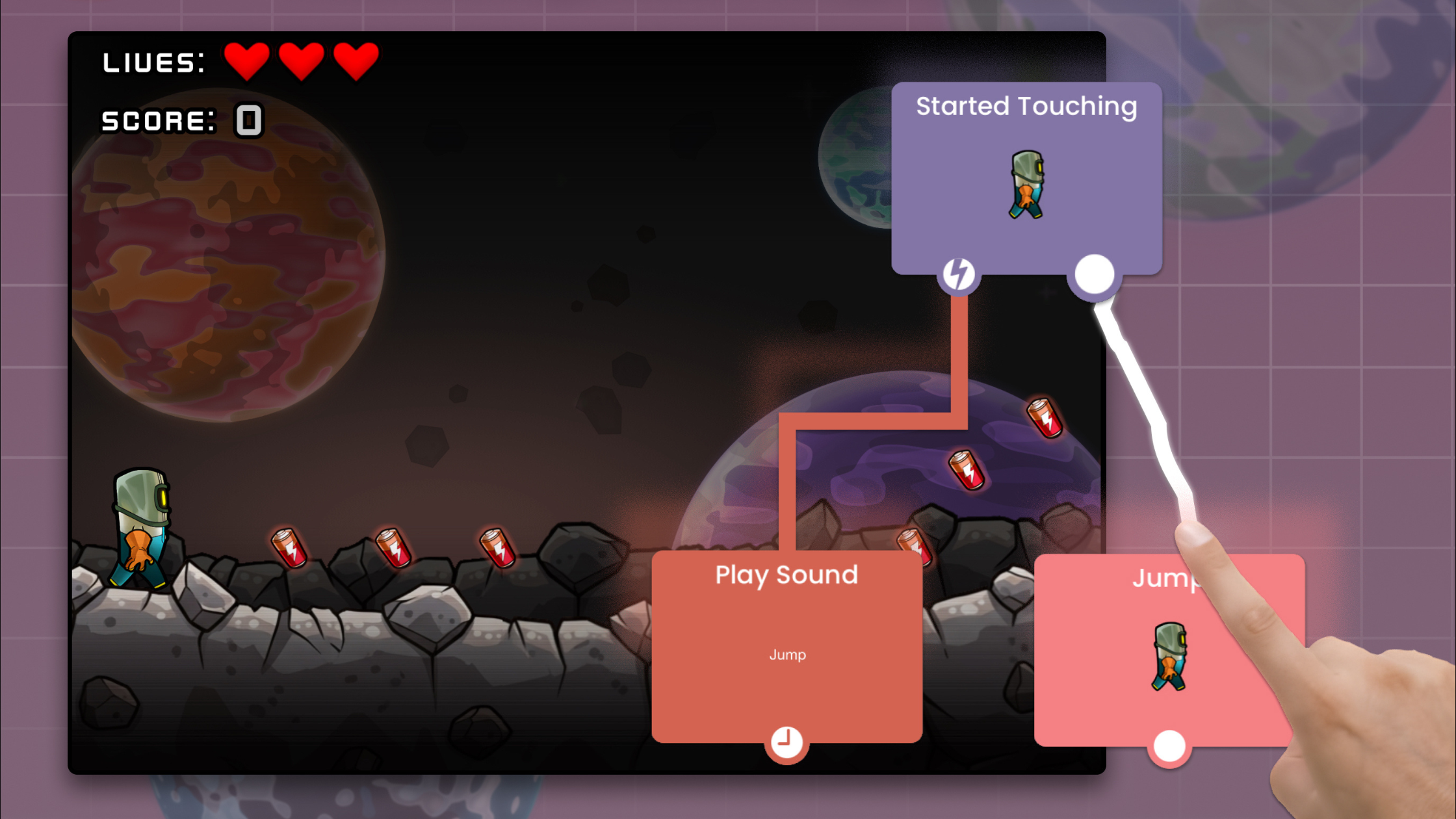
- hyperPad: Designed for iPad, hyperPad lets you create 2D games with an intuitive drag-and-drop interface.
- Construct: It's web-based, but it runs smoothly in the browser on iPad and has a full set of features for no-code game development.
- Scratch: Ideal for absolute beginners, Scratch uses visual programming to teach game mechanics and logic.
Tip: Start with a platform that matches your goals. If you want to prototype quickly, hyperPad is a strong choice.
Step 2: Learn the Basics of Game Design
Before you start building, learn the core principles of game design:
- Game Mechanics: What makes your game fun? Define the rules, player interactions, and challenges.
- Story and Theme: Even simple games benefit from a clear story or theme that draws players in.
- Visual Design: Use ready-made assets, or draw your own in apps like Procreate, to give your game a unique look.
Fun fact: Some of the world's most popular games, like Flappy Bird and Among Us, started as simple ideas done well.
Step 3: Start Small and Iterate
Begin with a simple project, like a platformer or puzzle game. That way you can focus on learning the tools without getting overwhelmed. Break your project into these manageable steps:
- Plan Your Game: Sketch a rough idea of your game, including levels, characters, and objectives.
- Build Your First Prototype: Use the drag-and-drop editor in your chosen platform to bring your idea to life. In hyperPad, that means placing Objects in a Scene and connecting Behaviors.
- Test and Iterate: Play your game often. Figure out what's fun and what isn't, and refine from there.
Step 4: Share and Gather Feedback
Once you have a playable prototype, share it with friends, family, or online communities. Feedback is how your game gets better.
Tools like TestFlight (by Apple) let you send your game to testers. Join forums like r/gamedev or iPad-focused developer communities to learn from other developers.
Step 5: Publish and Promote Your Game
When your game is ready, it's time to release it. Platforms like the App Store let you reach millions of players worldwide. With hyperPad, you can Publish your game to the hyperPad Hub, or Export it to the App Store with the paid hyperPad app. Don't forget to:
- Create a Landing Page: Show off your game's features and updates.
- Use Social Media: Platforms like TikTok, Instagram, and Twitter can help you reach a wider audience.
- Optimize for the App Store: Use clear descriptions, strong screenshots, and the right keywords to improve visibility.
The Future of iPad Game Development
No-code platforms keep growing and iPads keep getting faster, so the future of game development looks bright. Advances in AR (augmented reality) and machine learning are opening new creative possibilities. Imagine designing AR games right on your iPad, mixing virtual worlds with the real one.
As more tools add AI, making games will get simpler, so developers can focus on creativity instead of technical hurdles. If you want to make games, now is a good time to start.
You can make real games on iPad today. With the right tools and mindset, anyone can turn their ideas into playable games. Start small, stay curious, and most of all, have fun. Players are waiting for what you make.
Visit the hyperPad website | Learn More About Game Dev
Have questions? Contact Us or check out our FAQs for more information.
Bring your ideas to life with hyperPad. Let's make iOS games and apps on iPad together!