iPad Game Development: How to Build and Ship Real Games on iPad

iPad game development used to mean writing code on a Mac and testing on an iPad. That changed. You can now design, build, and test a whole game without opening a laptop. With hyperPad, a Mac only comes in at the very end, for the final upload to the App Store.
This guide covers what the iPad can actually do, which tools run on it, and how a game goes from an idea to the App Store.
Why iPad Game Development Works Now
Four things changed at roughly the same time.
The hardware caught up. An M-series iPad runs the same silicon as a MacBook Air. Physics, particles, and shaders that would have stuttered a decade ago run at full frame rate.
The tools arrived. Full game engines, drawing apps, and audio workstations now run natively on iPadOS rather than as cut-down companions.
Touch turned out to be good for design. Dragging an Object into position and adjusting it with your hands is faster than clicking coordinates in an inspector. For 2D layout work, a touchscreen is the better interface.
Apple opened the pipeline. Swift Playgrounds can submit an app to the App Store straight from an iPad. With hyperPad, you build the whole game on iPad, Export it as an Xcode project, and use a Mac only for the final upload.
What Game Development Actually Involves
If you are new to it, a game is made of five jobs. You will do all of them on a solo project.
Design. The rules. What the player does, what stops them, and why they keep going. This happens on paper as much as on screen.
Art. Characters, backgrounds, tiles, and UI. Procreate covers most of this on iPad, and free asset packs cover the rest while you prototype.
Audio. Music and sound effects. GarageBand is free and enough to start.
Logic. What happens when. Collisions, scoring, state, and the difference between a level starting and a level ending.
Testing. Playing your own game until you stop being able to see it, then handing it to someone else.
The logic step is the one that used to require code. It does not anymore.
Game Engines and Design Apps That Run on iPad
hyperPad. A full 2D engine built for iPad. You build logic by connecting Behaviors into a flowchart instead of writing code. Physics, particles, shaders, sockets, and HTTP are all in there, and you can Export finished games to the App Store. One-time purchase.
Codea. Lua scripting on iPad, for people who want to write code rather than avoid it. Strong for procedural and experimental work.
Swift Playgrounds. Apple's own app. Real Swift, real App Store submission. It is a programming environment rather than a game engine, so you build more from scratch.
Roblox Studio. Not on iPad for building, despite how often it is asked. You can play on iPad, but creation still needs a computer.
Unity and Godot. Desktop engines. You can export builds that run on iPad, but you build them on a computer.
On the art and audio side: Procreate for drawing, Pixquare and similar apps for pixel art, GarageBand and Cubasis for music, Affinity Designer for vector UI.
Try hyperPad Starter free. One project, the full set of building tools, running on the iPad you already have. Download hyperPad Starter.
How Building on iPad Works, Concretely
In hyperPad, a game is made of three things.
Scenes are screens. A menu is a Scene, a level is a Scene, a game over screen is a Scene.
Objects are everything inside a Scene: the player, a platform, an enemy, a score label. Each Object has a Graphic and its own Attributes.
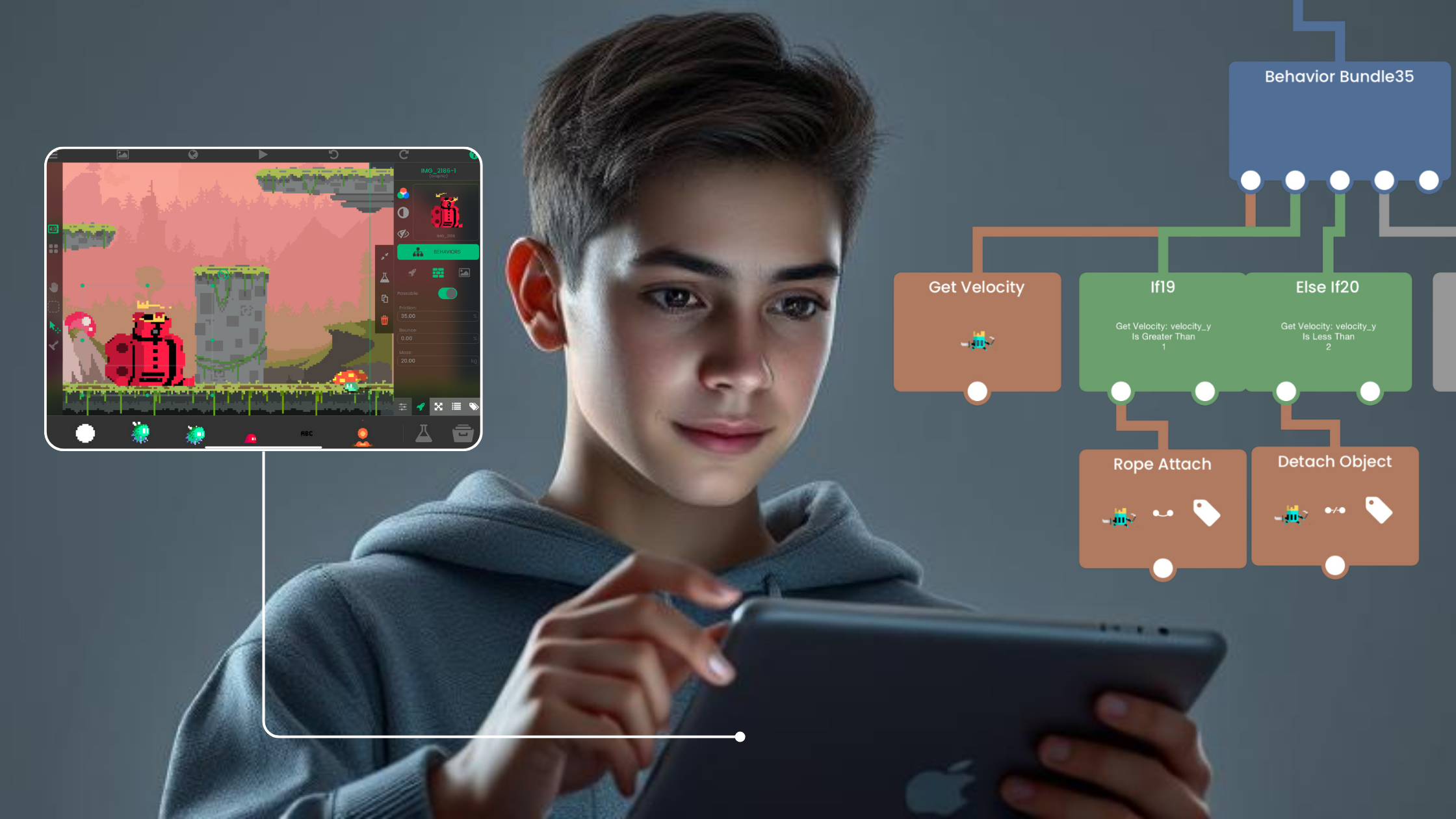
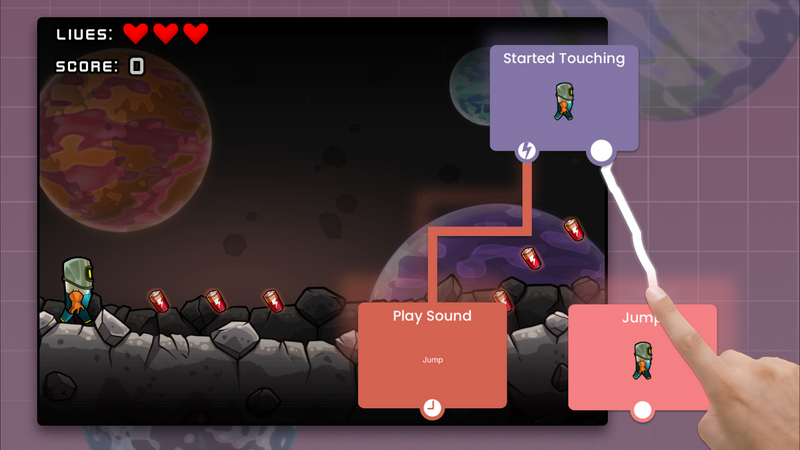
Behaviors are the logic. You drag an event, connect it to an action, and set the values. A Collision event connected to a Change Attribute action is a scoring system. A Touch event connected to a Move action is a jump.
Here is what makes this different from coding: the logic is visible. You can see the whole flow of what happens when, laid out on screen, rather than holding it in your head across several files.
And because you build and test on the same device, there is no build step. Press play, the game runs, press stop, change a value, press play. The loop is a few seconds long.
What You Can Build
Platformers. Physics, collision, and camera following are all built in. The most common first real project.
Rhythm games. Timing against an audio track. Popular enough that several creators have built FNF-style games in hyperPad.
Puzzle games. Grid logic, state, and undo. Light on art, heavy on design.
Physics sandboxes. Set up the rules, let players break them.
Narrative games and interactive stories. Branching dialogue and scene transitions, with very little logic.
Multiplayer. Sockets and HTTP are available, so networked games are possible. Not a first project.
No-Code or Code: Which Should You Choose?
Build with code if you need a specific engine feature nobody else has, you are targeting several platforms with one codebase, or writing code is a skill you want for its own sake.
Build without code if you want a playable prototype this week, you are learning game design rather than programming, or you are working on an iPad.
The honest trade: code gives you unlimited control and costs you months before anything is playable. Visual Behaviors give you something playable on day one and hand you the engine's capabilities rather than arbitrary ones.
For 2D mobile games, that ceiling is high enough that most projects never reach it.
One more thing worth saying: the concepts transfer. Events, conditionals, variables, and loops are the same ideas whether you connect them or type them. Creators who start with Behaviors and move to code later report that the second step is easier, because they already understand what they are describing.
Making Money From an iPad Game
You can sell what you build.
Paid apps. Set a price on the App Store. Apple takes its standard cut. hyperPad takes 0%, so you keep 100% of your revenue.
In-app purchases. Available on exported hyperPad games.
Ads. Workable, but be careful with them in a game aimed at kids.
Contract work. Prototyping is genuinely fast on iPad, which is worth something to studios that need to test an idea before committing to it.
Setting expectations honestly: most first games do not earn much. Ship the first one to learn how shipping works. Earning comes later, and mostly from the marketing rather than the building.
Getting Started This Week
- Download hyperPad Starter. Free, one project.
- Build one mechanic. Not a game. One thing: a jump that feels good, or a tap that scores a point.
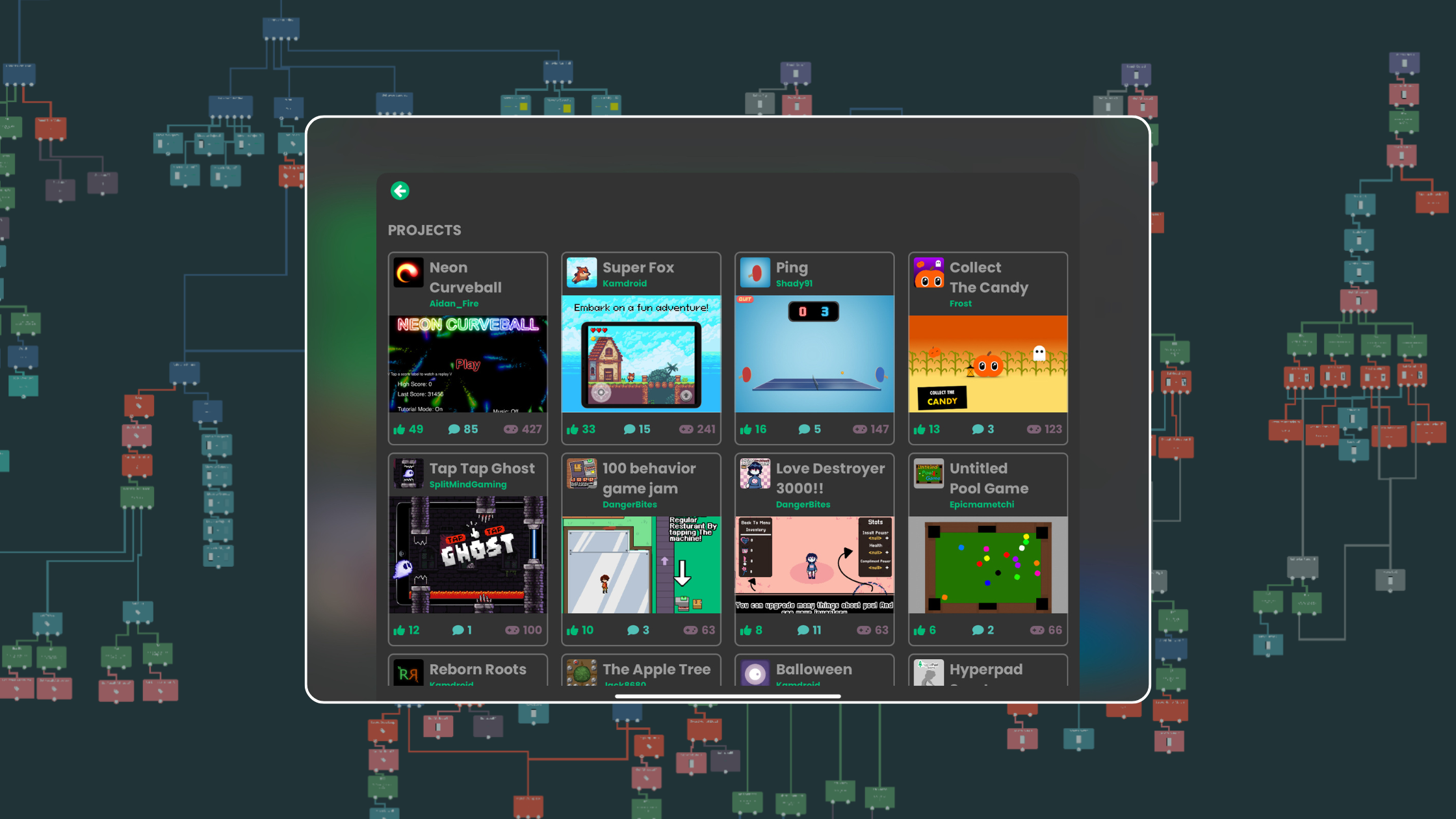
- Branch someone else's project. Open Source projects in the Hub can be opened and taken apart. Reading working logic teaches faster than any tutorial.
- Finish something small. A finished tiny game teaches you more than an unfinished ambitious one.
- Publish it to the Hub. Get it played. Watch someone else play it.
Common Questions
Can you really make games on an iPad? Yes. Games built entirely on iPad have shipped to the App Store.
What is the best game engine for iPad? For 2D, no-code, and building on the device itself, hyperPad. For writing code on iPad, Codea or Swift Playgrounds.
Do I need a Mac? Not to build. You make and test your whole game on iPad. To get a hyperPad game onto the App Store, you Export it as an Xcode project and use a Mac with Xcode for the final upload.
Which iPad do I need? Any recent model. More memory helps with large projects, and a bigger screen helps when you are wiring up complex logic.
Can I make 3D games on iPad? hyperPad is a 2D engine. 3D on iPad remains limited.
Do I need to know how to draw? No. Start with free asset packs and replace the art later.
Start Building
The iPad you already own is a game development machine. The only thing left is to open it.
Make one game for free with hyperPad Starter. Make as many as you want, and Export them to the App Store, with hyperPad for a one-time USD $14.99. You keep 100% of your revenue.