How to Make Single-Player and Multiplayer Games in hyperPad

Single-player and multiplayer games solve different design problems. A single-player game keeps input, rules, and state on one device. A multiplayer game must also decide who controls each player, which device owns the game state, and how changes reach every player. hyperPad supports both paths, but they are not the same build.
For your first multiplayer prototype, start with one shared mechanic such as a two-player race, score duel, or cooperative switch puzzle. Prove that both players can act and that the game resets correctly before you add online rooms, accounts, or a larger world.
Choose the multiplayer model first
| Game format | What you design | Good first prototype | Relevant hyperPad tools |
|---|---|---|---|
| Single-player | One input path and one local game state | Collect five objects before time runs out | Interaction Behaviors, Attributes, UI, Scenes |
| Shared-device multiplayer | Separate controls and state for each player on one device | Two players race to the opposite side of the screen | Player-specific input, Attributes, collision logic, UI |
| Controller multiplayer | Player assignment, input mapping, and reconnect states | Two players move separate Objects in one Scene | controller support, Assign Controller, Map Control Inputs |
| Network multiplayer | A server-controlled source of truth, messages, latency, and connection recovery | Send each player's position and score between two clients | Socket.io multiplayer workflow, Socket.io Client, Connect to Socket, Emit to Socket, Socket Event |
This distinction matters because “multiplayer” is not one feature you switch on. A local two-player game can share the same Scene and device state. A networked game needs a Socket.io server in addition to the hyperPad Project, plus rules for what happens when a player disconnects or two updates arrive in a different order.
Build one complete local game loop
A two-player collection game is a useful first test because it exposes the core logic without requiring a large level.
- Add two player Objects to one Scene.
- Give each player a separate input path.
- Add a collectible Object and a score Attribute for each player.
- When a player touches the collectible, increase that player's score and move the collectible.
- Show both scores with separate UI labels.
- End the round when either score reaches the target.
- Reset the scores, player positions, and collectible for the next round.
Keep the player identity explicit. Use separate Attributes such as playerOneScore and playerTwoScore, or a consistent Object relationship that lets each input update the correct player. This makes the Behavior logic easier to inspect when one player scores incorrectly.
If you want people to use physical controllers, follow the documented controller support workflow. Plan a small join screen where each controller is assigned before gameplay begins. Also define what the game should do if a controller disconnects.
Add network play only after the local rules work
hyperPad's documented online multiplayer path uses Socket.io. The Project acts as a client, while a separate Socket.io server receives and distributes game data. The Socket.io Client Behavior stores the connection settings. Connect to Socket opens or closes the connection, Emit to Socket sends an event, and Socket Event responds to a message from the server.
Start with the smallest possible message:
- the player ID
- the changed value, such as a position or score
- an event name both the server and Project understand
Do not send every piece of the Scene at once. First prove that one client can connect, emit one event, and receive one response. Then test two clients. The server should decide which updates are valid and which state is authoritative.
Network play also needs failure states. Use Get Socket Status to help your Project respond to connection changes. Give the player a clear message when the connection is unavailable, prevent duplicate scoring after reconnecting, and decide whether a match pauses, ends, or waits.
Test the interaction, not just the happy path
Run the smallest playable round repeatedly. Confirm that each input controls only its assigned player, each score changes once, and the win state triggers for the correct player. Reconnect controllers and network clients. Restart the Scene and confirm that no old score or connection state leaks into the new round.
For online play, test delayed and missing messages as well as a normal connection. A multiplayer prototype is ready to expand when both players see the same result and the game can recover cleanly from a disconnect.
Games built with hyperPad
Creator Hakan Dede has published multiple games on the App Store, including Super Cow - The Revolution, Super Trucker, and Mr Head - The dark lights 2. These listings show the range of single-player projects creators have taken from an iPad workflow to an App Store release.

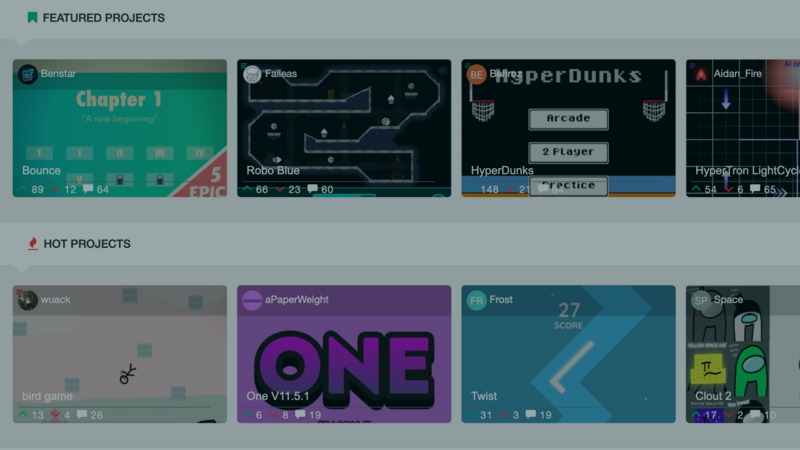
On the hyperPad Hub, projects such as The Blob by TutorialDoctor and Space Shooter by Aidan_Fire offer playable examples of local game loops, scoring, hazards, and state. Study one mechanic at a time. Then adapt the pattern to your own Objects, Behaviors, and Scenes.
The strongest next step is not a larger feature list. It is one reliable round in which every player can act, understand the result, and begin again.