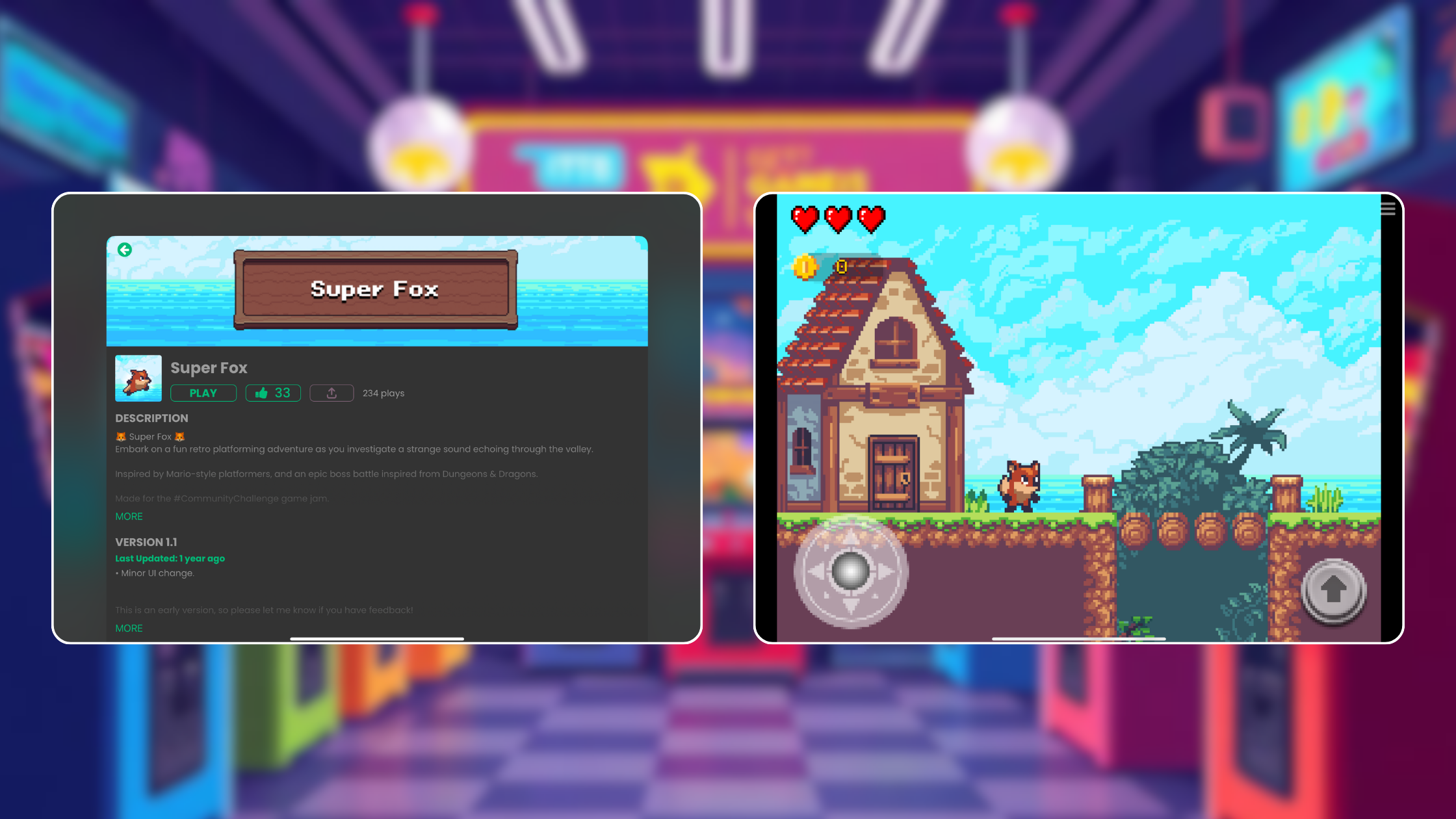
Make a Side‑Scroller on iPad Without Coding


Want to turn your side-scrolling platformer idea into a real game on iPad? Say hello to hyperPad. It's a no-code game maker where you build everything visually, so you never need to write code. It was made for iPad from the start.
Top Side-Scrolling Platformers
-
Celeste A challenging, rewarding platformer that pairs tight controls with a heartfelt story about overcoming personal struggles.
-
Hollow Knight A sprawling Metroidvania set in a hand-drawn world of insects. It's known for deep lore, atmospheric exploration, and tough combat.
-
Shovel Knight A love letter to 8-bit classics, with polished gameplay, charming pixel art, and multiple campaigns starring different characters.
-
Super Meat Boy Known for fast, precise platforming and a funny tone, it's a test of reflexes and patience.
-
Cuphead With visuals inspired by 1930s cartoons and a jazz soundtrack, Cuphead stands out for its art style and challenging boss battles.
-
Pizza Tower A high-energy platformer inspired by Wario Land, with frantic gameplay, expressive animations, and a quirky sense of humor.
-
Donkey Kong Country: Tropical Freeze A modern take on the classic series, with inventive level design, co-op play, and a vibrant world.
-
Rayman Legends Loved for its fluid controls, imaginative levels, and hand-drawn art, it's a platformer that appeals to players of all ages.
-
Castlevania: Symphony of the Night A landmark game that helped define the Metroidvania genre, blending exploration, RPG elements, and gothic style.
-
Ori and the Blind Forest A visually striking game that combines emotional storytelling with precise platforming and a haunting soundtrack.
These games show what a good platformer needs: tight physics, engaging level design, responsive controls, visual charm, and polished audio. Use them as benchmarks for your own game.
How hyperPad Makes Platformers Possible on iPad
hyperPad gives you a visual Behavior Editor. You build each game mechanic by adding and connecting Behaviors, with no syntax to learn.
Key Features for Side-Scrollers
-
Object → Passable Platform Behavior: Lets your character jump up through a platform from below and land on top. You'll need it for layered platforming levels.
-
Jump Behavior: Makes characters leap with realistic physics.
-
Collision events: Detect landing, hitting walls, or touching other Objects.
-
Movable Platform: Adds moving platforms to your levels.
-
Collectibles and scoring: Add coins and score counters with an on-collision Behavior.
-
Destroy Object & Passable: Make stars, enemies, or items interactive. Enemies can vanish on contact, players can pass through platforms, and collectibles can add to the score. You line it all up visually in a flowchart.
-
Test & Export: Test instantly on your iPad. When you're ready, export an Xcode project with hyperPad (a one-time purchase), then submit your game to the App Store from a Mac.
Sample Behavior Flow for a Pass-Through Platform
-
Add a Passable Platform Behavior to your platform Object.
-
Add a Jump Behavior to your player character.
-
Use the Collision Event "On Top" to detect a landing.
-
Adjust the Behavior's properties so the player passes through the platform from below when jumping.
-
Combine it with Movable Platform for moving parts of your level (floating platforms, for example).
-
Add coin Objects with:
-
Passable + Collision (with player)
-
Add-to-Score + Destroy Object Behaviors
Voilà! You've built a Mario-style setup with character movement, platform logic, moving elements, pickups, and scorekeeping. You didn't write a line of code.
Make Your Side Scroller Platformer Game on iPad Now
With Behaviors like Passable Platform, Jump, Collision, Movable Platform, and Add-to-Score, a polished side-scroller on iPad is within reach, even if you've never coded. Take inspiration from platforming classics like Celeste and Hollow Knight and build layered levels, collectibles, and smooth gameplay. Everything is designed for touch, and you can test as you go.
Continue with one working mechanic
Follow the iPad game development guide to scope one input, one result, and one reset. The Behavior Interface Overview explains how events connect to actions, and Scenes shows how to organize playable sections of a Project.
Build one short playable loop around the main movement or action. Test the controls, feedback, and restart flow before adding another level.