Red Ball: The Lost Island and No-Code iPad Game Development

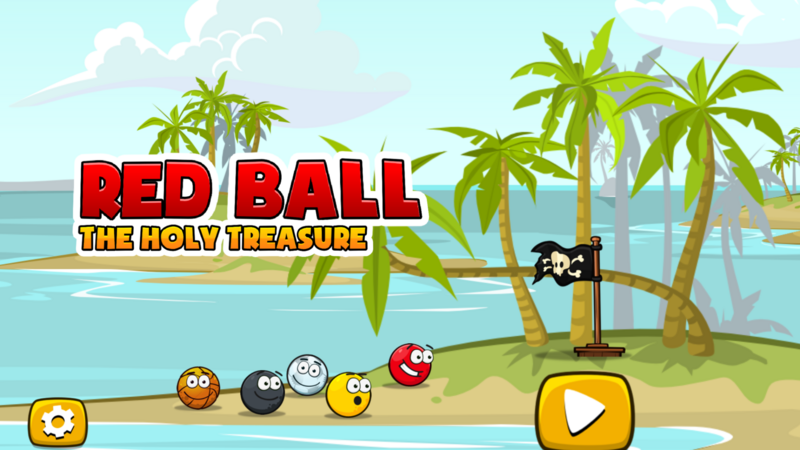
Red Ball: The Lost Island is a puzzle platformer that hyperPad creator Hakan Dede built on iPad without writing code. It's a good example of what no-code iPad game development looks like in practice. Hakan used hyperPad's Behaviors to handle physics, traps, and level flow, and you can play the result on the hyperPad Hub. Below, we look at what's in the game and how to start a puzzle platformer of your own the same way.
About the creator
Hakan is a game developer who also works as a lecturer. Here's how he describes his work:
“I have been developing games for more than 5 years. So far I developed more than 20 games with hyperPad and my favorite ones are now in the App Store.”
His App Store games include Super Cow: The Revolution, Super Trucker, and Mr Head: The dark lights 2.
What's in Red Ball: The Lost Island
In Red Ball: The Lost Island, you roll a red ball across an island full of traps, puzzles, and hidden items.

Three things are worth studying if you want to make a game like it:
- Physics movement. The ball rolls, bounces, and falls. Physics handles most of that, so the work goes into tuning how the ball feels.
- Level design. Each level adds one new trap or puzzle. Players learn a rule, then the next level tests it in a new way.
- Touch controls. The controls are large and simple, which suits playing on iPad.

How no-code game development works in hyperPad
In hyperPad, you build a game by placing Objects in a Scene and connecting Behaviors to them. A Behavior is an event or an action, such as "when this Object touches that one" or "push this Object to the right." You link them in the Behavior Editor instead of typing code.
For a rolling-ball game, three pieces do most of the work:
- Physics. Give the ball a physics mode so it falls, rolls, and bounces on its own. The physics modes guide explains the options. Adjust bounce and friction until the ball feels right.
- Movement. Connect touch buttons to Apply Force so the player pushes the ball instead of moving it directly. That keeps the physics feel intact.
- Traps and goals. A Collision Event detects when the ball touches a spike or reaches a flag. A trap can reset the level, and a goal can Load Scene to start the next one.
You test every change on the same iPad you build on, so you can tweak a value and feel the result right away.
Start your own puzzle platformer
Hakan's games started the way yours can: one Project and one mechanic.
- Make the ball roll. Add a ball Object with physics and connect touch controls. Tune the speed and bounce until moving feels good.
- Add one obstacle. A gap, a spike, or a moving platform. Reset the level when the ball touches it.
- Add a goal. Put a flag or door at the end of the level and load the next Scene when the ball reaches it.
- Playtest. Hand your iPad to someone and watch where they get stuck. Fix that before you build level two.
When your game is ready, Publish it to the hyperPad Hub for players to try. If you want to sell it, the paid hyperPad app lets you Export your Project to the App Store, and you keep 100% of your revenue.
Your next step
After you finish your first level, go back and play Red Ball: The Lost Island again. Watch how each level introduces its trap before it asks you to beat it. Then build your second level the same way: show the new trap once in a safe spot, and test it for real right after.