Make Your Own Parlor Games

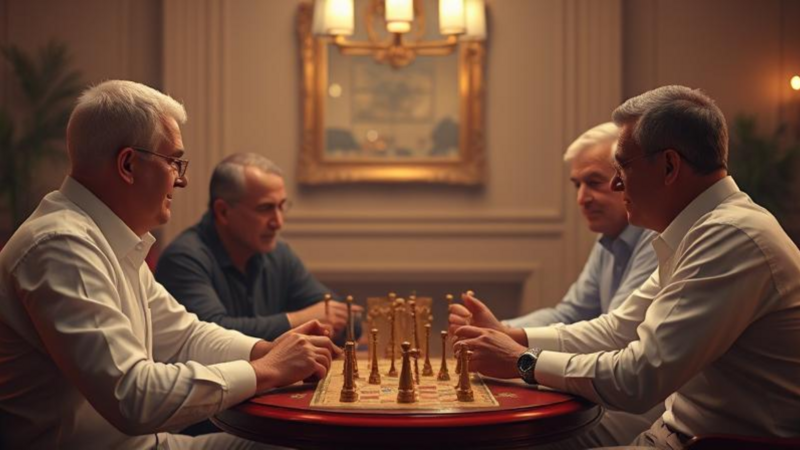
Parlor games have a long history. They started in Victorian drawing rooms, and people still play them in living rooms today. They bring people together with laughter and friendly competition. In this post, we'll look at the history of parlor games, go through some classic examples, and show you how to make your own digital parlor game with hyperPad, a no-code iPad game dev tool.
A Brief History of Parlor Games
Parlor games began in the Victorian era, in the 19th century. Families gathered in their parlors (what we now call living rooms) and looked for ways to entertain themselves without television or video games. They came up with games they could play indoors with very little equipment.
These games caught on because they were accessible and social, and they often called for creativity and wit. Anyone could join in, whatever their age or skill level. Over time, parlor games changed and adapted to different cultures. Their core appeal stayed the same: fun and social interaction.
Classic Examples of Parlor Games
Here are some classic parlor games that have stood the test of time:
- Charades How to Play: Players take turns acting out a word or phrase without speaking while the others guess what it is. Objective: Guess the word or phrase from the gestures.
- Twenty Questions How to Play: One player thinks of an object, and the others ask yes-or-no questions to guess what it is. Objective: Guess the object within twenty questions.
- Pictionary How to Play: Players draw pictures of a word or phrase, and the others try to guess what it is. Objective: Guess the word correctly from the drawing.
- Musical Chairs How to Play: Players walk around a set of chairs while music plays. When the music stops, everyone must sit. One chair is removed each round. Objective: Be the last person sitting.
- Bingo How to Play: Players mark off numbers on a card as they're called out. The first person to complete a row wins. Objective: Be the first to complete a row of numbers.
Bringing Parlor Games to Life with hyperPad
With hyperPad, you can bring the charm of parlor games to the iPad. You drag and drop to build your game, with no code, which makes it a good fit for indie game dev on iPad.
Step 1: Choose Your Game Concept
Decide which parlor game you want to make. For this example, let's make a digital version of Pictionary.
Step 2: Start a New Project
- Open hyperPad and start a new project.
- Choose a blank template so you start with a clean slate.
Step 3: Design Your Interface
Build a simple, clear layout in hyperPad:
- Drawing Area: Set up a canvas where players can draw.
- Word Display: Add a text area that shows the word or phrase to draw.
- Buttons: Add buttons to start the game, submit guesses, and move to the next word.
Step 4: Add Game Logic with hyperPad
hyperPad's Behaviors let you add game logic without any coding:
- Random Word Display: Pick a random word or phrase for the player to draw.
- Timer: Set a timer to limit the drawing time.
- Guess Input: Add input fields where the other players submit their guesses.
- Score Tracking: Keep track of each player's score based on correct guesses.
Step 5: Test Your Game
Playtest your game to make sure everything runs smoothly. Adjust the interface and game logic as needed. Invite friends or family to try it and give you feedback.
Step 6: Enhance Your Game
You can keep adding features to make your game stand out:
- Word Categories: Create categories like "Animals" or "Movies" for variety.
- Scoreboard: Add a scoreboard to track each player's progress.
- Animations: Use hyperPad's animation tools to make the game more lively.
- Game Modes: Add modes like single-player practice or multiplayer challenges to reach more players.
Step 7: Share Your Game
Once you're happy with your digital parlor game, publish it to the hyperPad Hub to share it with the hyperPad community. You can also export it to the Apple App Store with hyperPad.
Why Use hyperPad as Your iPad Game Dev Tool
hyperPad is built for indie game dev and iPad game dev fans. Here's why it works well for making games:
Start Your Game Dev Journey with hyperPad
Parlor games are timeless because they bring people together. With hyperPad, you can turn these classics into digital games and share them with the world. Whether you're acting out charades or guessing drawings in Pictionary, hyperPad makes iPad game dev approachable.
Prototype one complete turn or puzzle loop first. Check that the goal, player choice, result, and reset are clear before expanding the rules.