Make A Game with Us on iPad

Want to make a game on iPad, start to finish? Make one with us. This guide follows the same path we recommend to every new hyperPad creator: pick a small idea, build it with visual Behaviors, test it with real players, then share it. You don't need coding experience.
Step 1: Pick an idea you can finish

Your first game should be small enough to finish in a few sessions. Answer three questions before you build anything:
- Who is it for? Your friends, your class, or players who love a certain genre.
- What does the player do? Name one action, such as jump, tap, match or dodge.
- What makes it yours? A theme, a twist on the rules or your own art style.
Write the answer as one sentence. For example: "A one-touch game where a paper plane dodges falling pencils." That sentence is your plan.
Look at a few games in the same genre and note what makes them fun. Borrow the lesson, not the art or the name.
Step 2: Build the first playable version

Open hyperPad and start a blank Project. In one Scene:
- Add a player Object and give it a Graphic.
- Add Behaviors for your one action. In the paper-plane example, a touch event moves the plane up.
- Add one obstacle and a Collision Event that ends the round.
- Add a score Attribute and a Label that shows it.
- Add a restart button.
Use placeholder shapes at first. Get the action feeling right before you spend time on art.
Step 3: Test, then improve
Play your game ten times. Then hand it to someone else and watch without explaining anything.
Note where they get stuck or bored. Change one thing at a time, such as speed, spacing or the size of a button, and test again.
When the core feels good, add polish: your own Graphics, sound effects, music and a title Scene. You can draw art in an iPad app like Procreate and import it through the Asset Library.
Step 4: Choose your tool

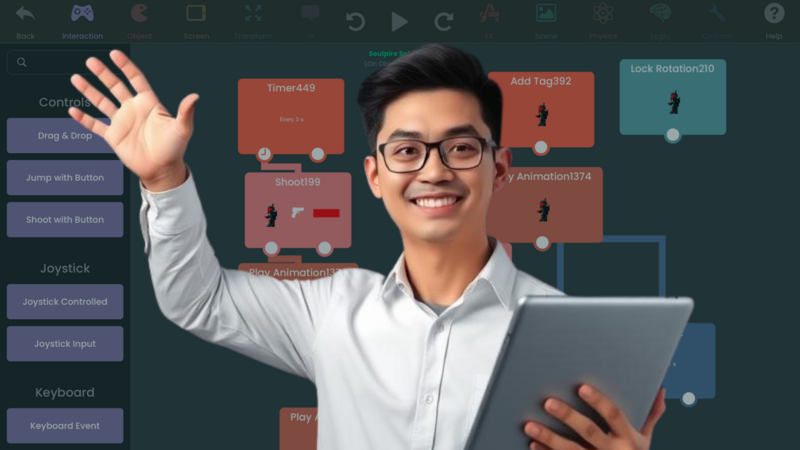
We build these steps in hyperPad because everything happens on iPad. You connect actions and events to create a flowchart of your game's logic, then test on the same device your players will use. Physics, particles, sound and animation are built in.
hyperPad Starter is free and includes one Project. The paid hyperPad app lifts the Project limit and adds App Store Export.
Step 5: Share it with players
Publish your game to the hyperPad Hub. Other creators can play it, rate it and comment. Ask them one specific question, such as "Which obstacle felt unfair?"
As you get closer to a bigger release, start building interest:
- Share progress. Post short clips of your game on social media or in a devlog.
- Join communities. The hyperPad Forum and genre communities on Reddit or Discord are good places for feedback. Read each group's rules on self-promotion first.
- Collect followers. Give interested players one place to hear about updates, such as a social account or newsletter.
- Reach out. Make a short list of creators and sites that cover games like yours.
For a full launch plan, read how to market your mobile game.
Step 6: Release it
When you're ready for the App Store, Export from the paid hyperPad app, then sign and submit with Xcode on a Mac and an Apple Developer account. You keep 100% of your revenue. hyperPad takes 0%.
After launch, keep listening. Fix what players report, and plan a small update.
A launch checklist to copy
Before you announce a release date, check that you have:
- a playable build that at least five people outside your team have finished
- a 15 to 30 second gameplay clip that shows the core mechanic in the first three seconds
- five screenshots and a one-sentence description of what makes the game different
- one place where players can follow updates
- a short list of creators and sites that cover games in your genre
Start with the first item. Getting five people to finish your game will change everything else on the list.