Is Geometry Dash on iPad? App Store and Google Play Options

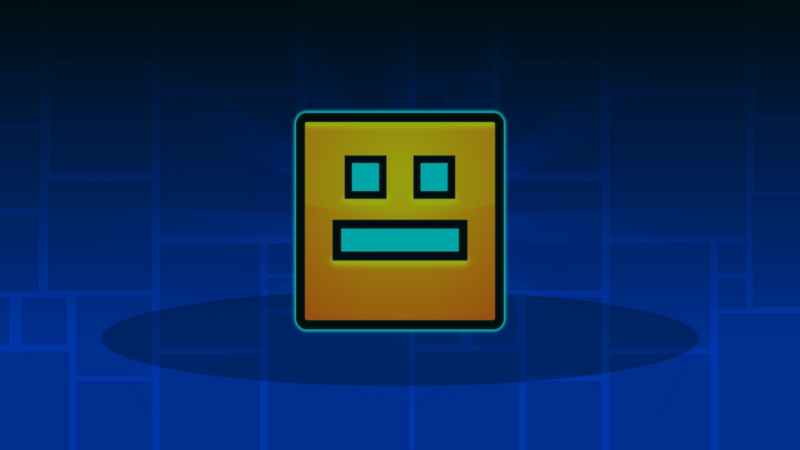
Yes. Geometry Dash is available for iPad through Apple's App Store. “Play Market” usually means Google Play, which is the Android store, so an iPad user should not look for an APK or a Google Play installation.
Use the official store listing for your device. RobTop Games publishes Geometry Dash for iPhone and iPad on the App Store and Geometry Dash for Android on Google Play. Store availability, compatibility, pricing, and version details can change, so check the listing before downloading. These listings were reviewed on October 13, 2026.
Which Geometry Dash listing should you use?
| What you use | Where to look | What to check | | --- | --- | --- | | iPad or iPhone | Apple App Store | Confirm the publisher is RobTop Games AB and review current iPadOS compatibility | | Android phone or tablet | Google Play | Confirm the publisher is RobTop Games and review current device compatibility | | iPad and you want a free official option | Apple App Store | Search RobTop's official listings, such as Geometry Dash Lite or SubZero, and check current availability | | A site offering an APK or “mod” for iPad | Do not use it | iPad apps should come through Apple's supported distribution channels |
The App Store and Google Play versions are separate purchases and downloads. An Android APK does not install on iPad.
Can you make a rhythm platformer on iPad?
You can use Geometry Dash as a design reference without copying its levels, graphics, music, branding, or characters. Study the general structure: one clear input, readable obstacles, consistent timing, immediate feedback, and short attempts that make another try easy.
hyperPad lets you build an original 2D rhythm-platformer prototype directly on iPad with visual Behaviors. Behaviors are the game's programming logic. They connect input events to actions, conditions, values, physics, audio, and state.
A small original prototype could use this loop:
- Started Touching detects the player's input.
- If checks whether the character is allowed to jump.
- Set Velocity applies the jump.
- Collision Event detects a landing or obstacle hit.
- Set Attribute updates state such as
canJump, attempts, or score. - Play Sound and Shake Screen provide clear feedback.
The official documentation explains Started Touching, Set Velocity, Collision Event, and the wider Behavior editor.
Build the timing before the decoration
Start with plain shapes. Give the player one jump and place three obstacles at measured distances. Run the same section repeatedly and adjust speed, jump force, and spacing until the rhythm is readable.
Use this test:
- Can a new player understand the input without instructions?
- Does the same input produce a consistent result?
- Can the player see why an attempt failed?
- Does the sound cue match the visible action?
- Can you change one timing value without rebuilding the Scene?
Only add original art and music after the movement feels consistent. This keeps the Project focused on the mechanic instead of visual polish.
For a longer design walkthrough, read How to Design a Rhythm Platformer Level on iPad. It explains obstacle rhythm, feedback, iteration, and an original hyperPad Behavior flow without presenting a copy of Geometry Dash.
Common questions
Is Geometry Dash on the Play Market?
Yes. Google Play carries the official Android version. Google Play is not the store used by iPad.
Can I transfer the Android app to iPad?
No. Install the iPad version from Apple's App Store. Store purchases, compatibility, and account handling follow each platform's current rules.
Can hyperPad export a game to Google Play?
No. hyperPad is an iPad-first 2D game engine with an Apple publishing workflow. Building and playtesting happen on iPad. A standalone App Store release uses hyperPad's Xcode Export workflow, a Mac, Xcode, and Apple's required developer and submission steps.
Turn the reference into your own mechanic
Choose one general idea to study, such as one-touch jumping or obstacle timing. Change the movement values, level structure, art direction, sound, and goals until the result has its own identity. A strong first milestone is not a complete game. It is one original, repeatable section that feels fair and makes the player want to try again.