How to Make a Physics Climbing Game on iPad

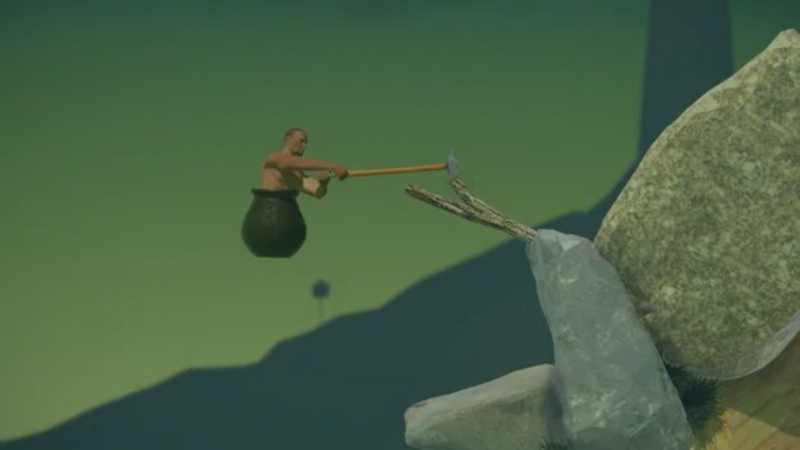
You can prototype an original physics climbing game on iPad with hyperPad. Build one climber, one movable tool, and a short obstacle route. Tune the controls before you add more height, art, or effects.
This guide studies a general physics-climbing mechanic. Do not copy another game’s character, level layout, artwork, audio, name, or other protected material. Use the mechanic as a starting point for your own game.
Define the climbing rule
Write the interaction in one sentence:
The player drags a tool around the character and uses contact with the level to push or pull upward.
That sentence identifies the input, moving Object, collision, and result. Keep the first prototype to one screen so you can test the rule quickly.
Build the test Scene
Create a Scene with:
- one player Object
- one tool or arm Object
- three large obstacle Objects
- a floor
- a start marker
- a finish marker
- a reset button
Use plain Graphics at first. The purpose of this Scene is to find out whether the control is understandable and consistent.
The Scenes documentation explains how Scenes organize a Project.
Configure the physics Objects
Give the player and tool the physics properties required for movement and collision. Keep the environment stable so the obstacle Objects do not fall when the Scene starts.
Change one property at a time. Useful variables to test include:
- player mass
- friction
- bounce
- tool reach
- rotation speed
- movement force
- obstacle angle
Write down the value before changing it. If the control becomes worse, you can return to the previous setup.
Connect touch input to the tool
Use touch input to update the tool’s position or rotation. The exact Behavior Tree depends on the control you choose, but the flow should remain readable:
Touch or drag input → calculate target direction → move or rotate tool → physics contact moves player
Start with a slow response. Large movements can make a physics control difficult to understand. Increase the response only after the player can predict what a small drag will do.
The Behavior Editor overview explains Events, Actions, properties, and connections.
Design obstacles that teach the control
Arrange the first three obstacles as lessons.
- Flat ledge: teaches pushing down to move up.
- Wide gap: teaches reaching and pulling.
- Sloped surface: teaches adjusting the tool angle.
Give the player enough space to recover. A difficult game can still show why the player failed. If the physics produces a different result from the same input every time, tune the control before making the route harder.
Add a reliable reset
Physics prototypes can leave the player trapped. Add a reset button that returns the player and tool to their starting positions and clears any stored state that should restart.
Test reset from several conditions:
- player on the floor
- player wedged between Objects
- tool rotated to an unusual angle
- player near the finish
- repeated quick taps
A working reset makes playtesting faster and reduces frustration caused by technical failures.
Playtest the control separately from difficulty
Ask one tester to reach the first ledge. Watch without explaining the gesture.
Record what happens:
- Where does the tester touch first?
- Do they understand which Object they control?
- Can they predict the movement after two or three attempts?
- Is failure caused by the route or by inconsistent input?
- Can they reset without help?
Fix control clarity before adding harder obstacles. A demanding route is useful only when the player can learn the relationship between input and motion.
For a structured observation process, use the game prototype feedback guide.
Make the game original
Change more than the artwork. Give the mechanic a different purpose and structure.
You could build:
- a space mechanic repairing a station with a magnetic arm
- a cave explorer pulling between anchor points
- a robot collecting parts on a vertical factory wall
- a creature using a tail to cross floating islands
Create your own character, level geometry, sounds, progression, and title. If you plan to publish, review the assets and references you used before release.
Build one climbable screen
hyperPad Starter lets you build and test one Project for free on iPad. Make one screen, tune the tool response, and ask one person to reach the finish.
Build one short playable loop around the main movement or action. Test the controls, feedback, and restart flow before adding another level.