2D vs 3D Game Engines: What Should You Build on iPad?

Choosing between a 2D and 3D game engine on iPad starts with the game you want to make. Use a 2D engine for games built from flat Graphics, such as platformers, puzzle games, rhythm games, visual stories, and many prototypes. Choose a 3D engine when the player must move through a three-dimensional world, control a 3D camera, or interact with 3D models.
hyperPad is a 2D visual game engine. It is not a 3D engine. You build with Scenes, Objects, Graphics, Attributes, physics, and visual Behaviors directly on iPad.
What changes between 2D and 3D?
A 2D game usually places Objects on horizontal and vertical axes. Art can use sprites, illustrations, tiles, and frame animation. The camera may scroll, but the game logic is arranged on a flat plane.
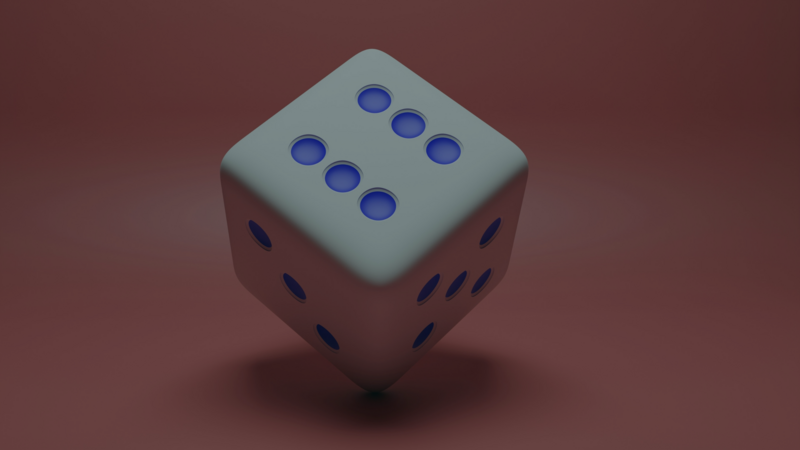
A 3D game adds depth. Its workflow can include 3D models, materials, lighting, a movable camera, and movement across three axes. That extra dimension affects art production, level design, navigation, collision, and performance.
Neither choice is automatically better. The right engine supports the mechanic and production scope you can finish.
Choose 2D when the mechanic is flat
A 2D engine is a practical fit when your game uses:
- side-view platform movement
- top-down movement
- cards, boards, or menus
- tap, swipe, drag, or on-screen controls
- sprite animation
- dialogue and branching choices
- simple physics on a flat plane
In hyperPad, a one-screen coin game might use a Scene, a player Object, five coin Objects, a score Label, and a controller Object that stores the score as an Attribute.
The logic can read:
Player collides with coin → add 1 to score → update Label → disable coin
That small project teaches input, collision, state, feedback, and a win condition without requiring 3D assets.
Choose 3D when depth is part of the game
A 3D engine is appropriate when the design depends on:
- moving toward and away from the camera
- exploring a 3D environment
- controlling a 3D camera
- lighting and materials
- animated 3D models
- physics across three axes
If you want a touch-native 3D workflow on iPad, review a current engine that explicitly supports it. Xogot provides 2D and 3D Godot tools on iPad and includes scripting. Read its current documentation and App Store information before choosing it because features and requirements can change.
Desktop engines such as Unity have different editor and platform requirements. Check the current Unity system requirements rather than assuming the full editor runs on iPad.
Compare the production work
| Decision | 2D project | 3D project |
|---|---|---|
| Visual assets | sprites, tiles, illustrations | models, materials, textures |
| Space | horizontal and vertical axes | three axes and depth |
| Camera | fixed or scrolling | position, angle, and perspective |
| Lighting | often baked into the art | commonly part of the scene |
| First-project scope | one screen or short level | one room or compact environment |
The table describes common workflows, not hard limits. A 2D game can have complex systems, and a 3D prototype can be small.
Start with the smallest proof
Write the mechanic in one sentence. Then ask whether depth is required.
- “Tap to jump over an obstacle” works in 2D.
- “Rotate a camera and walk around a sculpture” requires 3D.
- “Drag pieces onto matching shapes” works in 2D.
- “Build a room from 3D blocks” requires 3D.
Build a plain version before producing finished art. If the mechanic works in 2D and depth adds no useful choice, a 2D engine keeps the project simpler.
Skills that transfer
Working in 2D still teaches skills you can use later:
- defining a player goal
- turning rules into logic
- handling input
- storing state
- designing readable feedback
- testing and revising a level
The coordinate system and asset pipeline will change in 3D, but the habit of building one mechanic, testing it, and fixing observed problems still applies.
Build a 2D prototype in hyperPad
Create one Scene and one mechanic. Add finished art only after the interaction works. The Behavior Editor overview explains how Events and Actions connect, and the Scenes guide covers project flow.
hyperPad Starter lets you build and test one 2D Project for free. Upgrade to paid hyperPad when you need more Projects, Hub sharing, or Xcode Export for App Store submission.
Choose the workflow that fits the Project you want to finish. Test one representative mechanic before committing to a larger build, then judge the tool by how clearly you can create, test, and revise it.