Smart Shape: Build Game Worlds That Keep Going

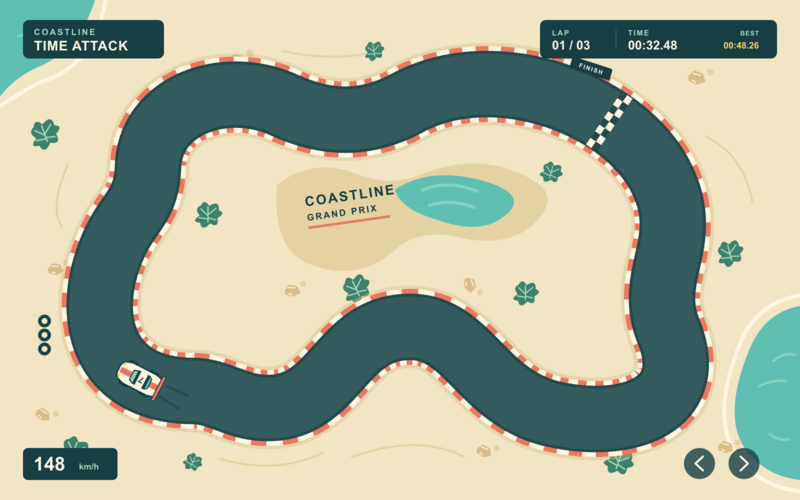
Give your racer a bend that makes players lift off the throttle. Put a long, rolling descent under your glider. The shape of the ground changes how a game feels.
Smart Shape is coming to hyperPad, with a new way to build that ground on your iPad. You shape the outline. Your Graphics repeat across it. Keep changing the route until it plays the way you imagined, then use Behaviors to create more of your world during play.
It takes the repeating artwork of classic tile map games into a different way of making a level. You can work on the shape of a whole stretch of road or hillside, with artwork that follows the ground you make.
Illustrated game examples. The matching overlays show which parts you could build with Smart Shape; you add the characters, scenery, and game rules.
Make the road part of the race
Picture the course you want your players to learn. A broad turn they can take at speed. A tighter bend that asks them to slow down. A straight where they finally get room to pull ahead.
With Path, you work on the route through its centerline. Road width is a separate setting, and the Road Graphic repeats along the course. Change the bends without drawing a new road image each time.
That gives you something useful to do after a test run. If a turn feels cramped, try more width. If the course feels too gentle, change the route. A finite Path can also close into a circuit, leaving the space inside available for scenery.
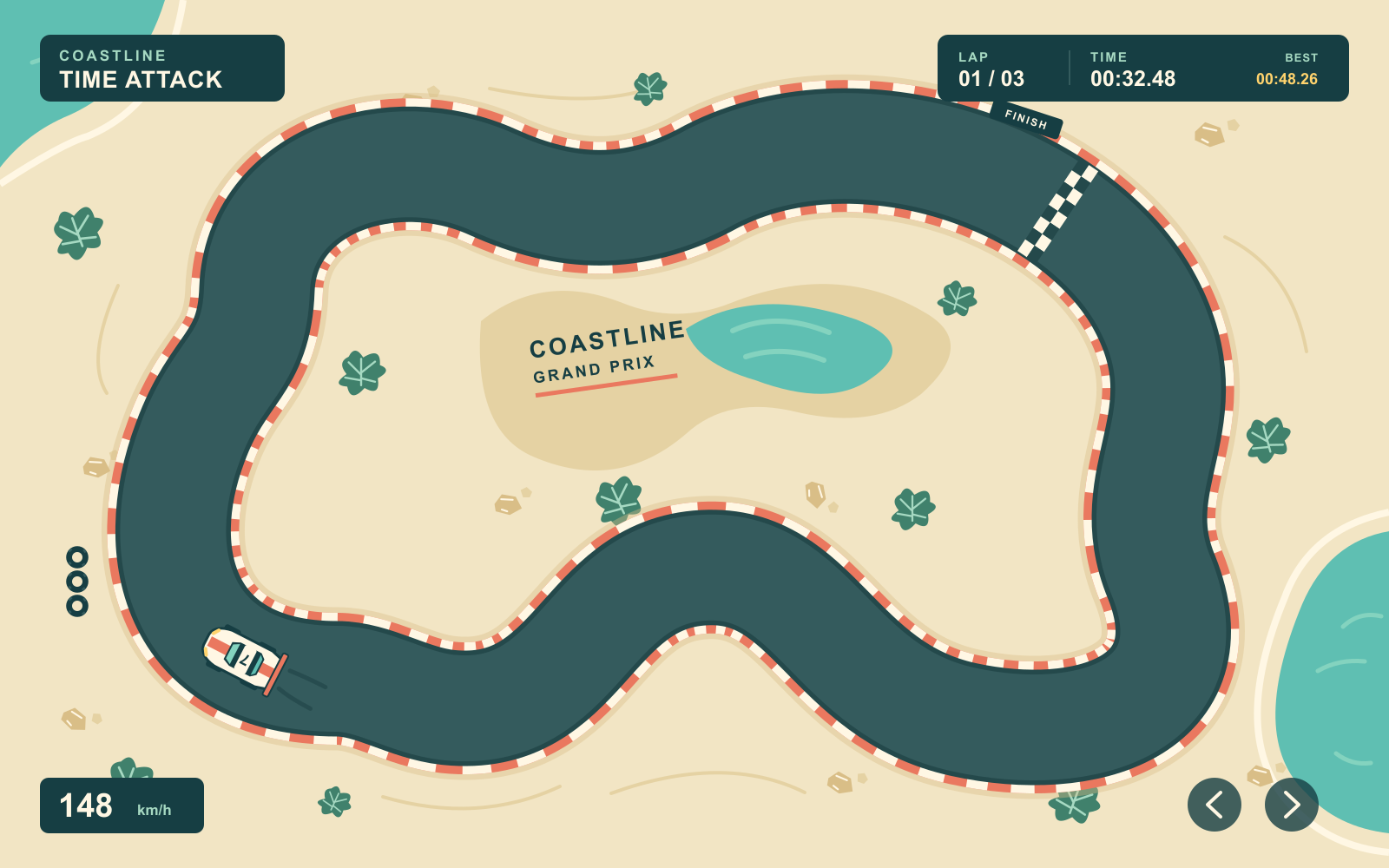
The overlay below pulls that idea apart. The road is the Smart Shape. Your car is a separate Object, with driving Behaviors that make it handle the way you want.
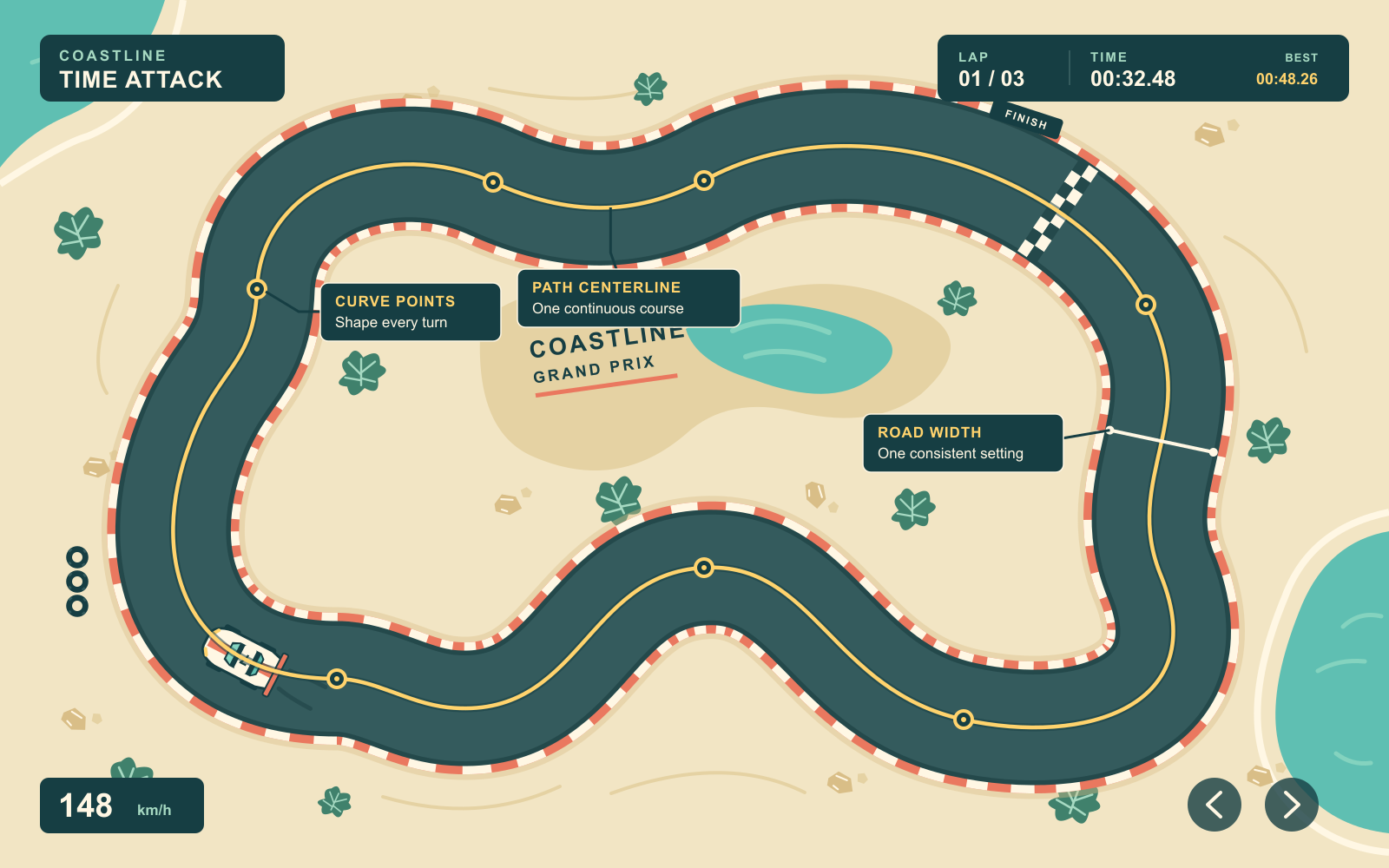
Edit the route through its centerline. Set the road width separately.
Find the rhythm in a hillside
A hill can set up the next moment in your game. A long slope gives a glider room to descend. The rise after it sends your eyes toward the next crest. Change those hills and the same character has a different journey.
Terrain gives you an editable upper surface with ground beneath it. The Top Graphic follows the upper edge, while Middle fills the area below. Shape the hills while keeping that artwork assigned.
Try a shallow valley. Make the next climb taller. Test how the new ground works with your character's movement. You can keep adjusting the course without redrawing its artwork for every rise and dip.
In this example, the overlay picks out the Terrain beneath the glider. You add the character and its movement Behaviors around the ground you build.
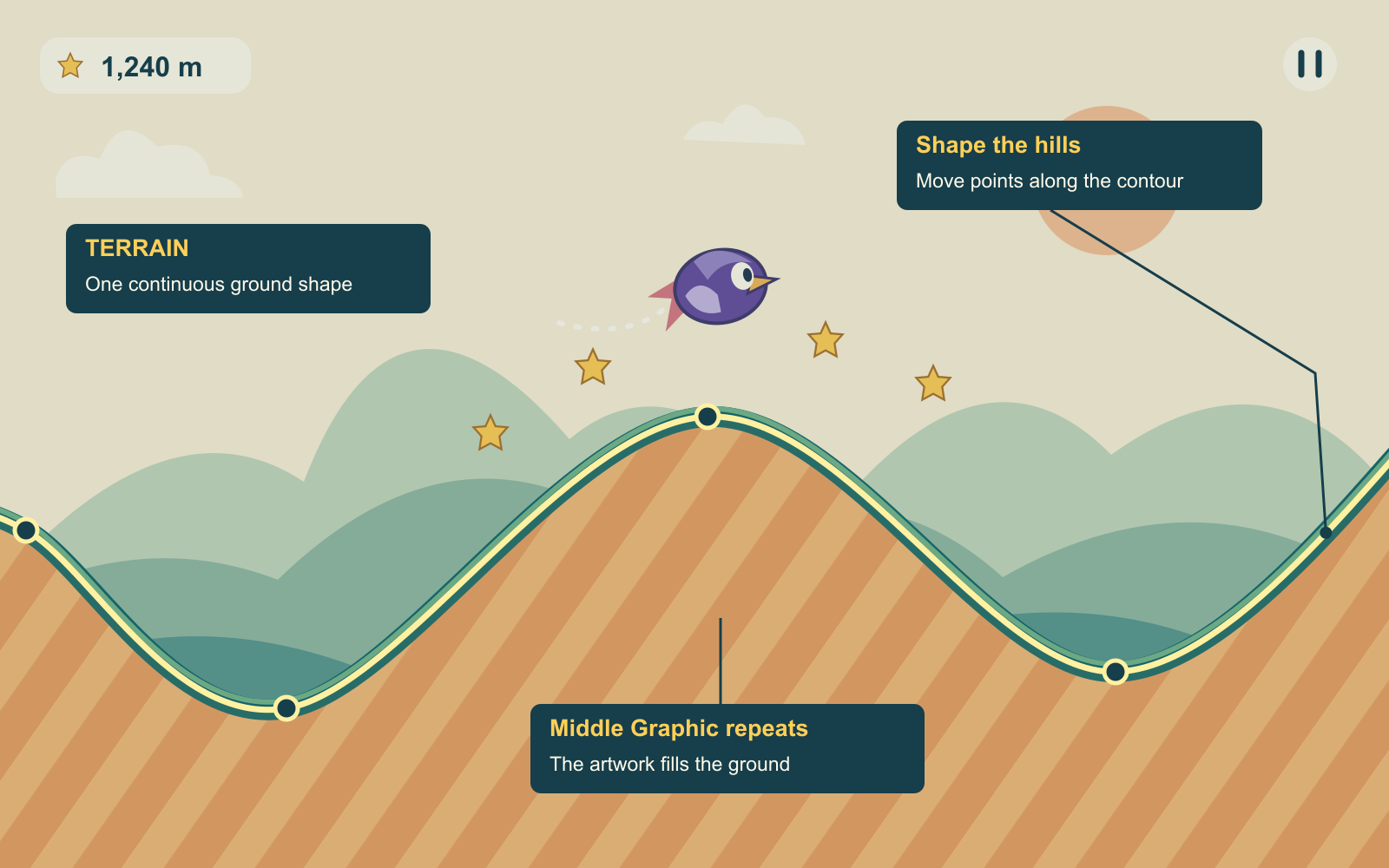
Shape the hills along the upper surface. The Middle Graphic repeats through the ground below.
Build the places between the action
For a top-down RPG, the ground can be the start of the adventure. Shape an island with a narrow headland that draws your player toward a distant clearing. Give a courtyard room for a meeting. Connect those places with routes worth following.
Smart Shape gives you another way to build ground you might usually assemble as a tile map. Use Freeform for an island's closed outline, Path for a trail, and Box for a courtyard or rectangular floor. Assign repeating Graphics to each shape, then work on how the spaces fit together. Your characters and scenery remain separate Objects.
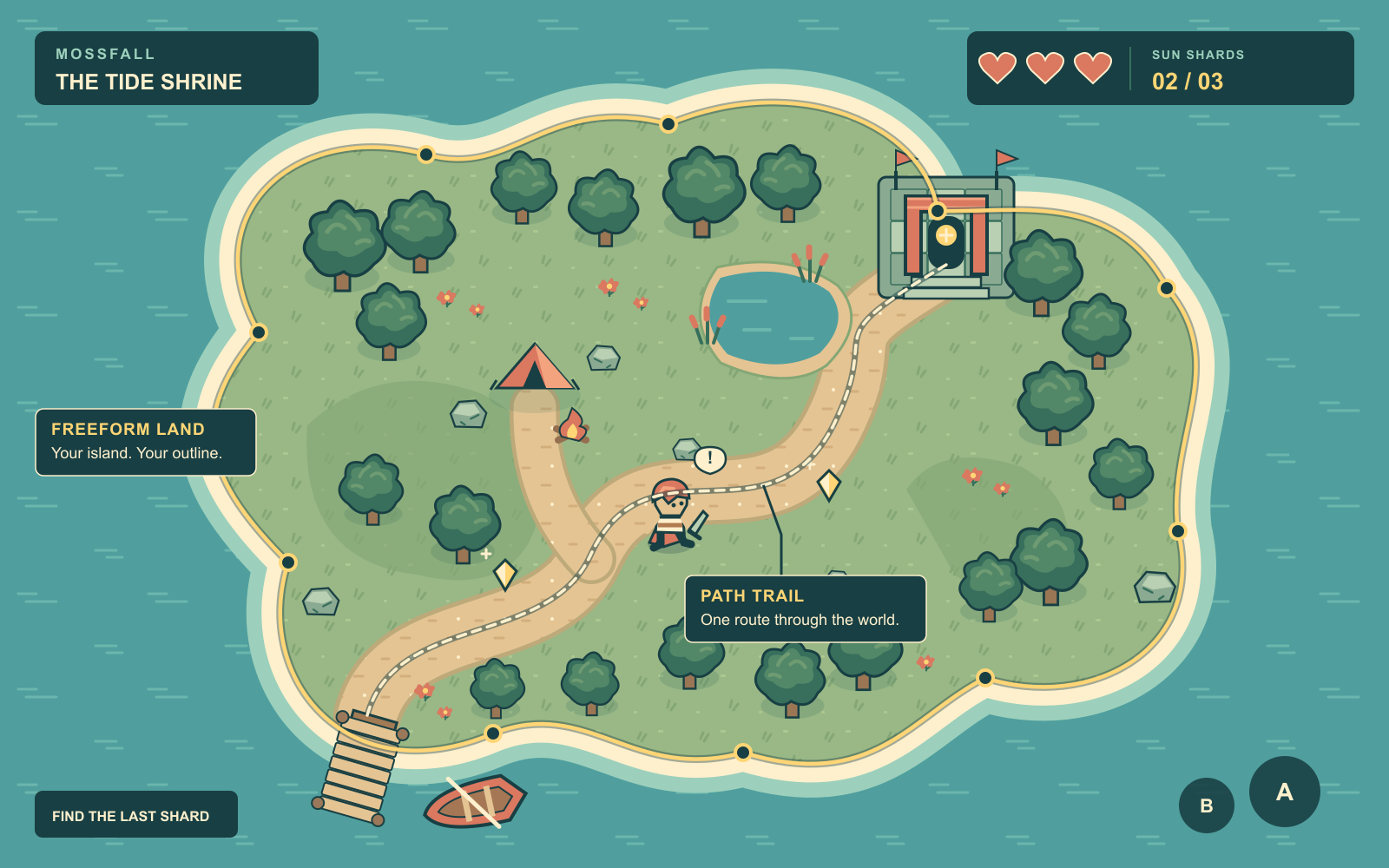
Shape the ground your players explore, then add the Objects that make it a place.
A platformer asks a different question of the same ground: can you make that jump?
Use Box for the floor and the platforms above it. Give a landing more room when a gap feels too punishing. Stretch a platform to support a longer run-up. The Graphic repeats as the shape grows, so you can test the change while keeping your artwork.
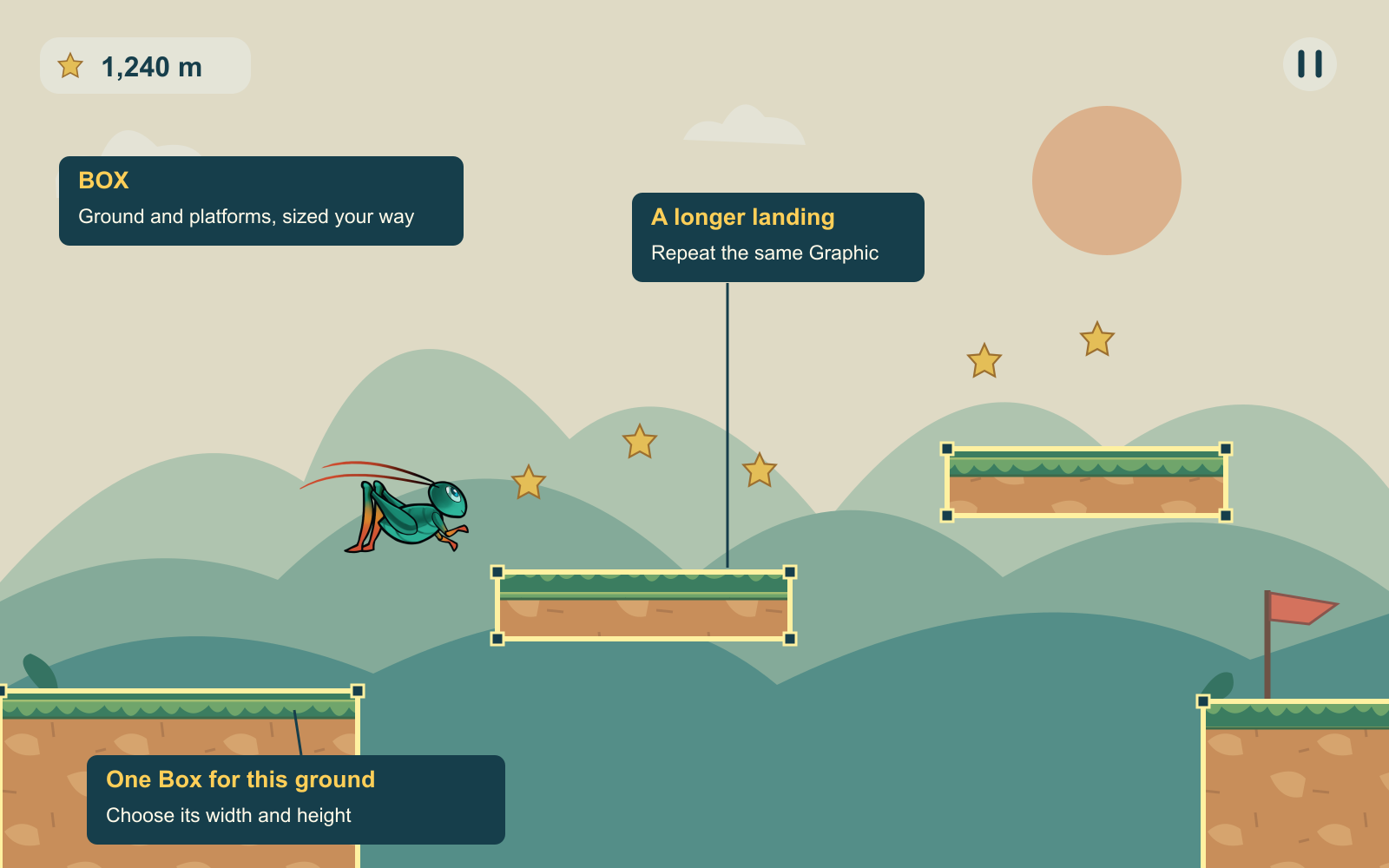
The ground and platforms are Box shapes. Their sizes help set the jumps.
Keep building while the game runs
Your world can keep taking shape after you press Play.
Generate Smart Shape creates new shapes during play. Choose the shape settings and Graphics, then let your Behaviors decide when to make the next piece. You can generate a shape without placing a template Object first.
For Terrain, that could mean a fresh stretch of hills with the height and spacing you choose. For Path, it could mean more road with your chosen width and bends.
Both support Endless mode. New sections generate ahead of a Follow object, and old sections retire behind it. Your runner can have more ground ahead. Your driving game can keep opening up into the next turn. You set up movement and camera following to suit the game you are making.
Modify Smart Shape works on shapes already in your Scene. Use the actions supported by each shape to resize a platform or regenerate Terrain hills. You can also replace the Graphics while keeping the outline, so a familiar route can take on a different look as your game changes.
Give the next idea room to grow
A sharper turn. A wider landing. A route across an island you want to explore. Each change gives you something new to play and a reason to keep working on the level.
Smart Shape brings that work closer to the game you are making, with artwork you can reuse and ground your Behaviors can create during play.
Smart Shape is coming soon to hyperPad. What kind of world will you make?
Read the Smart Shape documentation while the feature is in pre-release. You can try hyperPad Starter now to build the Scene, Objects, controls, and game rules that will use your terrain after Smart Shape ships.