Top 10 Tips for Making Games on iPad with hyperPad

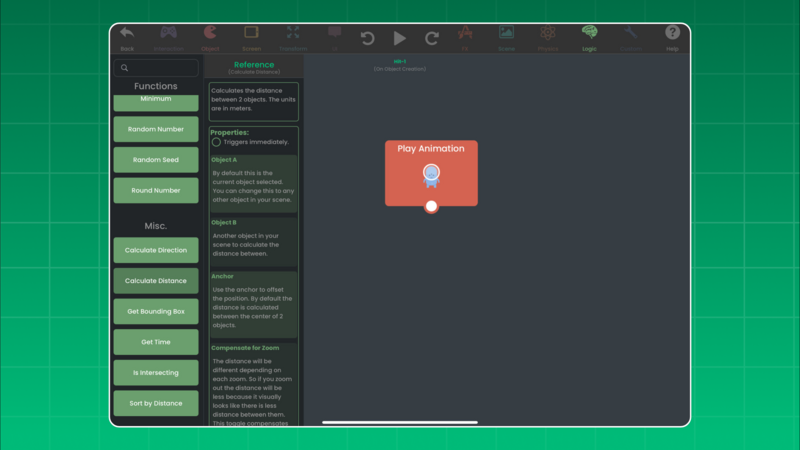
No Code for Simple Games?
Game development used to require a deep understanding of programming languages and complex software tools. hyperPad changes that. It's a no-code platform where you bring your game ideas to life without programming expertise. If you love games, you can make one, whatever your technical background.
You design, build, and launch your game from your iPad. Whether you're building intricate levels or dynamic gameplay, hyperPad's visual Behaviors keep the process simple. You can make your own game with no prior coding knowledge.
Top 10 Tips for Making Games
Here are ten tips for designing and developing engaging games. Use them to make games that keep players coming back.
1. Define a Clear Concept
Start with a strong game concept and core mechanics. A clear vision from the start guides your design decisions and keeps your gameplay cohesive. Use our sample templates to speed up your planning.
2. Master the Basics
Get familiar with Behaviors by experimenting with simple projects. Once you know the fundamentals, you'll work faster and have more room to be creative. Watch the tutorial videos on our YouTube channel to get started.
3. Prioritize User Experience (UX)
A smooth, intuitive experience is key. Design simple, effective controls, add helpful tutorials, and tidy up your game's interface so players enjoy it. Join discussions on our forum to swap ideas with other game devs.
4. Iterate and Playtest Regularly
Good games evolve through iteration. Test your game regularly with a diverse group of players to find what needs work. Ask the hyperPad community for feedback to refine your mechanics and improve the player experience.
5. Focus on Visual Appeal
Appealing Graphics and animations draw players into your game world. Use the built-in asset library or import your own assets to add polish and personality to your project. Contact us for personalized marketing support and suggestions.
6. Enhance Immersion with Sound Design
Sound does a lot of work in a game. Experiment with hyperPad's sound effects and music features to create audio that fits your gameplay and pulls players in.
7. Design for Mobile
You're developing on an iPad, so design for mobile. Tune your touch controls, improve performance, and make sure your game works well on different screen sizes.
8. Add Depth with Game Mechanics
Keep players engaged with a mix of gameplay mechanics. Experiment with puzzles, challenges, and progression systems to make your game varied and rewarding.
9. Balance Challenge and Reward
A well-balanced game keeps players motivated. Raise the difficulty gradually, and offer rewards that make progress feel satisfying. Playtest regularly to fine-tune this balance.
10. Polish and Optimize
Before launch, fine-tune your mechanics, fix bugs, and optimize performance so your game feels professional. Those final touches make a big difference in whether players stay and enjoy it.
Start Creating with No-Code Game Development
Ready to bring your ideas to life? hyperPad makes game development on iPad accessible. Follow these 10 tips and you'll have what you need to start your first game. Start building today and see how easy it is to make a game without writing a line of code.
Keep the first version focused on one mechanic. Test the input, result, and restart flow before adding another Scene or system.