How to Plan a Retro Platformer on iPad

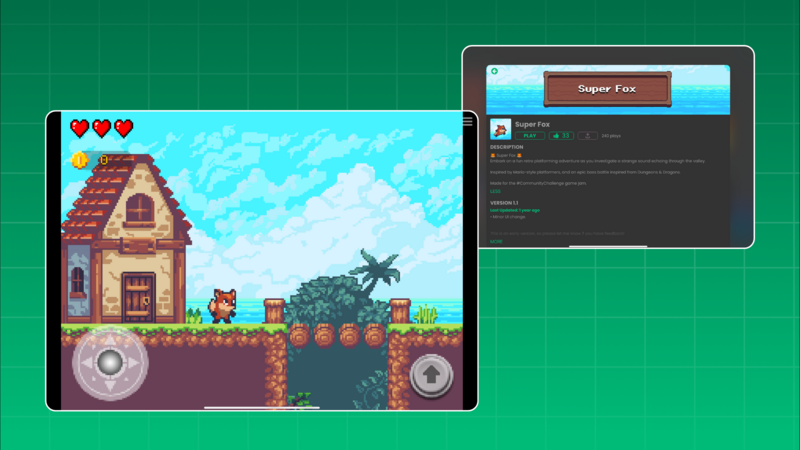
A retro platformer is a manageable iPad game project when you begin with one movement rule and one short level. In hyperPad, you can place the level in a Scene, control a player Object with visual Behaviors, and test each challenge before expanding the map.
This article was originally framed around a creator Project called Super Fox. Because the current public Project and its detailed gameplay cannot be independently verified, the useful part is the design pattern: a small original platformer you can build and test yourself.
Define the first playable loop
Keep the first version to four actions:
- Move toward an exit.
- Jump over one hazard.
- Collect one optional item.
- Restart after failure.
Do not begin with multiple worlds, boss battles, power-ups, or a long story. Those systems are easier to judge after movement already feels reliable.
Build the player movement
Place a player Object and ground Objects in one Scene. Start with placeholder Graphics so art does not hide control problems.
Use Joystick Controlled for horizontal movement and Jump with Button for the jump. Adjust one movement value at a time.
| Test | What to observe | Possible adjustment |
|---|---|---|
| Short tap | Minimum jump height | Jump force or button response |
| Long run | Time needed to reach full speed | Acceleration and maximum speed |
| Direction change | How quickly the player turns | Deceleration or movement values |
| Platform edge | Whether takeoff feels predictable | Collision shape or platform spacing |
A retro visual style does not require stiff controls. The player should understand why a jump succeeded or failed.
Add one hazard
Use a hazard Object with Collision Event. Connect the collision to a clear result: move the player to a checkpoint, reduce a health Attribute, or restart the Scene.
Choose one result for the prototype. Mixing damage, knockback, animation, sound, and a Scene change in the first test makes problems harder to isolate.
Add feedback after the rule works. A short sound, flash, or animation should confirm the event without delaying the restart.
Add a collectible with state
A collectible introduces state without requiring a large system.
- Detect contact with Collision Event.
- Read the current count using Get Attribute.
- Add one to the value.
- Save it with Set Attribute.
- Update a UI Label with Set Label.
- Hide or remove the collected Object.
Test whether one collision produces one increase. Restart the Scene and decide deliberately whether the count should reset.
Design a short level
Place the safest jump first. Follow it with one variation: a wider gap, moving hazard, or optional high route. The final challenge should combine skills the player has already practiced.
Use original characters, names, layouts, music, and artwork. Studying platformer conventions is useful; copying a commercial game's distinctive assets or level presentation is not.
Run a clean playtest
Give the Project to someone who has not watched you build it. Ask them to reach the exit without verbal instructions. Record where they stop, what they misread, and whether they can restart.
A successful first platformer is not the one with the most levels. It is the one where movement, hazards, feedback, and recovery form a clear loop you can improve.