How Teen Game Developers Can Finish a Game on iPad

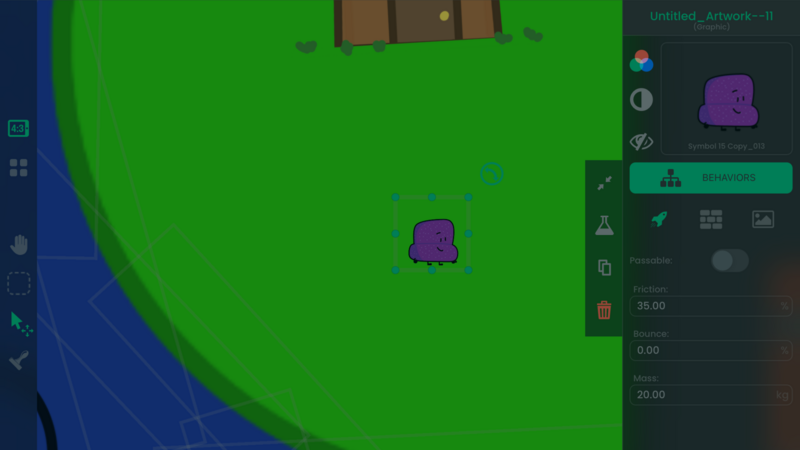
A teen game developer can make steady progress on iPad without treating the project like a full-time job. Choose one small game, divide it into weekly milestones, keep school and personal commitments visible, and show a playable build only after the core mechanic works.
This guide focuses on a repeatable project routine. It does not depend on an unverified creator story or promise that one project will lead to a career.
Pick a project you can finish
Describe the first version in one sentence:
The player collects five parts, avoids one moving obstacle, and reaches the exit.
Limit the first build to:
- one Scene
- one player action
- one goal
- one fail condition
- one score or progress value
- one restart
- temporary Graphics
Write future ideas in a separate list. Do not add them to the current milestone until the first version works from start to finish.
Plan four weekly milestones
Week 1: core control
Create the Project, Scene, player Object, and one input. Test until the same input produces a predictable result.
Week 2: goal and failure
Add collectibles or another goal, one obstacle, a fail state, and restart. Store progress in an Attribute and show it with a Label.
Week 3: complete flow
Add a start, finish, and clear feedback. Play from the beginning to the end without editing the Project during the run.
Week 4: playtest and revise
Ask two or three people to play. Record where they hesitate, fail, or ask for help. Fix the most common blocking problem and test again.
The Scenes guide explains Project flow. The Behavior Editor overview explains how Events and Actions connect.
Use short work sessions
A 30-minute session can have one clear result:
- connect one touch Event
- tune one jump
- build one restart path
- draw one button
- fix one observed bug
At the end, write the next action in one sentence. This reduces the time spent deciding what to do when you return.
Keep a simple log:
| Date | Goal | Result | Next action |
|---|---|---|---|
| Monday | Make jump respond | Works, but double-jumps | Add grounded condition |
| Wednesday | Prevent double-jump | Condition works | Test on three platforms |
The log records evidence about the Project instead of relying on memory.
Separate game building from asset production
Use temporary shapes while the mechanic is changing. Once the game loop works, create or import finished Graphics and audio.
If you make art in another iPad app, keep the editable source file and the exported game asset. Use clear names such as player_idle, player_jump, and coin_pickup.
The iPad art and sound workflow explains how to keep the creation tools and the hyperPad Project organized.
Ask for focused feedback
Do not post “Is my game good?” Ask one question about the current build.
Examples:
- Can you understand the goal without an explanation?
- Does the jump respond when you expect?
- Is the first obstacle too hard?
- Can you find the restart button?
Watch what the tester does before explaining. Record the observation and change one main problem.
Use the prototype feedback guide for a complete test workflow.
Share safely and accurately
The hyperPad Hub is available only to creators age 13 or older. Creators ages 13 to 17 need permission from a parent or guardian under the current hyperPad Terms of Service.
Before sharing gameplay publicly:
- avoid showing personal schedules, school information, or location details
- use original or properly licensed art and audio
- ask permission before naming collaborators
- describe the build as a prototype when it is unfinished
- do not promise a release date you cannot support
Paid hyperPad adds Hub sharing and Xcode Export. App Store submission is a separate workflow that requires the exported Xcode project, a Mac with Xcode, and Apple’s current developer requirements.
Measure progress by playable results
Useful milestones are observable:
- one mechanic works
- one level can be completed
- restart clears the correct state
- a tester understands the goal
- one repeated problem is fixed
Follower counts, likes, and ambitious feature lists do not show whether the game is becoming more playable.
Finish one small game
hyperPad Starter lets you build and test one Project for free on iPad. Use four weekly milestones to reach a playable result before increasing the scope.
Use this example as context for the next decision in your Project. Check current event or product details, then test the idea in a small playable build before changing the larger workflow.