Step by Step: Build an FNF Style Rhythm Game on iPad

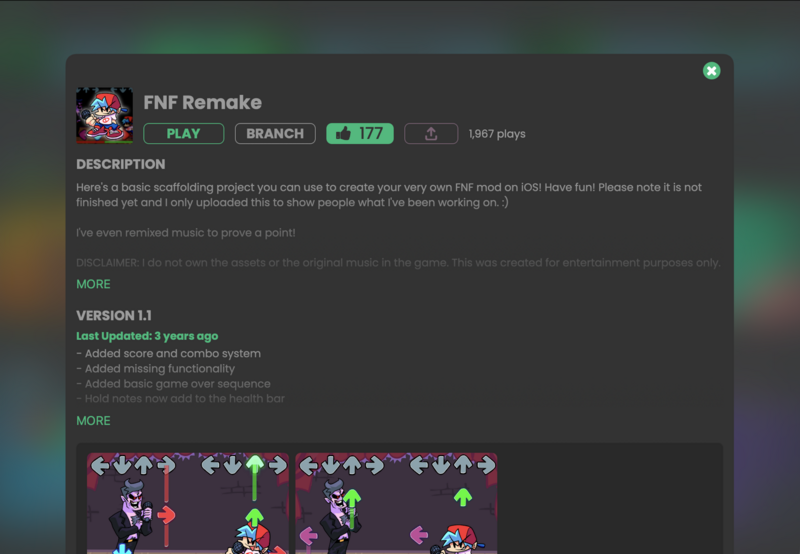
Rhythm games like Friday Night Funkin have inspired a wave of creators to try building their own music-based games. You might have seen projects titled I made fnf in SCRATCH, tried a Scratch FNF test, or searched for How to make a FNF mod in Scratch or How to make a rhythm game in Roblox.
Most of those tools weren't designed for creating on mobile. hyperPad was.
In this guide, you'll build an FNF style rhythm game entirely on iPad with hyperPad. You drag Objects into place and connect Behaviors to make them work.
What Makes an FNF Style Rhythm Game Work
Before you start, here's what defines a Friday Night Funkin style game:
- Notes scroll toward targets in time with the music
- The player taps or presses at the right moment
- Accuracy matters: timing equals score
- Characters animate to the beat
- Songs drive the whole experience
Many creators try these ideas in Scratch or TurboWarp, or look up How to make a FNF game on Roblox. Those platforms are great for learning, but they often hit limits with performance, input precision, or mobile publishing.
hyperPad was built to go further.
Step 1: Create a New Project in hyperPad
Open hyperPad on your iPad and create a new project.
Choose portrait or landscape orientation to suit your design. Most FNF style games use landscape for the extra space, but hyperPad supports both.
Set up a clean background layer. This is your stage, where notes scroll and characters perform.
Step 2: Design Your Note Lanes
In Scratch FNF test projects, notes usually move down simple columns. You can recreate that in hyperPad and build on it.
- Add four note lanes using rectangle Objects or your own Graphics
- Place hit targets at the bottom of each lane
- Lock the lanes so they don't move by accident
hyperPad positions Objects to the pixel, so you get tighter control than in Scratch or Roblox.
Step 3: Import Music and Sync the Beat
Music is the heart of any rhythm game.
- Import your song directly into hyperPad
- Play it instantly, without exporting or compiling
- Use timing values to control when notes spawn
Unlike Scratch or TurboWarp, hyperPad lets you fine-tune timing with precise numeric controls. That makes it much easier to sync notes to the music.
Step 4: Create Scrolling Notes with Visual Logic
Here's where hyperPad's approach pays off.
Instead of writing scripts, you connect Behaviors:
- Spawn notes at the top of the screen
- Move them down at a steady speed
- Detect collisions with the hit targets
- Check timing accuracy for scoring
Creators often search for How to make a rhythm game in Roblox because they want flexibility. hyperPad gives you that flexibility without code, right on your iPad.
Step 5: Add Input and Scoring
In Friday Night Funkin, timing is everything.
With hyperPad, you can:
- Detect taps on specific lanes
- Check how close the note is to the hit target
- Award Perfect, Good, or Miss scores
- Build combo systems visually
That goes further than most How to make a FNF mod in Scratch tutorials, especially on mobile.
Step 6: Animate Characters to the Beat
Characters reacting to the music is what makes FNF iconic.
- Import your character Graphics
- Animate idle, hit, and miss reactions
- Trigger animations from timing events
hyperPad's animation tools give you smooth transitions without scripting, so your characters can be as expressive as you draw them.
Step 7: Test Instantly on iPad
Tap once and your game runs right on your iPad. Change a note's timing, test again, and you hear the difference seconds later.
That alone makes hyperPad feel very different from Scratch, TurboWarp, or Roblox Studio.
Step 8: Share or Publish Your Game
Once your rhythm game is playable:
- Publish it to the hyperPad Hub
- Get feedback from other creators
- Export it to the App Store
Yes, you can release a complete FNF style rhythm game made on iPad commercially. App Store export is part of hyperPad, the paid app.
Why hyperPad Beats Scratch and Roblox for Rhythm Games
Many creators start with Scratch, search phrases like I made fnf in SCRATCH, or follow Roblox tutorials. Those platforms suit people who have already learned the concepts of coding. hyperPad is built to help you make and finish games on iPad, quickly, for a one-time price.
hyperPad gives you:
- Real-time performance
- A mobile-first design
- Visual Behaviors instead of code
- App Store export
- No subscription, and 100% of your revenue stays with you
If you love Friday Night Funkin and want to build your own rhythm game without being tied to a PC, hyperPad gets you from idea to playable game fast.
Start Building Games on iPad Today
You don't need to choose between Scratch, TurboWarp, or Roblox.
With hyperPad, you can take what you love about rhythm games and build a bigger, smoother game you can publish, right on your iPad.
Turn your love of FNF into a game of your own. Start free with hyperPad Starter and design your own songs, characters, and battles. When you want more projects and App Store export, upgrade to hyperPad for a one-time USD $14.99. You keep 100% of your revenue.