Making Retro-Style Games on iPad with hyperPad

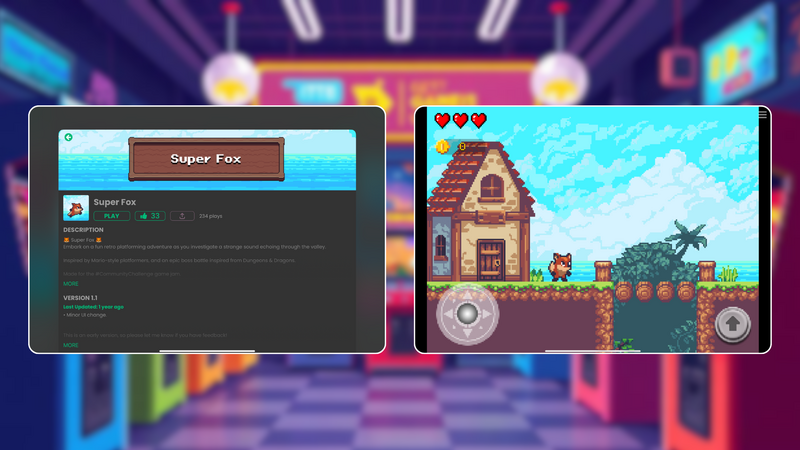
The charm of retro-style games has lasted for decades. With pixelated graphics, chiptune soundtracks, and straightforward gameplay, they take us back to a time when fun beat complexity.
What if you could make your own retro-style game without knowing how to code? With hyperPad, you can, right from your iPad. Here's why retro games are so loved, and how you can bring your ideas to life with iPad game development tools.
Why Retro-Style Games?
Retro games hold a special place in the hearts of gamers. They're often:
- Nostalgic: They remind players of their childhood gaming experiences.
- Accessible: Simple mechanics make them easy for anyone to pick up and play.
- Creative: The limits of early hardware inspired inventive design. That mindset still matters today.
Their minimalist graphics and gameplay also make them a great fit for beginner game developers, especially if you're trying no-code game dev tools for the first time.
hyperPad: An iPad Game Dev Tool Built for Beginners
If you're eager to get into iPad game development, hyperPad is a great place to start. It's designed for creators of all levels, and you build games without writing a single line of code. It suits beginners with no prior game development experience especially well. Here are some of its standout features:
1. No-Code Visual Coding
With hyperPad's friendly interface, you can:
- Drag and drop Objects into your Scene.
- Add Behaviors and connect them visually.
- Iterate quickly without technical headaches.
2. Custom Art Integration
Want that true retro vibe? You can import your own custom art, including pixel art, or use free assets available online. hyperPad also works well with tools like Pixaki, so you can draw authentic retro pixel art right on your iPad.
3. Chiptune Sound Integration
A retro game needs a memorable soundtrack. hyperPad supports audio files, so you can add 8-bit-style music and sound effects to complete the experience.
4. Export to the App Store
Once your game is complete, you can publish it to the hyperPad Hub to share it. With hyperPad (the paid app), you can also export it to the Apple App Store and bring your retro game to players around the world.
Getting Started with Retro Game Development on hyperPad
Making a retro-style game in hyperPad is easier than you might think. Follow these simple steps to get started:
Step 1: Plan Your Game
Decide on a concept. Retro games often revolve around a single mechanic, such as jumping over obstacles, collecting items, or defeating enemies. Keep it simple and fun.
Step 2: Design Your Assets
- Use pixel art tools like Pixaki or Aseprite to design characters, enemies, and backgrounds.
- Keep the resolution low (for example, 16x16 or 32x32 pixels) for that classic look.
Step 3: Build in hyperPad
- Open hyperPad and start a new project.
- Import your assets and set up your game's Scenes.
- Add Behaviors for movement, collision detection, and scoring.
Step 4: Test and Iterate
Playtest your game often. Retro games depend on tight mechanics, so make sure your controls feel responsive and the gameplay stays engaging.
Step 5: Add Sound and Polish
Add chiptune music and sound effects. Polish your visuals with simple animations or particle effects for extra charm.
Why Choose hyperPad for Beginners?
If you're new to game development, hyperPad makes the process approachable and enjoyable. Its no-code environment lowers the barrier to entry and still gives you enough flexibility for ambitious projects. Whether you want to make your own game with custom art or explore visual coding, hyperPad helps you make something you're proud of. And because you create on an iPad, you can work from anywhere, at home or on the go.
Make Your Own Retro Game
Retro-style games are a timeless genre that keeps drawing players in. With hyperPad, anyone can become a game developer. Whether you're trying iPad game dev for the first time or looking for a creative outlet, hyperPad helps you bring your ideas to life. So grab your iPad, channel your inner 8-bit artist, and start making your retro game today!
Continue with one working mechanic
Follow the iPad game development guide to scope one input, one result, and one reset. The Behavior Interface Overview explains how events connect to actions, and Scenes shows how to organize playable sections of a Project.
Build one short playable loop around the main movement or action. Test the controls, feedback, and restart flow before adding another level.