Introducing hyperPad: Build, Publish, and Export on iPad

Turn your ideas into real apps, and make money from them. hyperPad lets you create, publish, and earn from your own iPad games and apps. It’s a one-time purchase, and it gives creators of every level a way to take their projects to the Apple App Store.
Here’s what hyperPad includes.
Unlimited App Store Export
With hyperPad, you can export your creations as Xcode projects. Open the project in Xcode on a Mac to submit it to the App Store.
- Native iPad Apps: Exported projects compile into native apps that make full use of the device hardware.
- No Royalties: Submit under your own Apple Developer account, set your price, and keep 100% of your revenue. hyperPad takes 0%.
- Monetize with Ads: Add Google AdMob ads to earn revenue without writing code.
Advanced Development Tools
hyperPad goes beyond drag and drop, with advanced features that give you more control:
- Custom Code Integration: Use Objective-C or Swift with our APIs to extend your app.
- Online Multiplayer: Use Socket.IO to add real-time data connections for multiplayer games or apps.
- HTTP Requests: Send and retrieve JSON data for high scores, user accounts, or third-party APIs.
Analyze and Optimize with Google Analytics
See how players use your app, and make decisions based on data:
- Custom Event Tracking: Know how often buttons are tapped or levels are completed.
- Automatic Scene Tracking: Follow how players move between Scenes, with no extra setup.
- Advanced Dashboards: Use Google’s tools to view data by time, region, and device.
More Features for iOS Developers
- Custom Avatars & Profile Personalization: Stand out in the community.
- Custom Landing Pages: Turn your project page into a dedicated website for your app or game.
- Branch: Branch Open Source projects on the hyperPad Hub and make your own mod.
- 35 Languages: Build games and apps in your iPad’s language, so anyone can make games.
- Dark Mode: Work comfortably with a dark color scheme.
- Priority Support: Chat directly with our dev team and other creators on our forum or Discord channel.
Why Choose hyperPad for Game Dev on iPad?
Have questions? Contact Us or check out our FAQs for more information.
Continue with a fair workflow test
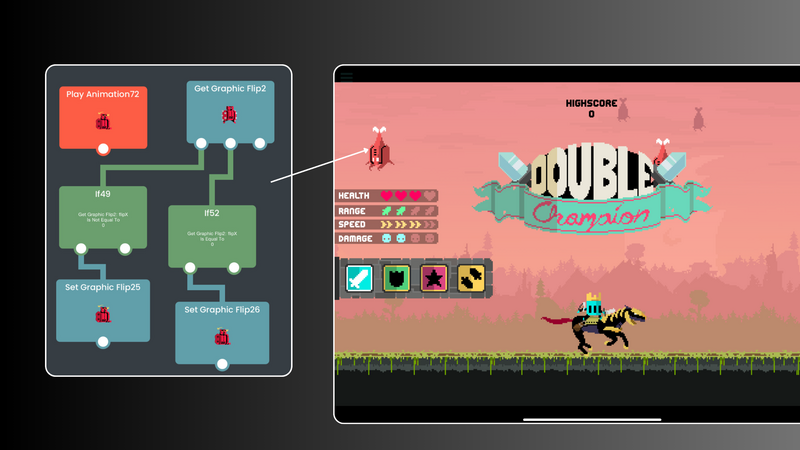
Compare each option by building the same small mechanic. The free iPad game-making apps guide provides a broader decision framework, and the Behavior Interface Overview shows how hyperPad represents events and actions. Use each tool’s current official product page for plan and platform details.
Use this example as context for the next decision in your Project. Check current event or product details, then test the idea in a small playable build before changing the larger workflow.