How to Make an Original FNF-Style Rhythm Game on iPad

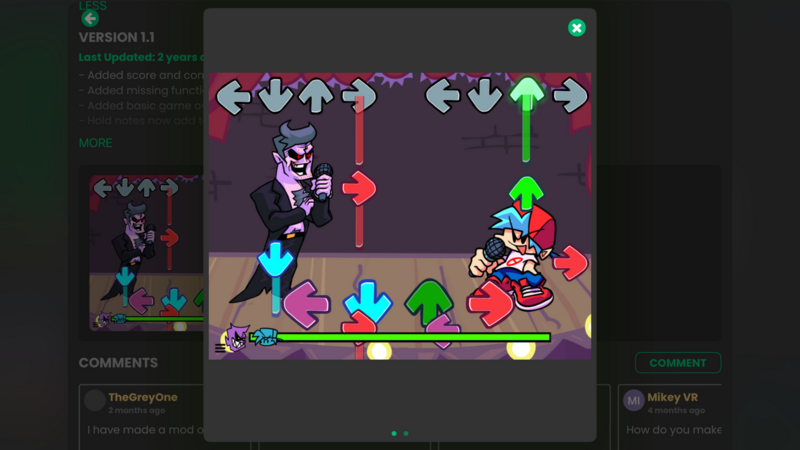
You can build an original four-lane rhythm game on iPad with hyperPad. You create the characters, music, note chart, animation, scoring, and feedback inside your own Project.
This workflow is inspired by the readable call-and-response structure associated with Friday Night Funkin'. It does not modify the original game's source. Use original or properly licensed characters, music, backgrounds, names, and branding.
Can You Make an FNF-Style Game on Mobile?
Yes. The practical goal is an original rhythm game that uses a familiar four-direction input structure.
The workflow:
- Plan one opponent, one song, and one stage.
- Study a working rhythm Project.
- Import your own art and audio.
- Chart the song.
- Connect note hits to animation and score.
- Test timing from start to finish.
- Share the Project or prepare an Apple release.
What You Need
- A supported iPad. Check the current hyperPad App Store listing for compatibility.
- hyperPad. Starter supports one editable Project for building and testing. Hub sharing and Xcode Export belong to the broader paid-app workflow.
- Original or licensed assets. Use your own character art, music, sound effects, stage, UI, and name.
You can build and test on iPad. App Store submission later requires the Xcode Export workflow, a compatible Mac, Xcode, an Apple Developer account, and App Store Connect.
Step 1: Plan the Game
Choose one change that defines the first version:
- The opponent: an original character with an idle animation and four directional poses.
- The song: an original or licensed track with a chart you create.
- The stage: a visual setting with feedback tied to the beat.
Start with one short song section. Build the opponent's idle pose and four directional poses on the same canvas size so the character remains aligned between frames.
Step 2: Study a Working Project
Open the hyperPad Hub and look for rhythm-game Projects whose creators allow inspection or branching. FNF Remake by RobinsonX (RXCodes) is a useful historical example of a rhythm system built in hyperPad.
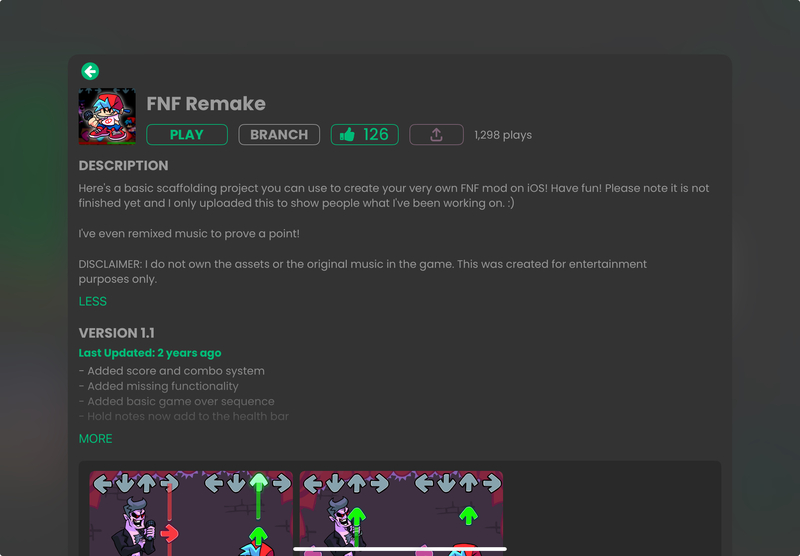
FNF Remake by RobinsonX (RXCodes) on hyperPad
Only branch a Project when its current settings permit it. Treat the system as a technical reference, not a license to reuse characters, music, logos, or other protected assets.
Open the arrow Objects in the Behavior Editor. Identify the timer, note data, input event, hit window, score change, animation, and miss state before changing anything.
Step 3: Bring In Your Assets
Art. Export each pose as a transparent PNG. Keep dimensions and anchor points consistent. Import through the Asset Library, then assign the Graphics to your character Objects.
Music. Export an original or properly licensed track in a supported audio format. Trim unintended silence at the beginning and keep a source record for the rights.
Sound effects. Add only the cues needed to judge timing: countdown, successful hit, miss, and completion.
The Asset Library explains how assets are organized. Check Supported Asset Types before export.
Step 4: Chart the Song
Charting maps notes to time. Store each note's lane and scheduled time, then compare that time with the running song position.
Start with a short section:
- mark the main beats first
- add off-beat notes on a second pass
- use the same timing reference for audio and notes
- leave space after dense patterns
- replay after every few changes
Use Attributes or another documented data structure to hold note state. Give each note a status such as upcoming, hittable, hit, or missed. That prevents one note from scoring twice.
Step 5: Set the Animations
Connect each successful directional input to the matching character pose. Return to idle after a short, consistent duration.
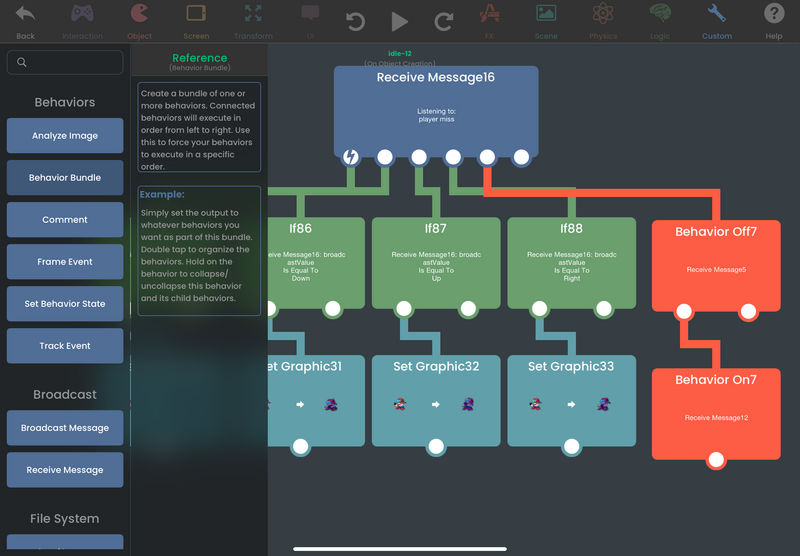
Actions and events connected in the Behavior Editor
The screenshot shows the visual logic style. Confirm current names and options in the Behavior Interface Overview before reproducing the flow.
Step 6: Test It Properly
Play the entire chart several times, then watch another player try it without coaching.
Run four focused playtests:
| Test | What to watch | Pass condition |
|---|---|---|
| Opening | The countdown and first note | The player has enough time to read the lanes and prepare. |
| Timing | Early, accurate, late, and missed inputs across the full song | Each input receives distinct feedback, and the chart stays aligned with the audio. |
| State | Held inputs, repeated taps, score, health, and character poses | One note scores once, values update correctly, and each pose returns to idle. |
| Recovery | Song completion, failure, and restart | The Project resets cleanly without carrying notes, score, health, or animations into the next run. |
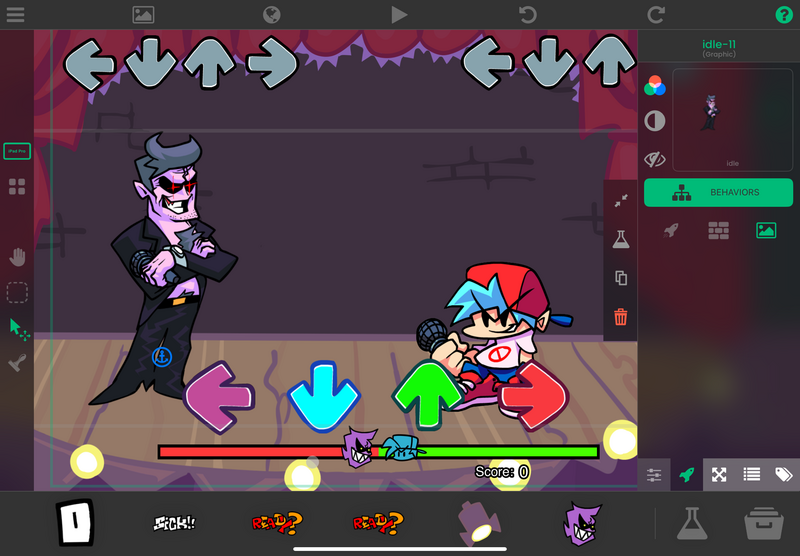
The existing test image is preserved as part of the original article flow. Treat it as an example rather than proof that a new Project has passed the checklist.
Step 7: Share or Publish
Hub sharing. In the paid app workflow, share an eligible Project to the Hub and ask players one timing question. Confirm current Project permissions before inviting others to branch it.
App Store release. Use Xcode Export, then continue on a compatible Mac with Xcode and Apple's signing, testing, App Store Connect, and review process. A hyperPad export is not a direct submission.
Do not publish a commercial game with Friday Night Funkin' characters, music, logos, or branding unless you have the necessary rights. An original rhythm game gives you a clearer identity and a cleaner release path.
Common Questions
Is this an official Friday Night Funkin' mod? No. This workflow creates an original rhythm game in hyperPad and does not edit the original source.
Do I need traditional code? The game logic is built with visual Behaviors. You still work with events, conditions, values, state, timing, input, and debugging.
Can I build it entirely on iPad? You can build and test the Project on iPad. Hub sharing uses the applicable paid-app workflow. App Store submission requires the Apple toolchain after Xcode Export.
How long will it take? That depends on song length, chart density, asset production, testing, and your familiarity with the editor. Do not promise a weekend schedule before measuring your own workflow.
From Rhythm Study to Your Own Game
A short rhythm loop teaches timing, state, input windows, animation, feedback, and reset logic. Keep the first chart small enough to test repeatedly. Fix the point where timing becomes unclear before adding another song, lane, or character.