A Beginner’s Tutorial for iPad Game Creation


Game development can seem intimidating. Complex coding languages, expensive software, and endless tutorials keep many beginners from turning their ideas into playable games. What if you could make your game entirely on an iPad, without writing a single line of code?
That's what hyperPad is for. It's a no-code app for making games and apps on iPad.
Why Start Game Development on iPad?
Your iPad is good for more than browsing and streaming. It's portable, easy to pick up, and well suited to creative work.
Touch controls let you work directly in your game world. You can move Objects, test physics, and tweak gameplay right away. For a beginner, that immediacy matters. There's no compiler to wait on and no wall of code to debug, so you see your ideas work in real time.
An iPad also invites experimentation. You can prototype several ideas quickly, try out visual storytelling, and adjust mechanics without frustration. With the right app, your iPad becomes a game studio you can hold in your hands.
Why hyperPad Suits Beginners on iPad
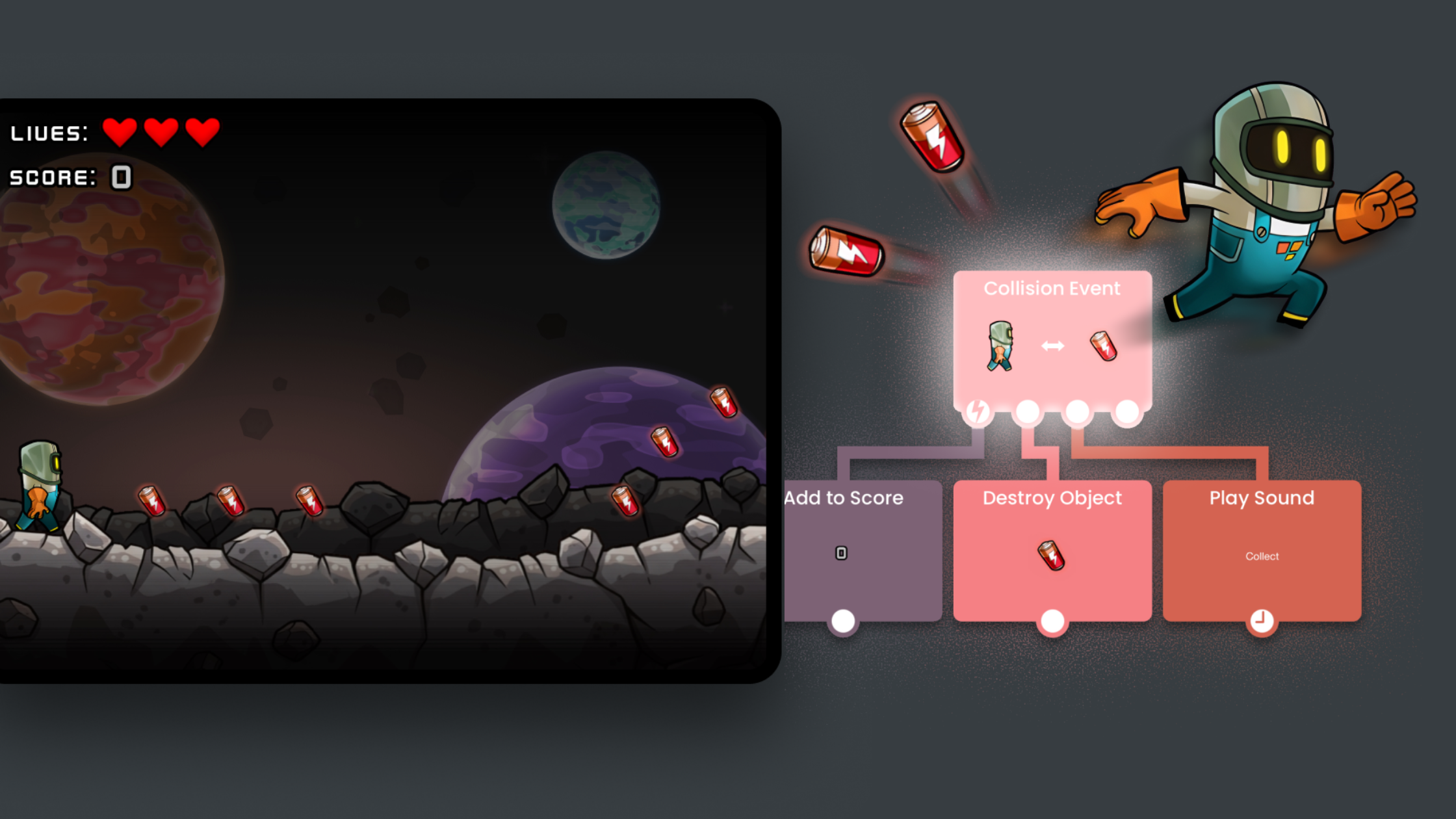
hyperPad is a visual coding app built for iPad. Traditional game engines expect you to know how to code. hyperPad uses drag and drop and visual Behaviors instead. You can make platformers, puzzles, RPGs, and even real-time multiplayer games.
Here's what makes hyperPad a good fit for beginners:
-
Visual logic, no coding required: Connect actions and events with Behaviors instead of typing code.
-
Drag and drop: Add characters, Objects, and UI elements with simple gestures.
-
Physics and animation tools: Bring your game to life with physics, animations, and particle effects.
-
Instant playtesting: Test your game on your iPad right away, with no compiling or exporting.
-
App Store export: Export your game from hyperPad to the App Store and turn it into a real app. Export comes with hyperPad, the paid app.
You can start with hyperPad as a learning tool and keep using it as you grow into a confident game developer.
A Beginner-Friendly Tutorial Approach
Good beginner tutorials for iPad game creation focus on learning by doing. Here's a step-by-step approach you can follow in hyperPad:
-
Start small: Begin with a simple game idea, like a basic platformer or a puzzle. Add one mechanic at a time, such as jumping, collecting items, or opening doors.
-
Learn visual logic: Use Behaviors to create interactions. For example, make an Object move when it's tapped, or play a sound when a player reaches a checkpoint.
-
Experiment with design: Customize characters, backgrounds, and UI elements. Import your own artwork, sounds, and music to make the game yours.
-
Playtest often: hyperPad's instant playtesting lets you tweak mechanics, refine gameplay, and try new ideas right away.
-
Share and publish: When your game is ready, publish it to the hyperPad Hub to get feedback from the community, or export it to the App Store.
This approach keeps learning hands-on. You make a change and see the result right away.
Emotional Benefits of Creating on hyperPad
Making games is personal as well as technical. You get the thrill of watching your idea turn into a playable game, and each step builds your confidence. That sense of accomplishment keeps you learning.
For parents and educators, hyperPad introduces kids and teens to STEAM concepts (logic, design, and problem-solving) without overwhelming them with code. Indie developers get a fast, capable, and affordable tool for prototyping ideas and releasing real games, without expensive software or a steep learning curve.
Why This Tutorial Works
A beginner tutorial built on hands-on learning, immediate feedback, and creative freedom helps you:
-
Understand core game mechanics quickly
-
Build confidence in design and logic
-
Explore creative storytelling and world-building
-
Take ideas from concept to playable game on iPad
What You Need
Good beginner tutorials for iPad game creation make learning fun and effective. hyperPad is built for that. It turns game development into something you can play with. Whether you're a young student, a teacher, or an aspiring indie developer, all you need to start is your iPad and an idea.
Turn your iPad into a game studio and start building games you can play, share, and publish, all without writing a line of code.
Try hyperPad Starter free and make your first game on iPad. When you want more projects and App Store export, upgrade to hyperPad for a one-time USD $14.99. You keep 100% of your revenue.