Scratch VS hyperPad: Your Beginner-to-Advanced Game Development Guide


Discover how to go from simple Scratch projects to professional-quality games on iPad with hyperPad , the most powerful visual coding and game development platform for all ages.
Perfect for beginners, an aspiring indie developer, or a teacher running a STEAM class, this guide covers everything — from sprites and movement to advanced logic, creative design, and publishing your games.
1. Beginner Questions: Getting Started With Objects and Movement
Common Scratch questions:
-
What is a sprite?
-
How do I make my character move?
-
What are blocks and how do I use them?
-
How do I change the background or add new sprites?
-
Why doesn’t my code work when I click the green flag?
-
How do I make something happen when I press a key?
-
How can I make my sprite talk or show messages?
How hyperPad makes it easier:
-
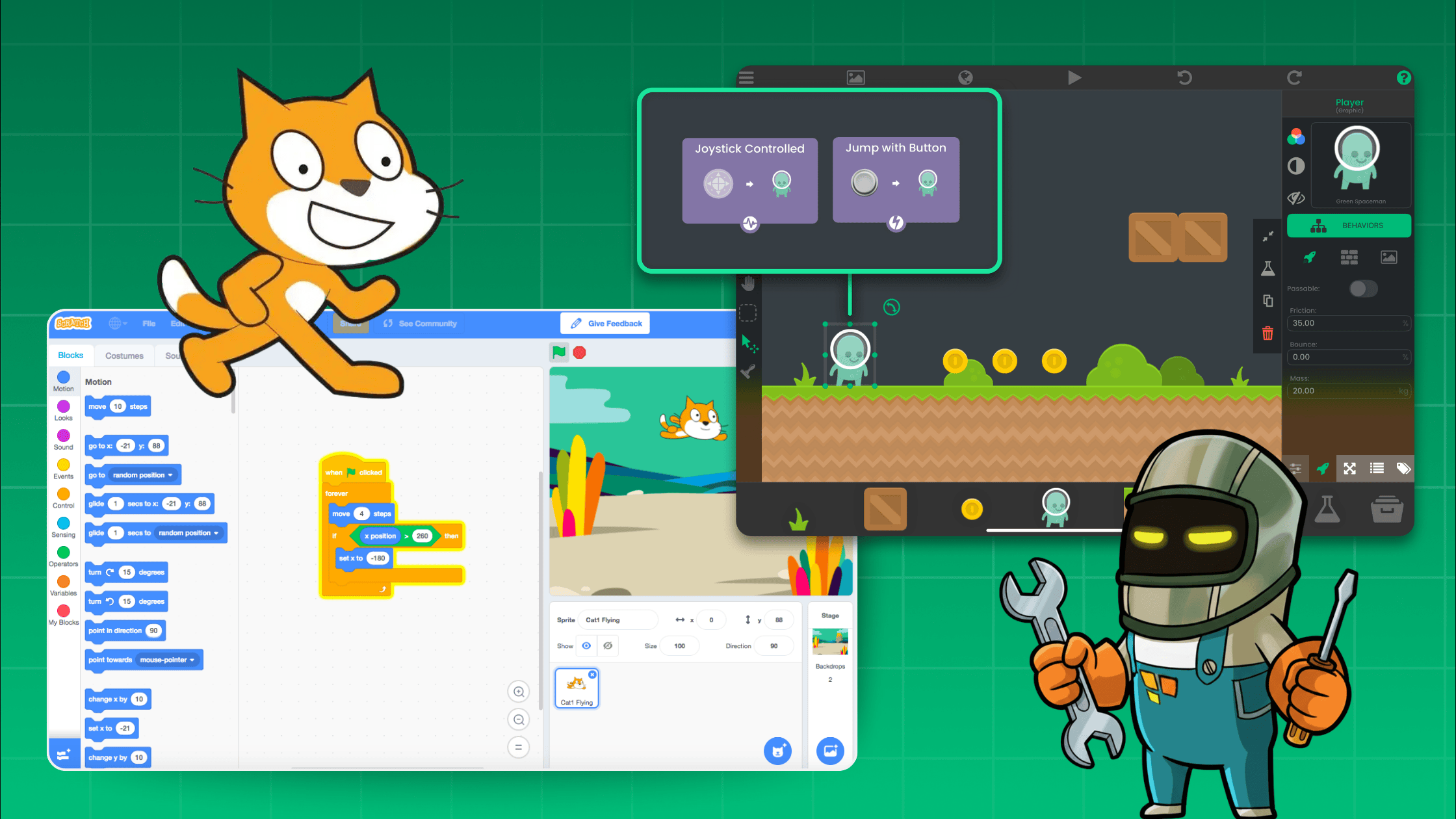
Objects replace sprites with far more flexibility — characters, menus, triggers, and backgrounds.
-
Movement Behaviours let you move, jump, and interact instantly.
-
Visual coding Behaviours handle logic, animations, and events with drag-and-drop simplicity.
-
Add backgrounds, sprites, and dialogue easily with intuitive menus.
-
Event-driven triggers like “When Project Starts” and “When Input Pressed” remove confusion with green flags.
Takeaway: Beginners can create playable, interactive games from day one — all visually and on iPad.
2. Intermediate Questions: Game Mechanics and Interactivity
Common Scratch questions:
-
How do I make a score or timer?
-
How can I make my character jump or detect the ground?
-
How do I make enemies that move on their own?
-
How do I make different levels or screens?
-
How can I make a sprite follow the mouse?
-
How do I make collisions work?
-
How do I play sounds or background music?
How hyperPad makes it easier:
-
Score and Timer Behaviours connect directly to labels for instant feedback.
-
Physics-based Movement and Collision Behaviours create natural jumps, enemy movement, and player interactions.
-
Scenes and Load Scene Behaviours allow multi-level games and dynamic screen changes.
-
Touch, tilt, or mouse input controls make your game interactive on any device.
-
Audio is easy: import music, SFX, and control playback visually.
Takeaway: hyperPad allows intermediate creators to build full-featured, playable games with real gameplay mechanics and professional polish.
3. Creative/Design Questions: Art, Storytelling, and Presentation
Common Scratch questions:
-
How do I draw my own sprites or backgrounds?
-
Can I import my own images or sounds?
-
How do I animate a walking character?
-
How do I make text appear like a dialogue box or story?
-
How do I switch scenes or make a cutscene?
How hyperPad makes it easier:
-
Draw directly on iPad or import high-quality artwork and audio.
-
Animation Behaviours control frame sequences, looping, and context-sensitive animation (e.g., walking only when moving).
-
Dialogue and storytelling are simple with Show Label and Show Popup Behaviours, including branching dialogue.
-
Cutscenes and scene transitions are created visually, with synchronized animations, sound, and UI elements.
Takeaway: hyperPad turns creative ideas into professional-quality visuals and interactive stories, all without coding.
4. Advanced Questions: Logic, Organization, and Optimization
Common Scratch questions:
-
How do I make variables and lists work?
-
What’s the difference between broadcast and message blocks?
-
How can I make my code more organized?
-
How do I save player progress or high scores?
-
How do I make multiple sprites share the same logic?
-
Why is my game lagging or running slowly?
How hyperPad makes it easier:
-
Variables, lists, and global data allow tracking of scores, inventory, and stats across scenes.
-
Event Behaviours replace Scratch broadcasts with modular, reusable logic.
-
Nested Behaviours and templates keep large projects organized.
-
Local storage and optional cloud sync preserve player progress.
-
Shared behaviours allow multiple objects to use the same logic.
-
Optimized physics, collision, and animation engines prevent lag, even in large projects.
Takeaway: hyperPad scales with your projects, letting you build complex games without slowing down or losing control.
5. Community & Sharing Questions: Publishing and Remixing
Common Scratch questions:
-
How do I share my project with others?
-
How do I remix someone else’s project?
-
Why can’t I use custom images or scripts from the web?
-
How do I make my project look professional or like a real game?
How hyperPad makes it easier:
-
Share instantly via HyperPad Hub , export to the App Store, or distribute locally.
-
Remix projects easily, while keeping your changes organized and separate.
-
Full creative freedom with custom images, sounds, and fonts.
-
Build polished games with physics, animation, menus, UI, cutscenes, and professional-grade assets.
Takeaway: hyperPad makes it easy to share, collaborate, and publish games that look and feel like real commercial apps.
Conclusion: From Scratch to hyperPad
hyperPad is the natural next step for anyone who has started with Scratch. It gives you all the visual coding simplicity of Scratch while adding:
-
Full physics, animations, and advanced gameplay
-
Professional-level graphics, sound, and UI tools
-
Scalable project management for large games
-
Publishing and sharing to a global audience
Great for a beginner , a creative storyteller , or an aspiring indie developer , hyperPad turns your ideas into fully playable, professional-quality games — all on iPad, with no coding required.
🎮 Start building your games today
👉 Download hyperPad on the App Store