Pixquare for iPad Game Art: A Native iOS Sprite Workflow

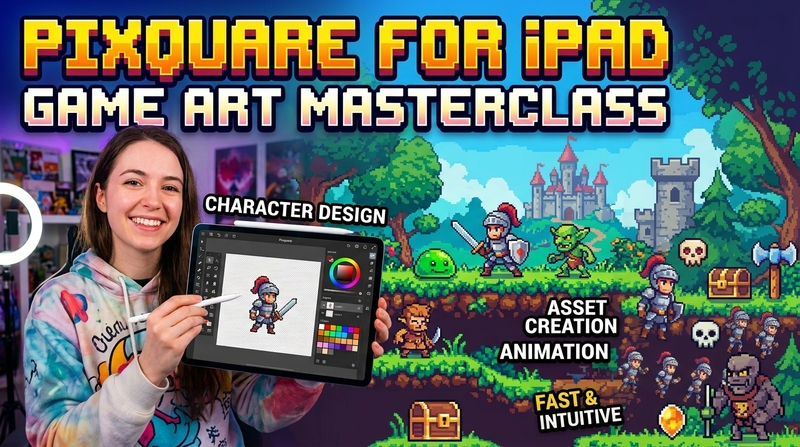
Pixquare is a native pixel-art app for iPad and iPhone. You can draw sprites with touch or Apple Pencil, animate them on a timeline, export PNG files or a spritesheet, and import the finished art into hyperPad without moving to a desktop computer.
This guide uses a small two-frame sprite to show the full iPad workflow.
Why use Pixquare for iPad game art?
Pixquare is designed for Apple devices. Its current App Store listing supports iPad and iPhone, requires iPadOS or iOS 16 or later, and includes Apple Pencil controls, layers, animation tools, tilesets, and tilemaps.
For hyperPad, the most useful export options are PNG for a single Graphic, individual PNG files for animation frames, and spritesheets for a packed animation. GIF or MOV work for previews, not for importing as an interactive game Object.
Check the current Pixquare App Store listing before choosing an upgrade. The app is free to download and offers optional in-app purchases.
Make a small game sprite
Start with a 32 by 32 pixel canvas. A small canvas makes every change visible and keeps a first animation manageable.
- Draw the character as one clear silhouette.
- Choose a short palette with a base color, shadow, highlight, and accent.
- Keep the light direction consistent.
- Add a second frame in the timeline.
- Move part of the body by one or two pixels.
- Preview the loop at gameplay speed.
Two readable frames are enough for a first idle animation. Test them in your game before adding more detail.
Export a still Graphic
For a character, button, item, or tile that does not animate:
- Open Pixquare's export controls.
- Choose PNG.
- Keep the background transparent.
- Export at the original size or a whole-number scale.
- Save the file to the Files app with a clear name such as
chest_closed.png.
PNG preserves transparency and sharp edges. Avoid JPEG for pixel art because its compression can blur individual pixels. Pixquare's export guide explains its current PNG options.
Export animation frames
- Keep every frame on the same canvas size.
- Keep the character aligned across the timeline.
- Choose PNG export.
- Select the option for individual PNG files.
- Save the frames in playback order.
- Use names such as
hero_idle_01.pngandhero_idle_02.png.
Pixquare can also export a spritesheet. Individual frames are easier for a first hyperPad animation because you can inspect their size, order, and transparency before importing them.
Import the art into hyperPad
Open your hyperPad Project and import the PNG files through the Asset Library. Apply a still Graphic to an Object, or use the animation import workflow for a sequence of frames.
The hyperPad animation guide explains how to import frames and assign the animation to an Object.
After the art is in your Scene, connect an event to Play Animation. Started Moving can play a walk cycle. Stopped Moving can return to idle. Started Touching can animate a button or treasure chest.
The Graphic supplies the artwork. Behaviors decide when it changes.
Keep pixel art sharp
Work near the size your game needs, or scale by whole-number multiples such as 2x, 3x, or 4x. Keep every animation frame the same dimensions. Uneven frame sizes or alignment can make a character jump during playback.
Test the Graphic in the actual Scene. Details that look clear while zoomed in may disappear at gameplay size.
A small art-to-game exercise
Make a two-frame treasure chest:
- Draw a closed chest in Pixquare.
- Add a second frame and raise the lid.
- Export both frames as transparent PNG files.
- Import the two frames as an animation in hyperPad.
- Add the chest as an Object.
- Connect Started Touching to Play Animation.
- Add a sound or increase a score Attribute after the animation starts.
Common questions
Is Pixquare available on iPad?
Yes. Pixquare is a native app for iPad and iPhone. Its current listing requires iPadOS or iOS 16 or later.
Is Pixquare free?
Pixquare is free to download and includes optional in-app purchases. Features and prices can change, so check its App Store listing before choosing an upgrade.
Which file format should I use with hyperPad?
Use transparent PNG files for still Graphics and animation frames. Keep animation frames the same dimensions and export them in playback order.
Can Pixquare export spritesheets?
Yes. Its current App Store listing includes spritesheet export. Individual PNG frames are often easier for a first hyperPad animation.
Turn your sprite into a game
Draw one sprite, import it as a Graphic, and connect one Behavior. That is enough to test the art inside a playable Scene.
Test each asset inside the running Scene, not only on its own. Keep it when it makes the action clearer, strengthens feedback, or supports the atmosphere.