Best use of an iPad?


If you’ve ever wondered what an iPad is actually best for, you’re not alone.
Some people use it as a digital sketchbook. Others turn it into a portable office, and plenty of people simply love curling up with it for Netflix, comics, or YouTube. The interesting part? There’s no single “correct” way to use an iPad. We looked through user experiences and discussions online, and one thing became clear: the iPad works best when it fits naturally into your life, rather than replacing every other device you own.
For students, it can be a great note-taking tool. For artists, it’s a creative playground powered by touch and the Apple Pencil. Professionals in trades and technical fields use it to manage blueprints, PDFs, and remote work on the go. Others value it for something much simpler: portability.
It’s lighter than a laptop, bigger than a phone, and comfortable to use almost anywhere, from the kitchen counter to the couch to an airplane seat. Not everyone sees it as a full laptop replacement, and that’s perfectly fine. The biggest lesson from real users is surprisingly simple: the best use of an iPad depends on your habits, your workflows, and what you need every day.
1. Purpose Drives Value
A recurring theme is that an iPad is most worth owning when you already have clear reasons to use it, rather than buying first and figuring it out after. Several users say that if you’re asking “why should I get one?”, you might not actually need one.
Lesson: Don’t buy tech on speculation. Identify clear use cases first.
2. Work & Productivity
Many respondents use their iPad as a productivity tool:
- Student workflows: note-taking, lecture notes, classes.
- Professional tasks: drawing diagrams, or opening large documents on job sites (for example, construction or electrical work).
- Some use it for remote desktop access or Windows apps when needed.
Lesson: With the right apps and accessories (Apple Pencil, keyboard), an iPad can replace or complement laptop-style work, especially for mobile, paperless, or touch-centric tasks.
3. Creative Uses
Creativity is a core strength for many iPad owners:
- Digital art & design: Procreate and drawing are often named as primary uses.
- Music creation and interactive creative apps feel different from desktop tools.
Lesson: If your workflow benefits from touch input, multitouch gestures, and a pencil, an iPad can be a very capable creative platform.
4. Media & Everyday Consumption
Not everyone uses their iPad for productivity, and many people are happy using it for leisure:
- Streaming video, listening to podcasts, and following recipes in the kitchen.
- Reading comic books, magazines, and other content on a larger screen.
Lesson: For media and casual browsing, an iPad is a pleasant, battery-efficient alternative to a phone or laptop, at home or on the go.
5. Portability & Form Factor Matter
Several comments point out how the size and weight of an iPad change how you use it:
- It’s easier than a laptop to travel with, use in small spaces, or hold in different positions.
- It’s bigger than a phone, so it’s more comfortable for long sessions of reading or watching.
Lesson: The iPad’s portability goes beyond size. It often changes where and how people use it.
6. Mixed Opinions on Replacement Value
There’s no consensus on whether an iPad can replace a laptop:
- Some users say it handles their daily productivity perfectly well.
- Others feel limited compared to full-featured desktops or laptops, and prefer those for heavy tasks.
Lesson: Match your device to how complex your tasks are. iPads excel at mobility and specific workflows, but they aren’t the best choice for every workflow.
7. User-Specificity Is Key
Most people describe very personal use cases rather than universal ones:
- Tradespeople using technical PDFs in the field.
- Artists using drawing apps.
- Media fans and casual users enjoying video or music.
Lesson: Because iPad use varies so widely, the “best use” is really whatever you personally need it for.
Summary of Main Learnings
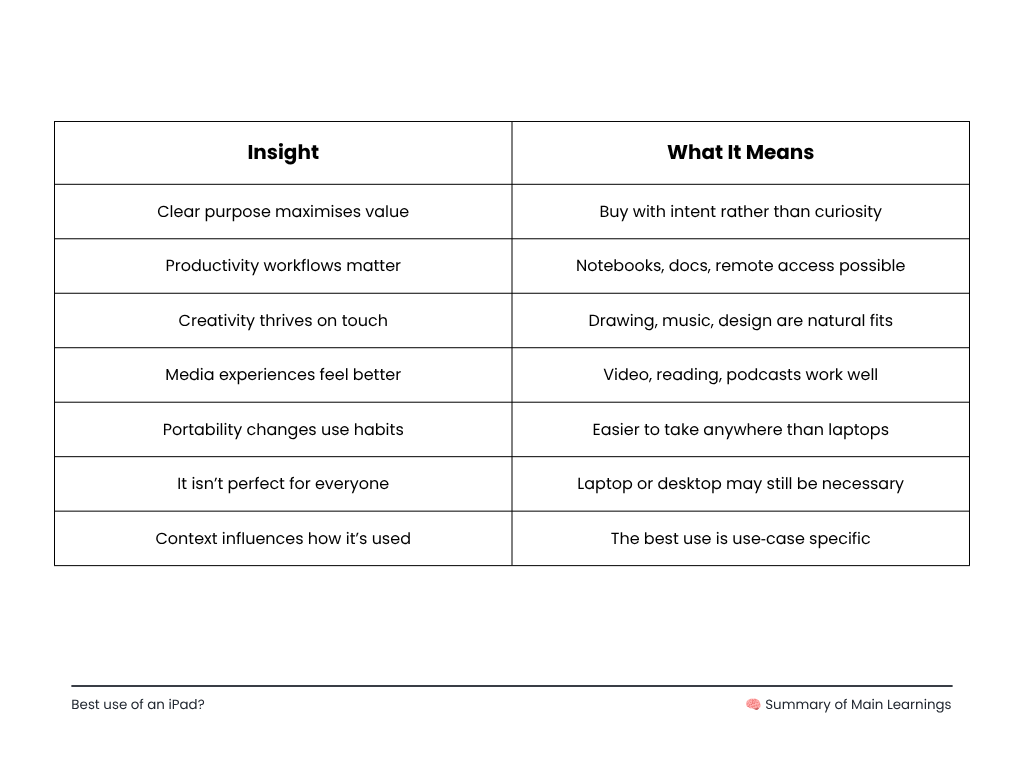
Here’s a quantified summary:
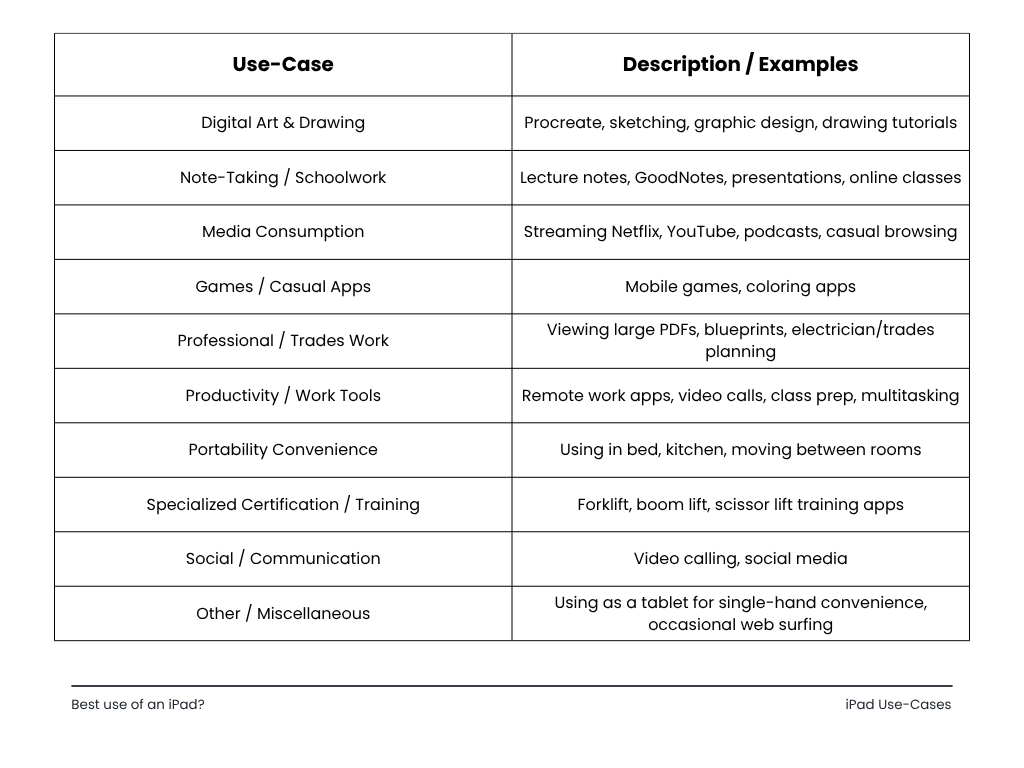
Key Patterns & Insights
- Most common uses: Creativity (art) and education (note-taking) dominate the thread.
- Media use is widespread: Many users value the iPad for casual entertainment and mobility.
- Specialized professional uses: Tradespeople and technical fields benefit from being able to carry large documents on an iPad.
- Portability & form factor: Being able to hold and position the device easily comes up often as a benefit.
- Intrinsic motivation is important: Several commenters stressed owning an iPad only if you already have a clear use case.
In the end, the iPad’s biggest strength is its flexibility. It can be a notebook, a sketchpad, an entertainment hub, a portable workstation, or a creative studio, depending on who’s using it and why. It may not fully replace a laptop for every person or workflow. Still, its mix of portability, touch, and apps makes it useful in ways other devices often aren’t. The clearest takeaway from users is that an iPad delivers the most value when it serves a specific purpose and fits naturally into daily life.
Why hyperPad Makes an iPad Even More Useful
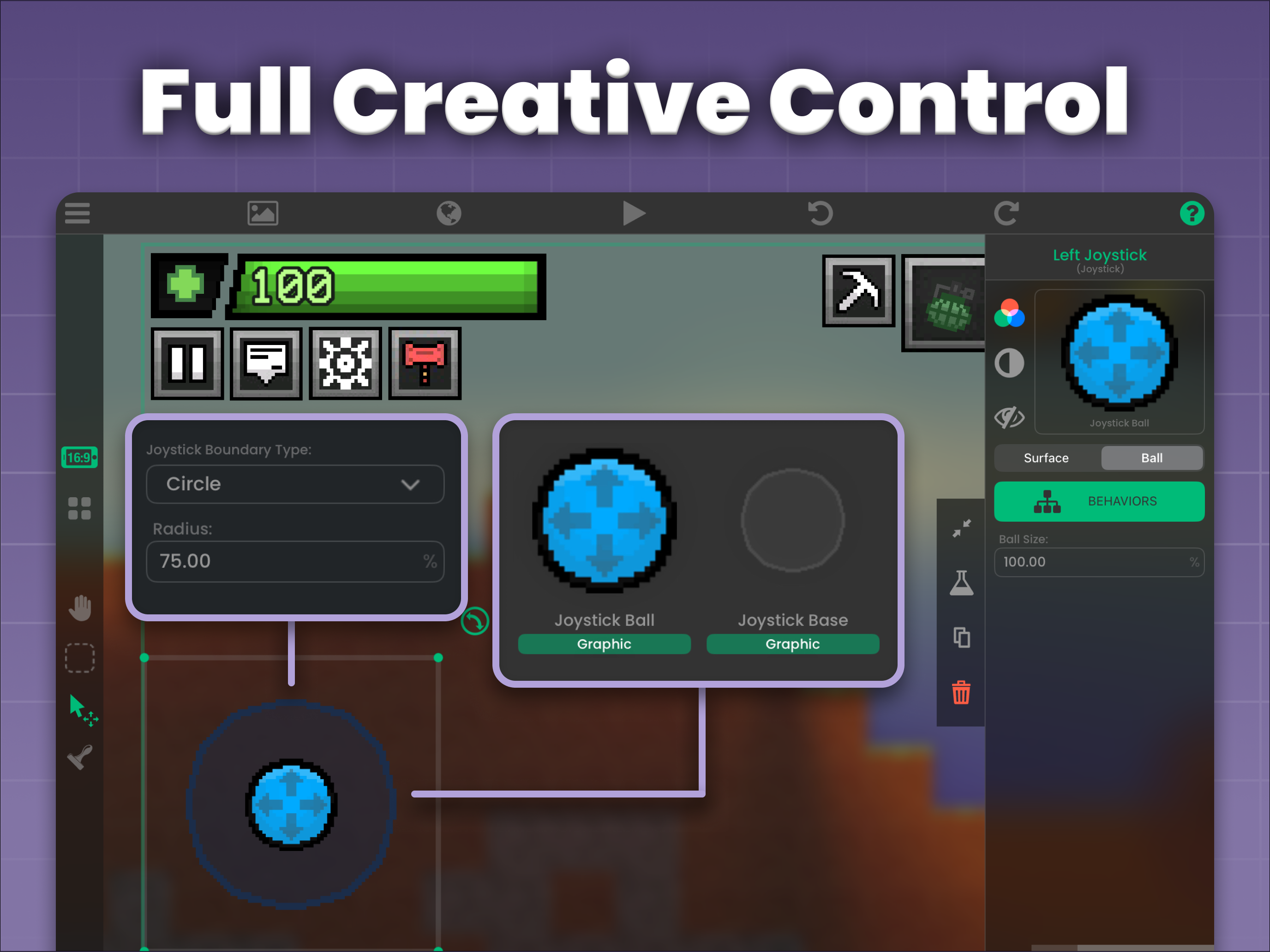
For many iPad owners, the device is already a creative tool for drawing, music, writing, and productivity. With hyperPad, your iPad also becomes a game development studio you can carry anywhere. Instead of only playing games and using apps, you can build your own interactive projects right on the touchscreen. You don’t need traditional coding knowledge or expensive desktop software.
hyperPad is easy to start with. If you have an idea, you can begin making a game by dragging, dropping, and connecting visual Behaviors built for the iPad. Students and beginners learn real game design concepts, problem solving, logic, animation, UI design, and project organization in a fun, hands-on way. For creative people, it turns the iPad from an entertainment device into a place to build, experiment, and share original work.
The long-term value adds up, too. hyperPad is a one-time purchase with unlimited projects and no subscription. You can publish your games to the hyperPad Hub, or export them to the App Store, and use them to build a community, a portfolio, or even an income. You keep 100% of your revenue. hyperPad shows how an iPad can grow from a media device into a creative platform that teaches new skills and turns your ideas into real, playable games.
Try hyperPad Starter free on your iPad. It includes one project. When you want more projects and App Store export, upgrade to hyperPad for a one-time USD $14.99.