Best App on iPad for Educators

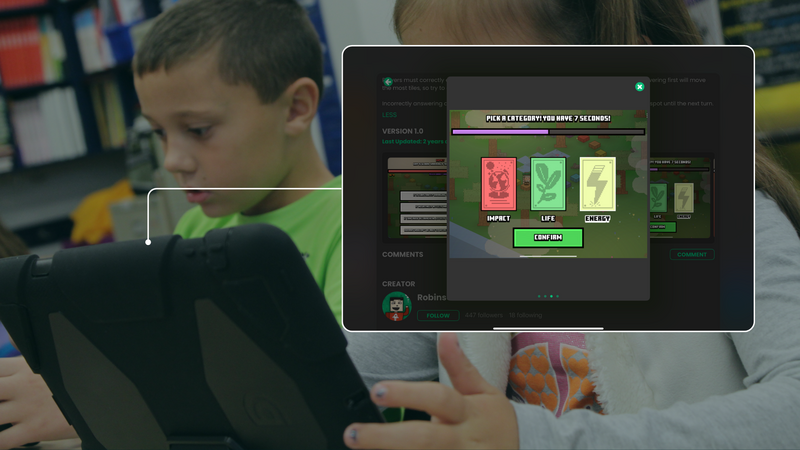
How Animation Helps Students Learn
The study “Effects of Animation & Visuals on Learning High School Mathematics” by Brent Poohkay and Michael Szabo compared animation, still graphics, and text-only instruction. Students were learning how to use a compass to create triangles. The results were clear: animation significantly improved students' understanding of the concept, and text-only instruction produced the lowest achievement.
These findings support the idea that visual learning, especially through animation, improves student engagement and comprehension. If you’re an Apple educator looking for ways to bring your lessons to life, hyperPad lets you add animations and interactive content to your classroom instruction on iPad.
What Makes hyperPad Ideal for Educators on iPad?
hyperPad is a visual programming app for iPad. Teachers and students use it to create interactive lessons, simulations, and even educational games without prior coding knowledge. Here’s how it fits the way you teach:
1. Enhancing Concept Visualization
Mathematics and science often involve abstract concepts that are hard for students to grasp through text alone. With hyperPad, you can create animations that illustrate mathematical operations, geometric constructions, and physics principles. Your students can then visualize problems in real time.
2. Hands-On Learning with Interactive Lessons
hyperPad gets students to actively engage with lessons instead of passively reading. When they build interactive simulations, students experiment with mathematical tools, explore geometric transformations, and solve real-world problems. That helps both comprehension and retention.
3. Encouraging Creativity and Problem-Solving
hyperPad lets students design and animate their own problem-solving experiences. Whether they create an interactive math challenge or an animated historical timeline, students build critical thinking skills while reinforcing their subject knowledge.
4. Fits Into Any Curriculum
You can bring hyperPad into many subjects, including:
- Mathematics: Geometry constructions, fractions, algebraic visualizations.
- Science: Physics simulations, interactive biology diagrams.
- History: Timeline animations and interactive storytelling.
- Language Arts: Story-driven learning experiences.
5. No Coding Required
Many educators avoid tech-heavy tools because they look complicated. hyperPad removes that barrier with drag-and-drop Behaviors: you connect actions and events into a flowchart of your lesson’s logic. You can create engaging content without prior programming knowledge, which makes STEM education more accessible.
Real-World Application: Bringing Math to Life
Imagine a tenth-grade geometry class learning about triangle constructions. Instead of relying on textbook diagrams, the teacher uses hyperPad to build an interactive lesson. Students move a virtual compass and ruler to construct different types of triangles. This hands-on experience reinforces understanding and keeps students more engaged than static images or text-based instructions.
Read this case study about a teacher in the United States who uses hyperPad to increase engagement in his classroom.
A Lifetime of Education
The study showed the benefits of animation in learning, and hyperPad is an easy way to bring those benefits into your classroom. With interactive animations, you can help raise student achievement and engagement, and make learning more active.
If you want technology that helps improve student outcomes, try hyperPad in your classroom. We’d love to tailor our support to your needs. Reach out to us with:
-
Your classroom size and how you’d like to use hyperPad
-
The number of hyperPad accounts you’re interested in
-
Custom classroom modules you’d like our help developing
For purchases of 20+ accounts, we offer educators weekly 1-on-1 sessions with our dev team for 3 months, so your students get the best experience. Schools get 50% off through Apple School Manager, with Private Login for student accounts. hyperPad is a one-time purchase, so you can keep changing your courses or building new ones.
Try hyperPad Starter free. When you want more projects and App Store export, upgrade to hyperPad for a one-time USD $14.99. You keep 100% of your revenue.