Art and Coding Projects for Kids: Combining Creativity and Tech on iPad

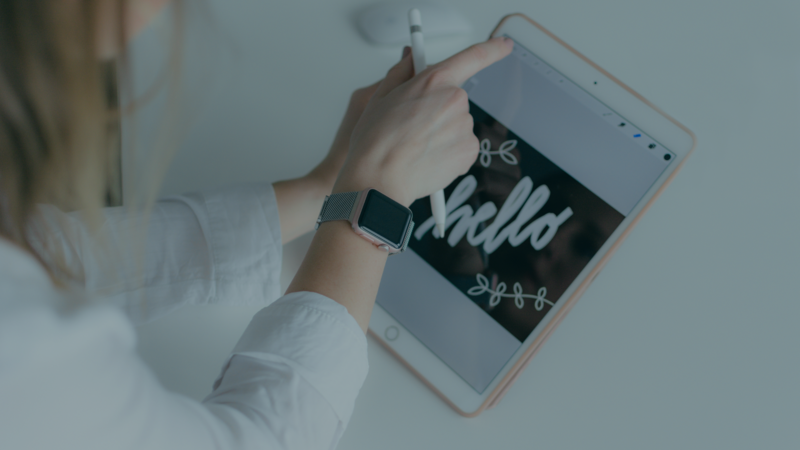
Kids love to create, whether it's drawing, telling stories, or inventing new worlds. Combining art and coding gives them a new way to be creative: their drawings become interactive. With hyperPad, kids can bring their ideas to life on an iPad, from interactive art projects to simple animated games.
Here's how art and coding projects can inspire young minds and give them a fun, hands-on way to learn.
Why Combine Art and Coding?
Art and coding might seem like two separate worlds, but they work well together:
- Builds creative problem-solving: Kids think critically as they turn their artistic ideas into something interactive.
- Encourages self-expression: Coding becomes a canvas, so kids can share their own stories and designs.
- Makes technology fun: A creative twist keeps kids excited about coding.
- Develops key skills: Kids grow as artists (design and animation) and as logical thinkers (coding).
Art and Coding Projects for Beginners
Here are some fun art and coding projects your kids can make on an iPad with hyperPad:
1. Interactive Drawing Board
- What to create: A digital canvas where players can draw and erase shapes or add colors.
- Skills learned: Touch controls, color selection, and creative interaction.
- Art component: Kids can design their own brushes or drawing effects.
2. Animated Storybook
- What to create: A short story brought to life with moving characters and sound effects.
- Skills learned: Animation, sequencing, and storytelling.
- Art component: Kids draw the characters, scenes, and props that make up their world.
3. Character Creator Game
- What to create: An app where players design characters by mixing and matching features like hair, clothes, and accessories.
- Skills learned: Variables, touch interactions, and randomization.
- Art component: Kids illustrate different character parts, so players can try lots of combinations.
4. Color-Changing Animation
- What to create: An animation where Objects change colors or designs when tapped.
- Skills learned: Loops, conditional logic, and touch inputs.
- Art component: Kids create bright patterns and animations in their own style.
How to Start Art and Coding Projects on iPad
Getting started with art and coding on hyperPad is simple:
-
Set up your tools:
- Download hyperPad Starter (free, one project) or hyperPad from the App Store.
- Use a stylus for precise drawing, or use the iPad's touch controls.
-
Choose a project idea:
- Pick a project based on your child's interests: drawing, storytelling, or character design.
-
Follow tutorials:
- hyperPad has built-in tutorials that guide beginners through making animations and interactions.
-
Experiment and play:
- Encourage your child to explore Behaviors, play with colors, and try new design ideas.
-
Show off the results:
- Celebrate their work by playing the project together or sharing it with friends and family!
Benefits of Art and Coding Projects for Kids
Combining art with coding gives kids a lot to learn:
- Improves logical thinking: Kids learn to plan sequences and solve problems while coding.
- Boosts creativity: Kids think imaginatively as they design their own visuals.
- Builds confidence: Finishing a project, from first idea to playable result, gives kids a sense of achievement.
- Prepares for the future: Art and tech skills are useful in many fields, from game design to animation.
- Makes learning fun: When creativity and technology mix, coding feels like play instead of a chore.
Why hyperPad Works for Art and Coding
hyperPad makes coding and art accessible for kids of all ages with features like:
- Drag-and-drop Behaviors: No experience required. Kids connect Behaviors visually instead of typing code.
- Custom Graphics: Import or create their own artwork right on the iPad.
- Simple animation tools: Add movement and interactivity to their art.
- Interactive design: Build projects kids can play and share, from games to art apps.
Conclusion
Art and coding projects are a great way to get kids learning while their imaginations run wild. With hyperPad on an iPad, young artists can explore what happens when creativity meets technology.
Whether they're designing interactive drawings, building animated stories, or creating characters, kids gain skills that help them in a digital world. And they have fun doing it.
Encourage your child to start their first art and coding project today. Try hyperPad Starter free. When you want more projects and App Store export, upgrade to hyperPad for a one-time USD $14.99. You keep 100% of your revenue.