WWDC 2025 Game Award Winners: Lessons for iPad Game Creators

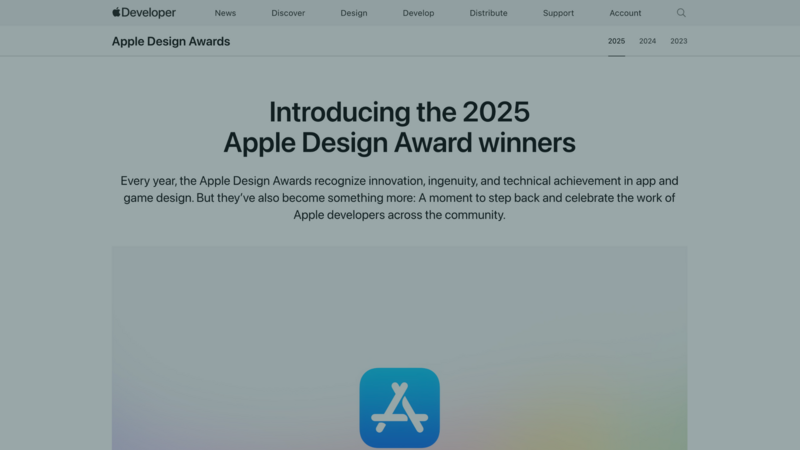
The 2025 Apple Design Award winners did not succeed by chasing the same idea.
Balatro built depth from a clear card-game rule set. Neva used movement, art, and sound to carry an emotional story. Art of Fauna made accessibility part of the puzzle design. The useful lesson for a new creator is to see how each game commits to one experience.
What Apple recognized
Apple's Design Awards cover Delight and Fun, Inclusivity, Innovation, Interaction, Social Impact, and Visuals and Graphics.
Balatro won the game award for Delight and Fun. Its core rules are easy to recognize, while combinations and changing constraints create replay value.
Neva won in Social Impact. Its relationship, environmental theme, and changing seasons work together instead of competing for attention.
Art of Fauna was a Social Impact finalist. Players can solve its wildlife puzzles through images or text, making accessibility part of the design rather than a separate mode.
Three lessons you can use in a smaller game
Build depth from one mechanic
Choose the interaction a player will repeat most often. Make it readable, responsive, and worth trying again before adding more systems.
In hyperPad, that might be a card placed into a slot, a character moving between safe areas, or two puzzle Objects swapping positions. Connect the input and result with Behaviors, then test the loop in Play mode.
Make the interface explain the rules
Good feedback helps a player understand what happened. Use motion, sound, color, and text to confirm a correct action or show why something failed.
Keep the feedback connected to the mechanic. A particle effect should make the result clearer.
Include more players in the design
Accessibility begins with the choices you make early. Do not rely on color alone. Keep important text readable. Make touch targets large enough. Give players time to understand a new interaction before increasing the pressure.
Test with someone who did not build the game. Watch what they do before explaining it.
Where hyperPad fits
hyperPad lets you prototype these lessons directly on iPad. Place Objects in a Scene, connect Behaviors, and test each change without writing traditional code.
hyperPad also runs on Apple silicon Macs with an M1 chip or later. That makes it a visual game development app for both iPad and compatible Macs, with the strongest touch-first experience on iPad.
Start with one short playable moment. Publish the Project to the Hub and ask a specific question: Was the goal clear? Did the controls feel responsive? What made you want another attempt?
Use the answers to improve the game. Awards come much later, if they come at all. The useful habit starts now: make one decision, show it to a player, and revise it with care.
Build something only you would make
The 2025 winners show that memorable games can be funny, unsettling, calm, or deeply personal.
Your first Project does not need their budget or size. It needs a clear idea and enough testing to make that idea understandable. hyperPad gives you the visual tools to begin on iPad. The point is to use them in service of your own game.