
Make a First iPad Game in Class

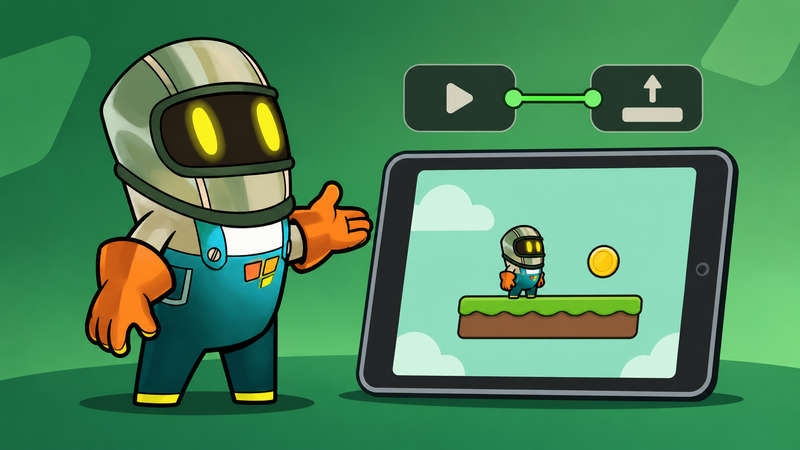
Your students can make a working game interaction in one class. Give them one player, one coin, and one clear rule: when the player touches the coin, the coin disappears and a sound plays.
hyperPad Starter gives each student one free Project on iPad. Students build the interaction with Behaviors in the Behavior Editor. Apple Classroom helps you move the class between the lesson brief, a creative tutorial, and hyperPad.
Steve Iuliano's free iPad videos give students a useful place to make art, sound, or a short game pitch. You choose one video. Then your students use that work in or around their hyperPad Project.
Choose one Steve's Classroom tutorial
Start with the part of game making your class wants to explore.
- Animate with Keynote gives students a way to explore a character or moving visual.
- GarageBand Tutorial for iPad helps students make a short sound for player feedback.
- Green Screen Do Ink Tutorial works well for a game pitch or end-of-class reflection.
Pick one. Your students need most of the lesson for building and testing.
You can find more creative iPad lessons on Steve's Classroom. Follow the channel if you want a growing set of tutorials to use with future Projects.
Plan one playable interaction
Ask your students to finish this sentence:
When the player touches the coin, ________.
For the first Project, use this answer:
The coin disappears and a sound plays.
Now the class has an event and a result. That is enough to build a small Behavior Tree.
Keep the art simple. Students can use a Graphic already available in hyperPad or import their own. To import artwork, open the Asset Library and choose Import. The Importing Assets guide explains how to bring in a Graphic from Photos or Files.
Build the coin interaction
Give students about 25 minutes for this part.
- Create or open a Project in hyperPad Starter.
- Place a player Object and a coin Object in the Scene.
- Open the Behavior Editor for the coin.
- Add a Collision Event. Set it to respond when the player starts touching the coin.
- Connect the event to Destroy Object and Play Sound.
Run the Project. Move the player into the coin. The coin should disappear, and the sound should play.
If nothing happens, trace the Behavior Tree from left to right. Check which Object the Collision Event watches. Then check the Object selected by Destroy Object.
This gives you a concrete way to teach visual code. Students can point to the event that starts the interaction and the actions that follow it.
Use Apple Classroom to keep the lesson moving
Apple Classroom helps you guide the lesson on student devices. You can open an app or resource for the class, view screens, and move students to the next activity. Apple's Classroom User Guide covers the available controls and setup options.
Use Classroom at three points:
- Open the selected Steve's Classroom video.
- Move students into hyperPad when asset time ends.
- View screens during the build so you can spot a shared problem.
Apple Classroom manages the lesson flow. Students make the game in hyperPad. Apple School Manager handles app and device deployment for your school.
Test the game with a partner
Give each partner one turn with the Project. The creator watches without explaining the controls.
Ask the player:
- Did you know what to collect?
- Did you notice the result?
The creator makes one change after the test. They might move the coin, enlarge its Graphic, change the sound, or repair a Behavior connection.
Finish by asking the creator to show the event and actions in the Behavior Tree. You can assess the game from what the student built and what they can explain.
Try a second lesson
Keep the same Project and change one rule. Add another coin. Make the player reach a goal after collecting it. Create a different sound in GarageBand. Record a short green-screen pitch that explains who the game is for.
Each change gives students another reason to test the Project with a player.
What does hyperPad Starter include?
hyperPad Starter is free and includes one Project. Students can build and test that Project on iPad. The paid hyperPad app adds more Projects and Xcode Export for shipping through the Apple App Store.
Your students can complete this lesson in Starter.