Make Epic Games on iPad


Prefabs, Hover Events, Shake Objects, Coins, and Dislikes Are Here.
If you've ever wanted to make games entirely on your iPad without writing a single line of code, hyperPad just made it easier. The latest update adds Prefabs, Hover Events, the Shake Object Behavior, Coins, and Dislikes.
Whether you're an aspiring indie dev or a seasoned game creator, these features give you more control over how you build.
Prefabs & Templates
Build Once, Reuse Everywhere
Prefab and Template Objects change how you organize a project:
-
Prefabs: Reuse Objects and Behaviors across multiple Scenes and share them with other creators. Build once and use it everywhere, or make shareable "plugins" for the community.
-
Templates: Each copy keeps its own Behaviors, so you can tweak and experiment freely while staying organized.
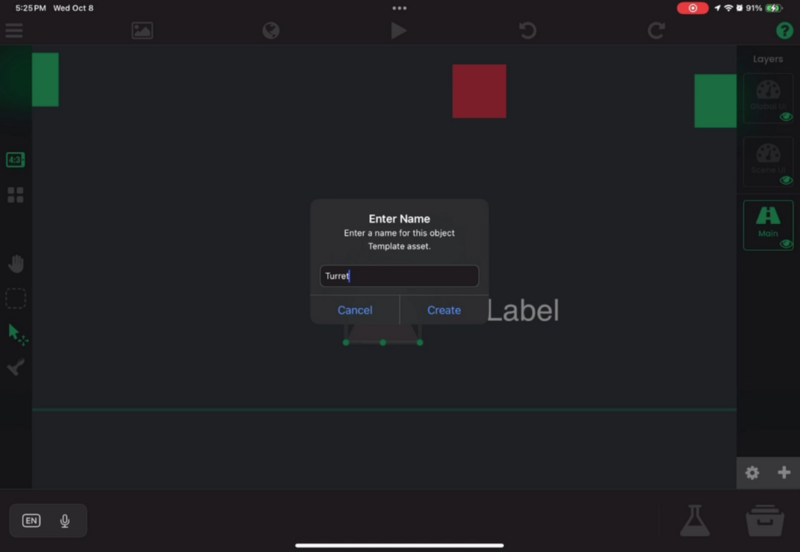
Save any Object to your Asset Library, then drag and drop it into any Scene. It saves you time on every project, especially complex ones.
New Ways to Express Yourself
Level Up Your Interaction. The update also brings Coins and Dislikes, two new ways to interact:
Coins
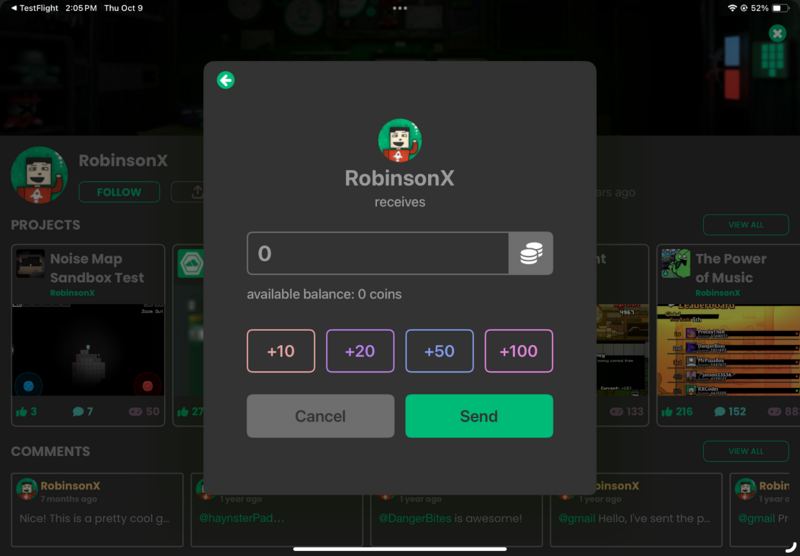
Give Coins to other creators to show your appreciation, or receive them from another creator's personal stash. When this update shipped, Coins had no monetary value and couldn't be purchased. You earned them.
Dislikes
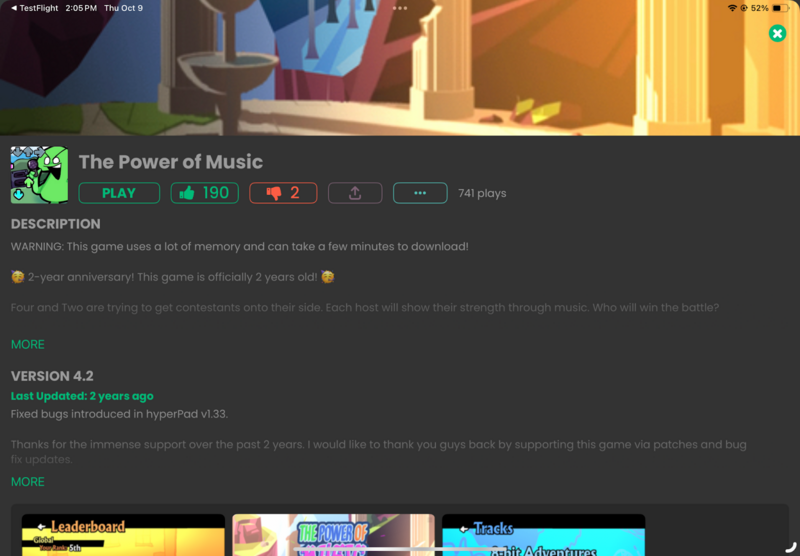
Add reactions, give negative feedback, or trigger custom logic. Use Dislikes for social features, penalty systems, or unique player interactions.
With these features, you can design gameplay that rewards and responds to your players, all on your iPad.
Hover Event Behavior
Interactive Games Made Simple
Want your buttons, menus, or Objects to respond when a player reaches for them? The Hover Event Behavior handles it:
-
On Hover: Trigger actions when a finger or cursor touches an Object.
-
While Hovering: Keep effects running while the hover lasts.
-
On Exit: React the moment a player moves away.
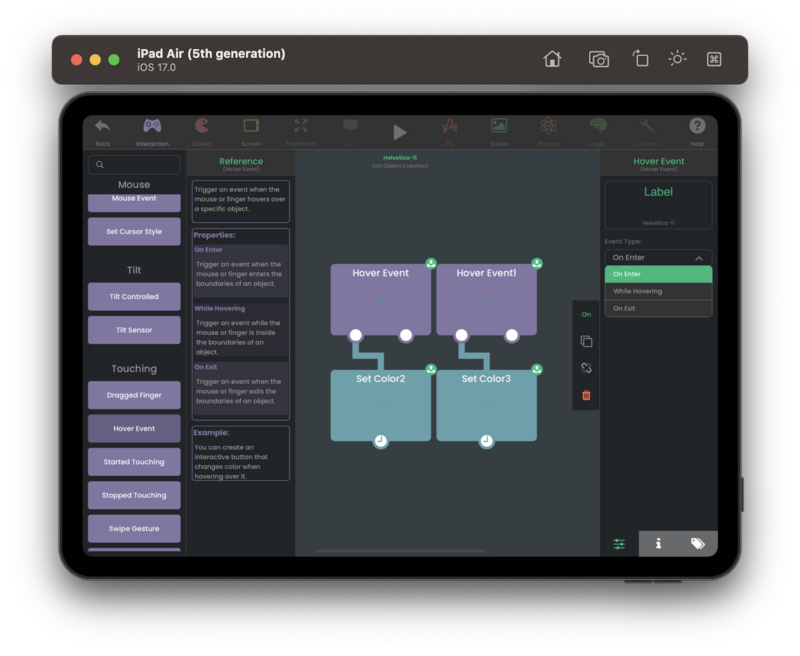
You don't need any code. Hover responses make your menus and buttons feel polished and professional.
Shake Object Behavior
Add Instant Visual Feedback
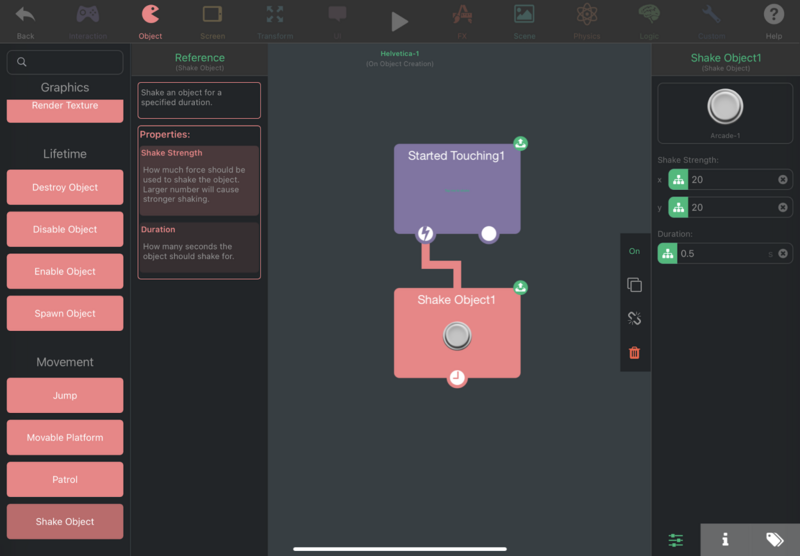
Explosions, hits, and alerts all need visual feedback. The Shake Object Behavior shakes an Object without changing its actual position. It's quick to set up and gives every impact more weight.
Why hyperPad Works as a Game Engine on iPad
With these updates, hyperPad is a no-code app and a fully capable game engine on iPad:
-
Build games entirely on iPad, anytime, anywhere.
-
Reuse Objects and Behaviors with Prefabs and Templates.
-
Make responsive games with Hover Events.
-
Add visual feedback with Shake Object.
-
Add rewards and feedback systems with Coins and Dislikes.
-
Skip the coding. Drag, drop, and play.
If you've been looking for an iPad game developer tool that's quick to learn, hyperPad is ready to turn your ideas into playable games.
Create Your Next Game on iPad
Update hyperPad to the latest version and try Prefabs, Hover Events, Shake Objects, Coins, and Dislikes. Whether you're making a simple side-scroller, a puzzle game, or a fully interactive adventure, your next game starts on your iPad.
Use this example as context for the next decision in your Project. Check current event or product details, then test the idea in a small playable build before changing the larger workflow.