
How to Build a Sustainability Game on iPad

A sustainability game works best when it turns one environmental question into a rule the player can test. On iPad, you can build a small recycling, energy, or habitat simulation in hyperPad with Objects, Attributes, Behaviors, and UI.
Start with one measurable relationship. For example: sorting an item into the correct bin adds one point, while a wrong choice reduces the remaining time. That mechanic is small enough to build and clear enough to discuss after students play it.
Choose one learning question
“Sustainability” is too broad for a first Project. Pick a question that can become a visible decision:
- How does sorting accuracy affect the amount of waste diverted?
- What happens when energy demand exceeds available supply?
- How do repeated choices change a habitat over time?
- Which trade-offs appear when a resource is limited?
Define the model before opening the editor. Decide what the player controls, which values change, and what the game intentionally leaves out. A classroom game is a simplified model, not proof of a real-world environmental outcome.
Example Project: a recycling sorter
Create one Scene containing:
- three bin Objects
- several recyclable and non-recyclable item Objects
- a score label
- a timer label
- a short result panel
Give each item an Attribute named material_type. Give each bin an Attribute named accepts_type. Attributes store the state your logic needs to compare.
| Object | Attribute | Example value | Purpose |
|---|---|---|---|
| Paper item | material_type | paper | Identifies the item |
| Paper bin | accepts_type | paper | Defines the correct destination |
| Game manager | score | 0 | Stores the current score |
| Game manager | time_left | 45 | Stores the remaining round time |
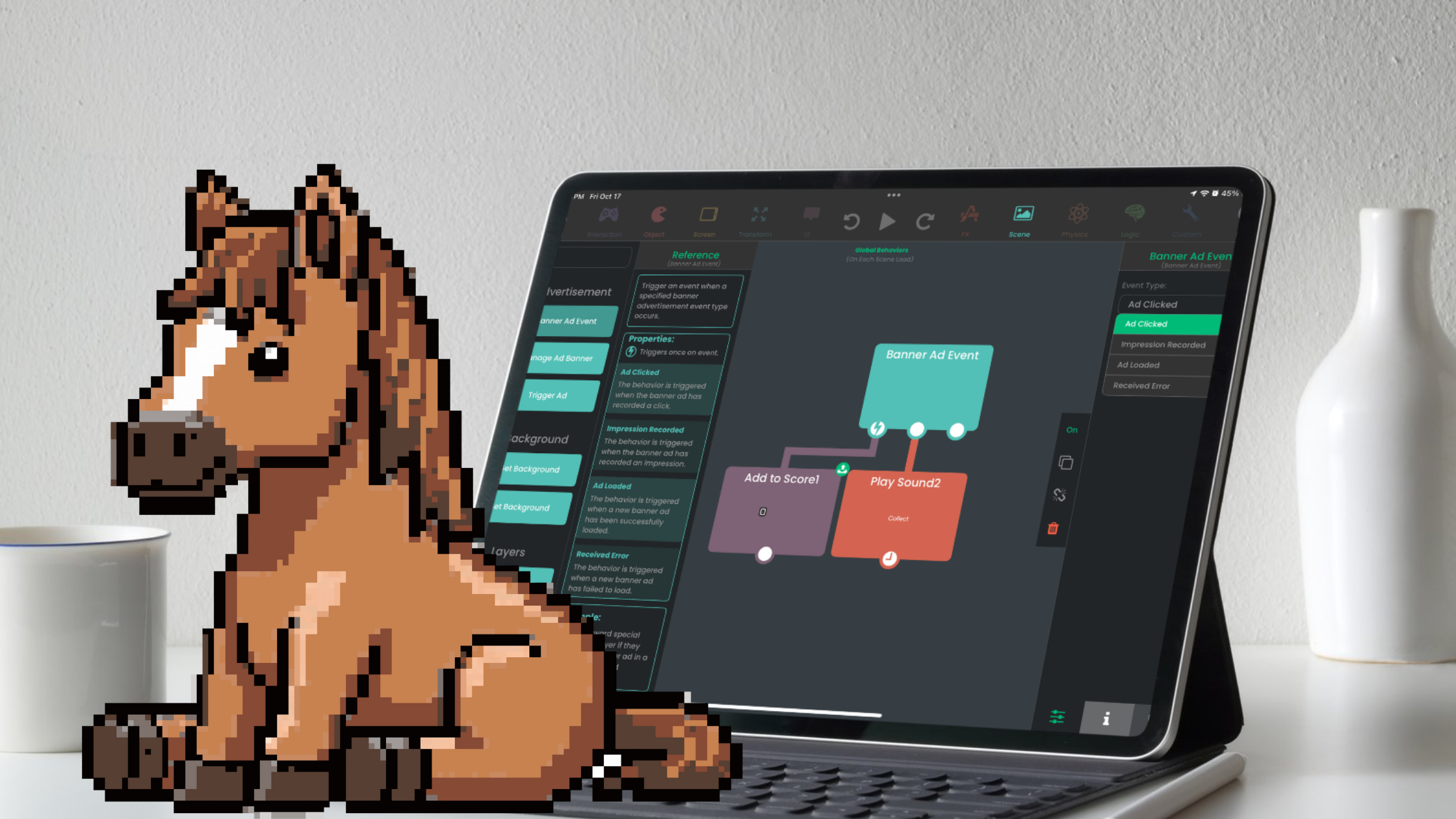
The Behavior Interface overview explains how events and actions connect. The logic for one item can follow this flow:
- Use Collision Event when the item reaches a bin.
- Read both values with Get Attribute.
- Use If to compare
material_typewithaccepts_type. - On a match, use Add Values and Set Attribute to increase the score.
- Update the score display with Set Label.
- On a mismatch, show a short explanation or return the item for another attempt.
This is visual programming. The collision is the event, the comparison is the condition, the Attributes hold state, and the connected actions produce the result.
Keep repeated content manageable
Instead of writing separate logic for every item, assign shared Object Tags where the same rule applies. Name Objects and Attributes consistently so another student can follow the system.
A Timer can reduce time_left once per second. When the value reaches zero, stop item input and display the result panel.
Do not add more bins until the two-bin version works. A smaller rule set makes mistakes easier to identify and gives students more time to discuss what the model represents.
Connect the mechanic to the lesson
The score alone does not teach the topic. Pair each result with a question:
| Game result | Discussion question | Possible revision |
|---|---|---|
| Players guess repeatedly | Which items are hard to classify, and why? | Add a material label or explanation |
| One bin is rarely used | Is the item mix balanced? | Adjust the spawn list |
| The round feels rushed | Is speed supporting the learning goal? | Extend or remove the timer |
| Scores are high but explanations are weak | Can players explain the sorting rule? | Add a reflection screen |
If the goal is classification knowledge, accuracy may matter more than speed. If the goal is systems thinking, replace the simple score with two linked values, such as cost and waste diverted, so every choice has a trade-off.
Other sustainability game mechanics
Once the first sorter works, the same structure can support other topics.
Balance energy supply and demand
Store energy_generated, energy_used, and budget as Attributes. Let the player activate different energy sources, then compare supply with demand at the end of each round. Keep the data fictional unless the lesson uses a reviewed source.
Restore a habitat
Track water, food, shelter, and population as separate values. Player actions change one or more values. Use conditions to show when the habitat is stable, stressed, or recovering.
Plan a limited-resource route
Give the player a fixed energy budget and several destinations. Movement or actions reduce the remaining value. The design question becomes which tasks to complete before the resource runs out.
Each idea should state that it is a model. Real environmental systems involve more variables and uncertainty than a small game can represent.
Test the game and the lesson separately
First test whether the Project works:
- each item reads the correct Attributes
- a collision is counted once
- correct and incorrect results are visibly different
- the timer stops at the intended value
- restart resets every relevant Attribute
- labels always match the stored state
Then test whether the activity supports the learning goal:
- players can explain the rule in their own words
- the game does not reward a misconception
- feedback explains the result instead of only marking it wrong
- the challenge leaves enough time to think
- the model’s limits are stated clearly
Record observations rather than claiming that the game improved learning. A classroom trial can reveal confusion and guide revision, but it does not establish a general educational outcome.
Build one decision players can understand
A useful sustainability game does not need a large world or a long story. It needs a clear choice, a visible change in state, and feedback that helps the player connect the rule to the topic.
Build the smallest complete version first. Once players can use and explain that version, add another variable, trade-off, or Scene without hiding the original learning question.