How to Write a Game Description (With Examples and a Template)

Your game description is usually the first thing a player reads, and it decides whether they tap Get or keep scrolling. Most of that decision happens in the first two lines, before anyone expands the text.
This guide covers what goes in a game description, a template you can fill in, four examples, and the mistakes that lose downloads.
What a Game Description Has to Do
Three jobs, in this order:
- Get attention. Your first line competes with everything else on the page.
- Set expectations. Players who know what they are downloading leave better reviews.
- Ask for the download. Say what to do next.
The App Store shows roughly the first two to three lines before the More button. Write those lines as if they are the whole description, because for most readers they are.
The Four Parts of a Game Description
1. The hook
One sentence that creates a question in the reader's head.
"Every door in the house leads back to the same room. You have eleven minutes."
2. The gameplay summary
Two or three sentences covering the genre, what the player does, and what makes it different.
"A first-person puzzle game about escaping a house that rearranges itself. Map the rooms, find the pattern, and get out before the loop resets."
3. The feature list
Four to six bullets. Scannable, concrete, no adjectives doing the work.
- 40 hand-built rooms
- One save slot, no undo
- Plays offline
- Full controller support
4. The call to action
"Download now and see how far you get on your first loop."
A Game Description Template
Fill this in and you have a working draft:
[One-sentence hook that raises a question.]

[Genre] where you [core verb]. [What makes it different in one sentence.]

FEATURES
- [Concrete feature with a number]
- [Concrete feature]
- [Concrete feature]
- [Platform or technical detail players care about]

[Call to action.]
Keep the whole thing under 200 words for a mobile game. Long descriptions do not get read.
Game Description Examples
A platformer
Your double jump works. Your single jump does not.
A precision platformer built around one broken ability. 60 levels that each teach you something the last one did not.
- 60 hand-designed levels
- Instant restart, no load screens
- Speedrun timer built in
- Plays offline
Download and find out how far a broken jump gets you.
A rhythm game
Eight songs. One life. The arrows do not slow down.
A rhythm game about timing under pressure. Miss three notes and the track restarts from the top.
- 8 original tracks
- Three difficulty modes
- Custom song import
- One-handed play mode
Tap to the beat. Download now.
A puzzle game
The solution is always on screen. That is the problem.
A logic puzzle game where every piece you need is visible from the start. 120 puzzles, no hints, no timers.
- 120 puzzles across 6 chapters
- No ads and no in-app purchases
- Progress syncs across devices
Start with puzzle one. See where you stall.
A virtual pet game
Your pet remembers what you fed it last week.
A virtual pet sim where every choice shapes how your companion grows. Feed it, train it, and watch its personality settle in over a few weeks of real time.
- 12 personality traits that develop from your choices
- Real-time day and night cycle
- Trade items with friends
Adopt yours and see who it turns into.
Notice what each one does: it opens with a specific claim, names the genre by the second line, and puts a number in at least one bullet.
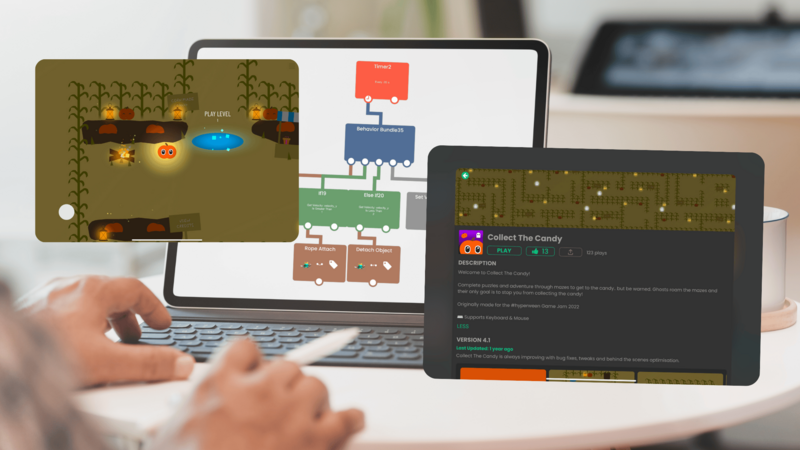
No game to describe yet? Try hyperPad Starter free. Build one on iPad by connecting Behaviors, with no coding.
Writing Tips That Actually Change the Copy
Use active verbs. "Race through the jungle" reads better than "Players will be racing through the jungle."
Write to the player. Use "you" and "your." It puts the reader in the game instead of watching it.
Be specific instead of vivid. "40 rooms" beats "many levels." A number is more convincing than an adjective.
Vary your sentence length. A run of same-length sentences reads flat. Mix a short one in.
Cut the last line of every paragraph. It is usually a summary of what you just said.
Mistakes That Cost You Downloads
Jargon. Your players do not know what a roguelite deckbuilder with metaprogression is. Some do. Most do not.
Length. If it takes three taps of More to read, it does not get read.
Overclaiming. "The best game ever made" makes readers trust the rest of the description less.
Spoilers. Keep the twist. Sell the setup.
Starting with the studio. Nobody taps Get because a game was "lovingly crafted by a small indie team." Lead with the game.
Keywords in a Game Description
App Store search reads your title and subtitle more heavily than the description, but the description still matters for web search and for readers scanning.
- Put your main phrase in the first line, where it reads naturally.
- Use the words players search with, like "offline RPG," "zombie survival," or "idle clicker."
- Say the genre in plain language at least once.
- Stop there. Repeating a phrase five times reads badly and does not help.
"Explore abandoned starships in this offline sci-fi survival game." That line names the genre, the setting, and the offline play, and it still sounds like a person wrote it.
Your description is one piece of a larger picture. For the rest of it, see our mobile game marketing strategy guide.
Before You Publish
- Read the first two lines on their own. Do they work as the whole pitch?
- Count the numbers in your feature list. Aim for at least two.
- Remove every adjective that is not doing real work.
- Read it out loud. Anywhere you stumble, split the sentence.
- Check it against a screenshot. The copy and the art should describe the same game.
Write the Description, Then Make the Game
A lot of creators find that writing the description first makes the game easier to build. If you cannot describe it in 200 words, the scope is probably too broad.
With hyperPad, you build games on iPad by connecting Behaviors into a flowchart of your game's logic. When it is ready, you Publish to the Hub or Export to the App Store, and you keep 100% of your revenue.
Make one game for free with hyperPad Starter. Make as many as you want with hyperPad for a one-time USD $14.99.