Enhancing the Classroom with iPad Game Development and Coding


Interactive tools on iPad can make learning more active, collaborative, and personal. Game development and coding education are a good place to see how.
Teaching methods are changing, with a global shift toward interactive learning. With iPads and apps like hyperPad, you can give students new ways to learn how to code and make games, while they build problem-solving and collaboration skills. Students learn coding logic and critical thinking through iPad game development.
Promoting Active Learning Through Game Development
Learning how to code is becoming essential for students of all ages, and game development is a fun, engaging way to teach it. With hyperPad, students build their own games with visual Behaviors and learn coding fundamentals along the way.
For example, instead of just reading about how games work, students can make their own. They design levels, build characters, and add game mechanics with visual coding on iPad. This hands-on approach makes coding logic more accessible and helps students grasp abstract concepts through real applications, reinforcing both their coding skills and their understanding of game mechanics.
Collaborative Coding and Game Design on iPad
One of the biggest benefits of game dev on iPad is how it encourages collaboration. With hyperPad, students can work together on projects, sharing ideas and solving problems as a team. That deepens their understanding of coding. It also builds communication and teamwork skills they'll need later on.
For instance, in a classroom coding project, teams of students might each design a different level of a game, with everyone contributing their own ideas and skills. By collaborating on iPad game development, students learn from each other and get a sense of how coding and game design work in a professional setting.
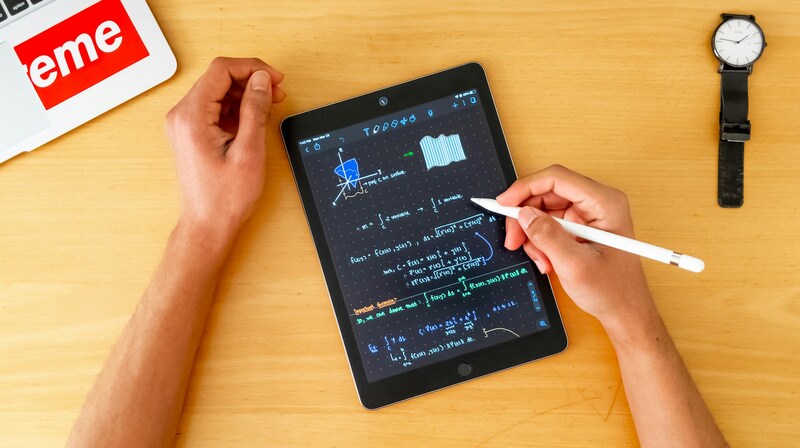
Learning math on the iPad
Teaching Coding Logic with iPad Tools
Teaching coding logic can feel challenging. Interactive tools like hyperPad make it simpler and more fun. hyperPad's drag-and-drop interface helps students understand the principles of coding without prior experience, so it works well for beginners. Game dev on iPad makes coding more approachable, and it helps students apply logical thinking to real-world problems.
For example, students can create interactive games that respond to player input, or build puzzles that need logical solutions. They see how coding can solve problems creatively.
Personalized Learning with Coding and Game Development
Coding on iPad also supports personalized learning. With hyperPad, students can learn at their own pace, whether they're mastering basic coding concepts or moving on to advanced game mechanics. Regular feedback from you keeps students motivated and makes sure everyone gets the support they need.
Students who pick up coding logic quickly can push their projects further with advanced features such as animations, physics, or multiplayer mechanics. Students who need more guidance can experiment with smaller projects and follow step-by-step tutorials.
Experience the Future of Education with hyperPad
hyperPad helps educators and students create interactive learning experiences on iPad. It's designed to make learning how to code through game development fun and accessible for everyone. Whether you're teaching basic coding logic or advanced game mechanics, hyperPad gives students the tools they need to succeed.
Educators, if you're ready to explore how game development on iPad can work in your classroom, reach out to us today. Together, we can inspire the next generation of coders and game developers, and help students build 21st-century skills through creativity, collaboration, and hands-on learning.
Start Game Dev on iPad Now
The shift toward interactive learning, especially through iPad game development and coding education, is changing classrooms. When you teach coding logic through fun, hands-on projects, learning becomes more engaging, inclusive, and effective. As educators, we can adapt to these changes and use interactive tools like hyperPad to inspire creativity and lifelong learning.
hyperPad is a one-time USD $14.99 purchase. Schools get 50% off through Apple School Manager, with Private Login for student accounts. Students can turn their Procreate designs or digital art into interactive comics, games, and more, and export them to the Apple App Store. Start your game development journey with hyperPad today.