Can a 12-Year-Old Create a Game on iPad?

Yes. You Can Make a Game at 12
You do not need to know how to code before you start. With an iPad and hyperPad Starter, you can build and test your first game with visual tools.
Start with one small idea. Make a character move, add one goal, and let someone play it. Each test will show you what to improve next.
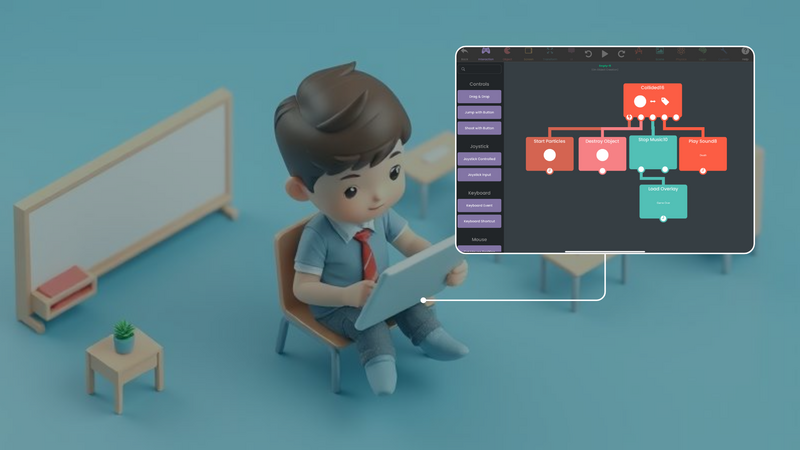
The first-game guide explains the wider workflow. The Behavior Editor overview shows how events and actions connect.
What You Can Build on iPad
A first game does not need to be large. You could make:
- A short platformer with one level
- A puzzle with a few clear rules
- An interactive story using your own art and sounds
hyperPad uses drag-and-drop Behaviors instead of typed code. You choose what should happen, connect the Behaviors, and test the result directly on your iPad.
What Comes With hyperPad Starter
hyperPad Starter is free and ad-free. It lets you build and test one Project with hyperPad's creation tools.
You can use Starter to:
- Create one editable Project
- Build game logic with visual Behaviors
- Add your own drawings, sounds, and ideas
- Test your game on iPad as you work
The current App Store listing says you need to upgrade when you are ready to share your game or export it to Xcode.
How to Start Your First Game
1. Pick one action
Choose the main thing the player will do. They might jump, avoid an obstacle, solve a puzzle, or choose what happens next in a story.
2. Build a small scene
Add a background, one character, and one goal. A small scene is easier to finish and test.
3. Add Behaviors
Use Behaviors to control movement, collisions, scores, and other game rules. Change one thing at a time so you can see what each Behavior does.
4. Playtest on your iPad
Run the Project and look for anything confusing or broken. Ask a parent, teacher, or friend to try it beside you. Give them one clear task and watch where they get stuck.
5. Improve one problem
Use the playtest feedback to choose the next fix. Then test again.
Sharing and Publishing
Starter is for building and testing one Project. Paid hyperPad adds more Projects, publishing to the hyperPad Hub, and Xcode Export for App Store submission.
The hyperPad Hub is available to creators age 13 or older. Creators ages 13 to 17 need permission from a parent or guardian. A 12-year-old can still build and test a game in Starter, then work with a parent or teacher when planning how to share it later.
App Store submission uses the Xcode project exported by paid hyperPad. That step requires access to a Mac with Xcode and an Apple Developer account.
What You Learn by Making a Game
Making a game gives you practice with:
- Breaking a large idea into smaller tasks
- Testing rules and solving problems
- Planning art, animation, sound, and story
- Explaining your choices and using feedback
These skills grow through practice. Your first goal is not to make a huge game. It is to finish one playable idea and learn from it.
Start With One Playable Idea
Keep the first activity focused on one learning goal and one playable interaction. Watch where learners pause or experiment, then revise that moment before adding more content.