Best iPad Apps for Students Who Want to Make Games


The best iPad app for a student who wants to make games depends on what they need to learn. Choose hyperPad for visual 2D game building, Swift Playground for typed Swift and SwiftUI, Tynker for guided block-coding lessons, or Xogot for a more technical Godot workflow that includes 2D and 3D.
Do not choose by the longest feature list. Pick one tool that matches the student’s current goal, build a small project, and review the result before adding another app.
Quick comparison
| App | Good fit when the student wants to | Main approach |
|---|---|---|
| hyperPad | build a complete 2D game directly on iPad | visual Behaviors |
| Swift Playground | learn Swift and build Apple-platform apps | typed Swift and SwiftUI |
| Tynker | follow structured coding activities | blocks and guided courses |
| Xogot | work with Godot projects in 2D or 3D | scripting and engine tools |
Features and access can change. Check each developer’s current documentation and App Store listing before planning a class or purchase.
hyperPad for visual 2D game projects
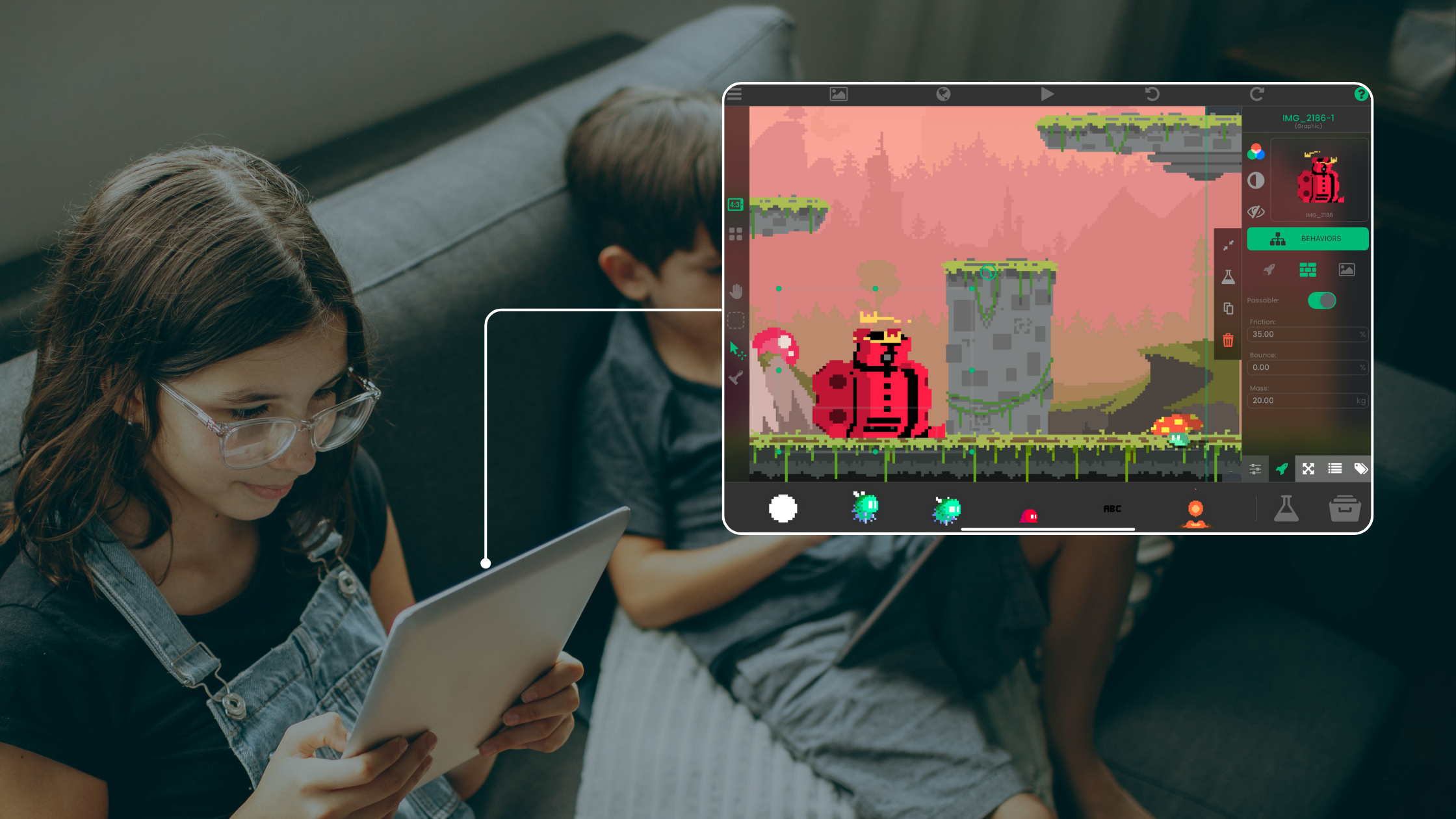
hyperPad is a 2D visual game engine built for iPad. A student creates Scenes, places Objects and Graphics, stores values in Attributes, and connects visual Behaviors to make the game respond.
A first Project could be a five-coin challenge:
- move one player Object
- detect contact with a coin
- add one point to a score Attribute
- update a score Label
- open the finish after all five coins are collected
This project makes events, actions, state, feedback, and playtesting visible without requiring the student to learn programming syntax first.
The Behavior Editor overview explains the visual logic workspace. hyperPad Starter is free and ad-free and lets the student build and test one Project.
Swift Playground for typed Swift
Swift Playground is Apple’s iPad and Mac app for learning Swift and building apps with SwiftUI. Choose it when typing code and learning Apple’s programming tools are part of the goal.
A student can begin with Apple’s guided lessons, inspect the result of code as it changes, and move toward an app project. Apple’s current Swift Playground documentation is the source to check for supported workflows.
Swift Playground and hyperPad teach some of the same underlying ideas through different interfaces. A condition in a hyperPad Behavior Tree relates to an if statement in Swift, but the tools and project structures are not interchangeable.
Tynker for guided block-coding activities
Tynker provides guided coding courses and projects on iPad. Its current mobile materials include block-coding activities for building games and other projects.
Choose it when a student benefits from a sequenced course, prompts, and structured practice. Check the specific course, age guidance, account requirements, and current plan before assigning it. The presence of a course does not guarantee that it matches your curriculum or the kind of game the student wants to make.
A useful test is simple: can the student explain the rule they built and change it without copying the example?
Xogot for a technical 2D or 3D workflow
Xogot brings Godot tools to iPad and iPhone. Its official site describes touch-native 2D and 3D editing, running, debugging, and scripting.
Choose it when the student is ready for a more technical engine workflow or specifically needs 3D. Review the current Xogot documentation because engine versions, platform support, and deployment steps can change.
hyperPad remains the better match when the goal is a visual 2D workflow built around Behaviors instead of typed scripting.
Choose by the project, not the age label
Two students of the same age can need different tools. Use the project and required support to decide.
Ask:
- Does the student want to type code or use visual logic?
- Is the planned game 2D or 3D?
- Do they need a guided course or an open creation tool?
- Can the student finish a one-screen project with the available class time?
- What account, sharing, and privacy rules apply?
- How will the student show what they learned?
For younger creators, adults should review account requirements and community access. The hyperPad Hub is available only to users age 13 or older. Users ages 13 to 17 need permission from a parent or guardian under the current hyperPad Terms of Service.
Use one small assessment project
Whichever app you choose, define a result that can be observed.
Example brief:
Build a one-screen game with one input, one goal, one stored value, clear feedback, and a restart.
Ask the student to demonstrate the project and explain:
- what starts the interaction
- what rule is checked
- what value changes
- how the player knows what happened
- what changed after playtesting
This checks understanding without relying on claims about grades, careers, or generalized learning outcomes.
Start with one visual game
If the student wants to build a 2D game on iPad without beginning with typed syntax, start with one mechanic in hyperPad.
Keep the first activity focused on one learning goal and one playable interaction. Watch where learners pause or experiment, then revise that moment before adding more content.